

10 Steps to properly do PHP Bug Tracking and Fixing as Fast as possible – Part 4

PHP, Techniques, Tips, Tutorials
9. Monitor the PHP Error Log File to Quickly Fix Serious Bugs 10. Fix Your Bugs but Never Edit Code on the Production Server 9. Monitor the PHP Error Log File to Quickly Fix Serious Bugs Error logs are useful to discover bugs that may be causing PHP errors but you cannot spend all day looking at your PHP error log files. It would be better if you could be notified when a PHP error occurs. That is the purpose of the Log Watcher class. It can monitor a log file and send an email message to you when new lines that are added to the log file. You can use it for instance from a script started periodically by cron, lets say every 5 minutes, and make it track…
Read More

10 Steps to properly do PHP Bug Tracking and Fixing as Fast as possible – Part 3

PHP, Techniques, Tips, Tutorials
7. Send PHP Errors to an Error Log File 8. Add more Error Context Information to PHP Errors Logs 7. Send PHP Errors to an Error Log File If you should not display PHP errors on the Web pages, you should be able to see them somehow. A better alternative is to send the errors to a error log file. This way you can watch what is going on without disclosing sensitive information to your site users. You can enable PHP error logs adding a few configuration lines to your php.ini file. Additionally you also set other useful PHP options. error_reporting = E_ALL log_errors = On error_log = /path/to/php_error_log log_errors_max_len = 0 ignore_repeated_errors = On ignore_repeated_source = Off report_memleaks = On track_errors = On html_errors = Off 8. Add more…
Read More

10 Steps to properly do PHP Bug Tracking and Fixing as Fast as possible – Part 2

PHP, Techniques, Tips, Tutorials
4. Use a Version Control System to Maintain Project files, Except Configuration files5. Track PHP Errors with Assertion Condition Tests6. Do Not Display PHP Errors on your Web pages4. Use a Version Control System to Maintain Project files, Except Configuration filesYou should always use a version control system (VCS) to maintain your application source code, but keep in mind that the configuration/local.php script should never be committed to the VCS repository. The reason for this is that it is not a static file in your project. It is different depending on whether you are in the development, staging or production environment.The default values for the options in the configuration class should be the ones to be used in the production environment, except for sensitive values that are related with the…
Read More

10 Steps to properly do PHP Bug Tracking and Fixing as Fast as possible – Part 1

PHP, Techniques, Tips, Tutorials, Web Development Services
No matter how hard you try to test your PHP applications before putting them in production, you will always ship code to your server that has bugs. Some of those bugs will be very serious and need to be fixed before they cause greater damages to your application data that may be too hard to recover. Contents 1. Test as Much as Possible Before in your Development Environment 2. Test in a Staging server Before you Send it to the Production Server 3. Separate your Code from Environment Configuration files   1. Test as Much as Possible Before in your Development Environment This one should be obvious but it is amazing how many PHP developers do not do it. The worst case is of those developers that do not use…
Read More

“No input file specified”

Magento/Drupal/Joomla
Many PHP applications experience this error(mostly on Godaddy). There are several solutions that can resolve this. You can try these steps to solve this: ‰‰ 1.Make sure that your hosting service uses PHP version 5. In your root directory, there might be a file called php.ini. If so, rename it to php5.ini. If you see files with names such as .alias, .bash_profile, .cshrc, .screenrc, you are looking at the root directory. If you're unsure, ask your hosting service. ‰‰ If that doesn't work, add the line cgi.fix_pathinfo = 1 to the end of php5.ini. ‰‰ If that still doesn't work, add the line Options –MultiViews to the top of the file named .htaccess. ‰‰ If that doesn't work, search the knowledge base and forums at http://magentocommerce.com for help.
Read More

5th Incorporation Day!!!

Blog
30th May 2008 is the date when Vivacity InfoTech Pvt. Ltd. was got incorporated. Its been 5 years now and its really a mix feelings. Completed 5 yrs today!!! Our special thanks to our clients for their faith, support and co-operation.... thanks to our team for their hard work, commitment, dedication, passion and enthusiasm made this day special for all of us thanks to all our well-wishers, friends, supporters and all the loved ones!!!! and thanks to my GOD who helped me in every up n down....you were always there for me n wish you will be there last long.....many more years to come n more years of joy, success, commitment, growth and happiness.... Cheerssss!!!!!
Read More

The PHP mail() Function

PHP
Syntax: mail(to, subject, message, headers, parameters) Parameter Description to Required. Specifies the receiver / receivers of the email subject Required. Specifies the subject of the email. Note: This parameter cannot contain any newline characters message Required. Defines the message to be sent. Each line should be separated with a LF (n). Lines should not exceed 70 characters headers Optional. Specifies additional headers, like From, Cc, and Bcc. The additional headers should be separated with a CRLF (rn) parameters Optional. Specifies an additional parameter to the sendmail program PHP Simple E-Mail The simplest way to send an email with PHP is to send a text email. In the example below we first declare the variables ($to, $subject, $message, $from, $headers), then we use the variables in the mail() function to send…
Read More
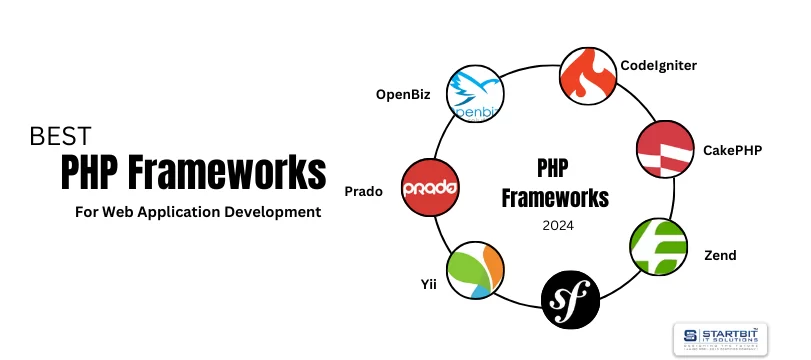
Best PHP Frameworks For Web Application Development

Best PHP Frameworks For Web Application Development

PHP
PHP is like a shelter for every web improvement association, which needs to make engaging and alert sites in a financially savvy way. With the assistance of PHP, you can make custom requisitions by utilizing PHP for example site inbuilt Talkbox. In this manner, provided that you such as to make customizable Php web requisition growth, then you might as well approach a most fitting programming infrastructure association to guarantee the standard nature of Php-based web provisions in your site. In the world of web development, PHP frameworks play a crucial role in simplifying and accelerating the process of building robust and scalable web applications. A PHP framework provides a structured environment that promotes efficient coding practices, enhances security measures, and ensures maintainability over the long term. Choosing the right…
Read More

Codeigniter for Rapid Php Application Development

PHP
Codeigniter is the most development system of Php web infrastructure. The complexities included while utilizing this system are very nil. Any begin up individual can figure out how to improve requisitions on it without putting much enterprises. It is actually, the best device for the artists who need to improve the most dynamic sites. This schema is instrumental in conveying the ventures soon after the stipulated time allotments. The expense included in the task deliverance is considerably less and the customers truth be told receive the best item quality as an exchange moreover. Provided that you as the customer need to advance the task from a scratch then picking the Codeigniter skeleton can clearly be the best choice. It serves to join distinctive innovations inside the most brief compass of…
Read More