

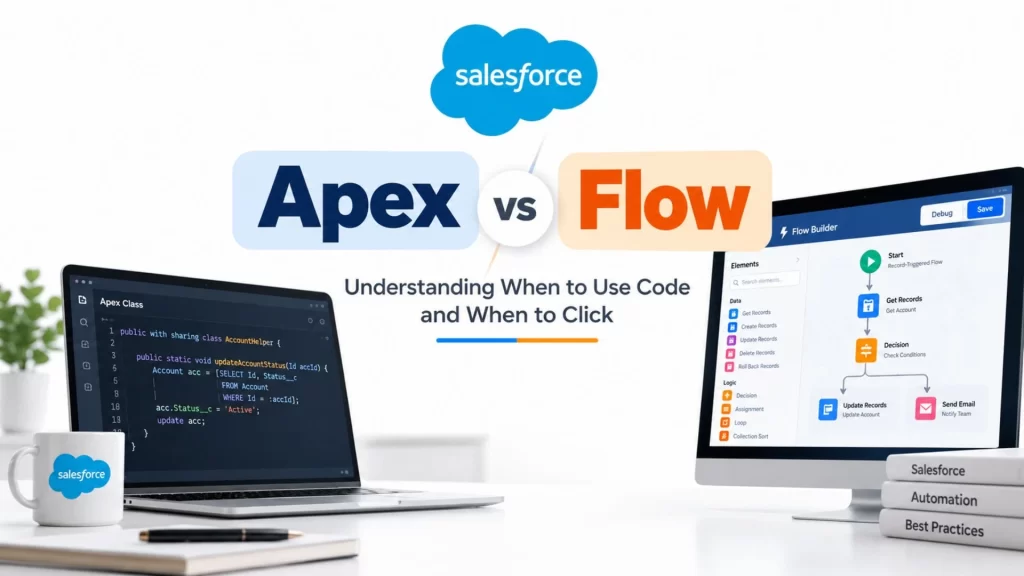
When working with Salesforce, one question often comes up: Should we use Flow to automate a process, or should we write Apex code?
Both options help automate business tasks and reduce manual work. The difference lies in how they are built and how much control they offer over the process.
Flow allows you to create automation through a visual interface, while Apex gives developers the flexibility to write custom code. Understanding both approaches helps you choose a solution that fits the business requirement and remains easy to maintain.
1. Understanding Salesforce Automation
Salesforce is commonly used to manage customer information, sales leads, opportunities, contacts, and support cases. Many of the activities associated with these records can be automated.
For example, imagine a company receives a new Lead through its website. Once the Lead enters Salesforce, the company wants to:
- Set the Lead status to New.
- Assign the Lead to the appropriate sales representative.
- Send a notification to the sales team.
- Create a task for a follow-up call.
- Update other records when required.
Performing these activities manually for every new Lead would take time and could lead to mistakes. Automation allows Salesforce to handle these tasks according to predefined business rules.
There are different ways to build this automation, but two important options are Salesforce Flow and Apex.
2. Understanding Salesforce Flow
Salesforce Flow is a visual automation tool that allows you to create business processes without writing traditional programming code for every step.
Using Flow Builder, you can configure actions, define conditions, retrieve records, and connect different steps to create an automated process.
Example: Assigning a New Lead
Suppose a company receives Leads from India, the United States, and other countries. The company wants to assign each Lead to the appropriate sales team.
You can create a Record-Triggered Flow that follows this process:
- Salesforce detects that a new Lead has been created.
- The Flow checks the Lead’s country.
- It identifies the appropriate sales team based on the configured conditions.
- It updates the Lead’s owner or other required fields.
- It performs any additional actions, such as creating a follow-up task.
You build this process by configuring elements in Flow Builder rather than writing the entire solution in code.
Flow is useful for record updates, notifications, task creation, guided forms, and many other business processes. However, it still requires careful planning, particularly when the automation involves many conditions or large numbers of records.
3. Understanding Salesforce Apex
Apex is Salesforce’s programming language. It allows developers to write custom logic and control how data is processed.
Unlike Flow, where you configure the process visually, Apex requires you to write code.
Apex is particularly useful when a requirement involves complex calculations, advanced data manipulation, reusable business logic, or processing large numbers of records.
Example
Suppose a company wants to calculate discounts based on several conditions.
The business rules are:
- Orders above ₹50,000 qualify for a discount.
- Premium customers receive additional benefits.
- Customers with overdue payments are not eligible.
- The final discount must be recorded against the order.
You could implement these rules in Flow. However, if the calculation becomes more complicated and must be reused in several processes, Apex might provide a more structured solution.
A simplified Apex example is shown below:
public class DiscountCalculator {
    public static Decimal calculateDiscount(
        Decimal amount
    ) {
        if (amount > 50000) {
            return amount * 0.10;
        }

        return 0;
    }
}
This class calculates a 10% discount when the amount exceeds ₹50,000. It demonstrates the basic idea; it does not implement the complete business rules described above.
Important Apex concepts
To understand Apex properly, it helps to become familiar with a few terms.
- Class: Contains related code and functionality.
- Method: Performs a particular operation.
- Trigger: Executes in response to supported database events.
- SOQL: Retrieves records from Salesforce.
- DML: Performs database operations such as inserting, updating, and deleting records.
- Batch Apex: Processes large numbers of records in batches.
- Queueable Apex: Runs supported jobs asynchronously.
- Test Class: Tests Apex logic to help verify that it behaves correctly.
When should you use Apex?
Consider Apex when the business logic is difficult to express clearly in Flow, when advanced data structures are required, when custom transaction control is needed, or when the solution requires specialized processing or integration logic.
Apex also has governor limits, so developers must write efficient code and consider how their implementation will behave as data volumes increase.
4. Flow vs Apex: The Main Differences
Although both tools automate business processes, they provide different ways of building and maintaining a solution.
| Area | Flow | Apex |
|---|---|---|
| Development approach | Visual configuration | Programming |
| Coding requirement | Usually no traditional code required | Requires code |
| Standard record updates | Well suited | Also supported |
| Guided user processes | Screen Flow | Usually requires a suitable UI approach |
| Complex calculations | Possible, depending on complexity | Offers greater programming flexibility |
| Data processing | Supports records and collections within platform limits | Supports advanced programming structures and batch processing |
| Error handling | Fault paths and supported Flow mechanisms | Programmatic exception handling |
| Maintenance | Often easier for straightforward processes | Requires appropriate coding knowledge |
| Reusability | Can use reusable Flow designs | Can use reusable classes and methods |
| Best fit | Visual business automation | Requirements needing more programmatic control |
The choice depends on the actual requirement. A simple task does not become better simply because it is written in Apex, and a Flow does not become a good solution merely because it avoids code.
5. Real-World Situations: Which Approach Makes Sense?
Scenario 1: Automatically updating a record
Suppose an Opportunity changes to Closed Won. You want Salesforce to update a field and create a follow-up task.
This is a common use case for Record-Triggered Flow because the process follows a straightforward sequence of business actions.
Apex could also perform these operations, but custom code may not be necessary.
Takeaway: Start with Flow when standard automation can meet the requirement cleanly.
Scenario 2: Building a guided customer form
Imagine that a customer support representative needs to collect customer details, verify information, and submit a service request through several screens.
Screen Flow can guide the user through the process, collect input, and perform supported actions.
If the form requires a highly customized interface, Lightning Web Components (LWC) may be appropriate alongside Flow or Apex.
Takeaway: Choose the interface and automation tools according to what the user needs to do.
Scenario 3: Working with complicated data
Suppose an external application sends a large collection of customer and asset information. Salesforce must match the incoming data with existing records, compare values, and update the appropriate records.
Apex provides programming structures such as Maps and Sets that can make these operations easier to implement.
Flow also supports collections, but certain data-processing patterns can be more cumbersome to express visually.
Takeaway: When the data structure or processing logic becomes complicated, evaluate whether Apex offers a clearer solution.
Scenario 4: Processing a large number of records
Imagine that a company must recalculate information for hundreds of thousands of records every night.
The solution must account for record volume, execution limits, processing time, and failures.
Batch Apex may be appropriate because it divides work into manageable batches. Flow also has execution limits, so its suitability must be evaluated against the expected workload.
Takeaway: Do not design automation only around today’s record count. Consider future growth and Salesforce’s current platform limits.
Scenario 5: Managing database transactions
Suppose a process creates several related records, but one of the later operations fails. The business requires specific changes to be retained and others to be reversed.
Apex provides explicit transaction-control mechanisms, including savepoints and rollback operations.
Flow also supports rollback-related functionality in supported scenarios, but the exact behavior depends on transaction boundaries and configuration.
Takeaway: When transaction behavior is important, understand the full process before choosing the implementation.
6. What If a Flow Becomes Too Complicated?
A Flow may begin with two or three steps and gradually grow as the business requests more features.
For example, a process might start by updating an Account field. Later, it may need to check credit status, compare related records, calculate a risk score, process large collections, and call an external system.
As the requirements increase, the Flow can become harder to read, debug, and maintain.
At that point, there are several options:
- Simplify the existing Flow.
- Separate responsibilities into reusable components.
- Move the complicated logic into Apex.
- Use a combination of Flow and Apex.
A complicated Flow does not automatically need to be replaced. The important question is whether its current design remains reliable, efficient, and easy to maintain.
7. Can Flow and Apex Work Together?
Yes. In many Salesforce projects, combining the two tools is a practical approach.
Consider a customer onboarding process:
- Screen Flow collects customer information.
- Flow validates the required fields.
- Flow invokes an Apex method for a complex eligibility calculation.
- Apex returns the result.
- Flow displays the result and continues the onboarding process.
In this example, Flow manages the sequence of activities, while Apex performs the calculation.
This division allows each tool to handle the work for which it is suitable.
It is also important to avoid moving every action into Apex simply because one step requires code. Keep the solution as straightforward as possible while meeting the requirements.
8. Where Do LWC and SOQL Fit In?
Flow and Apex are not the only technologies used in Salesforce development.
Lightning Web Components (LWC) are used to build custom user interfaces. For example, you might create a custom dashboard that displays customer information, includes action buttons, and presents calculated results.
SOQL is the query language used to retrieve Salesforce records. Apex can use SOQL to find Accounts, Contacts, Opportunities, and other records.
A typical implementation might work like this:
- An LWC displays information to the user.
- The user clicks a button.
- Apex retrieves relevant records using SOQL.
- Apex performs the required business logic.
- The result is returned to the interface.
Flow can also participate in this process when it is appropriate for the automation.
Understanding the purpose of each technology makes it easier to design Salesforce applications without mixing responsibilities unnecessarily.
9. Testing and Maintenance
Choosing the right development tool is only one part of building a reliable Salesforce solution. Testing and maintenance are equally important.
Testing Flow
Use Flow debugging and suitable test scenarios to verify that the automation works as expected. Test different conditions, missing information, unexpected inputs, and failure paths.
Testing Apex
Write Apex test classes to verify expected results, edge cases, and error handling. Test both successful and unsuccessful scenarios.
Maintaining the solution
A well-structured Flow can be straightforward for an administrator to update. Well-designed Apex can make complicated logic easier to reuse and maintain.
Both approaches require clear naming, appropriate documentation, proper testing, and a sensible deployment process.
Changes should also be reviewed and tested before they are deployed to a production environment.
10. Common Mistakes to Avoid
- Using Flow for every requirement: Some processes become unnecessarily difficult to maintain when they are forced into a visual design.
- Using Apex for every requirement: Simple business automation may not justify the additional code and maintenance.
- Ignoring governor limits: Both approaches operate within Salesforce platform constraints.
- Ignoring record volume: An automation that works with a small dataset may behave differently when thousands of records are processed.
- Building one enormous Flow: Dividing responsibilities into understandable components can make future changes easier.
- Rewriting everything unnecessarily: Sometimes only one complex section needs Apex while the remaining Flow can stay as it is.
- Skipping testing: A solution should be tested for normal operations, edge cases, failures, and expected data volumes.
11. A Simple Decision-Making Approach
Before implementing a Salesforce requirement, ask yourself the following questions:
- Can the requirement be handled cleanly using standard Flow functionality?
- Does it involve complicated calculations, data structures, or transaction control?
- How many records will the process handle?
- Does it require custom integration logic?
- Will another developer or administrator be able to maintain it?
- Would combining Flow and Apex make the solution easier to understand?
If Flow can handle the requirement clearly and efficiently, it is a reasonable starting point. If the requirement needs capabilities that are more naturally expressed in code, consider Apex. If different parts of the requirement suit different tools, combine them.
12. Conclusion
Conclusion
At Startbit IT Solutions, we understand that successful Salesforce development is about more than building automation—it’s about choosing the right approach for every business requirement. Salesforce Flow helps streamline everyday processes, while Apex provides the flexibility to handle complex business logic and advanced data processing.
Our focus is on helping businesses build efficient, scalable, and maintainable Salesforce solutions that support their evolving needs.
At Startbit IT Solutions, we turn Salesforce capabilities into practical business solutions through the right combination of automation, development, and technology.