

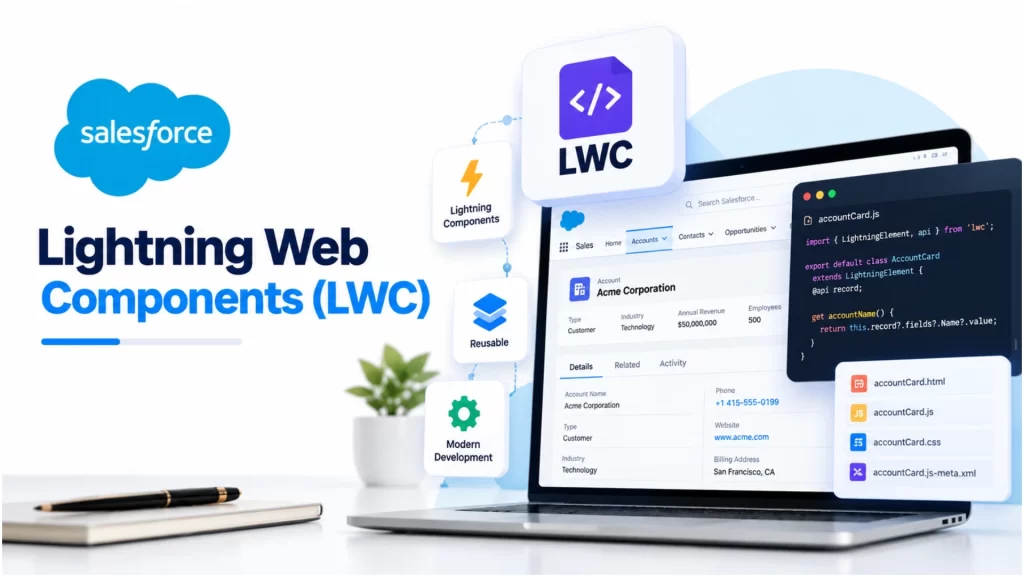
Modern business applications need user interfaces that are fast, interactive, responsive, and easy to maintain. Within Salesforce, developers can use Lightning Web Components (LWC) to build customized interfaces that meet these requirements.
LWC allows developers to create reusable UI components using HTML, JavaScript, and CSS. Instead of building every interface from scratch, developers can create individual components and combine them to develop complete Salesforce applications.
For example, a company might need a custom dashboard to display sales performance, a form to register new customers, or a component that shows account information in an interactive table. LWC makes it possible to build these features while working within the Salesforce platform.
This guide explains what Salesforce Lightning Web Components are, how they work, their main benefits, their differences from Aura Components, and how beginners can start learning LWC.
What Are Salesforce Lightning Web Components (LWC)?
Salesforce Lightning Web Components is a programming model for developing custom user interfaces on the Salesforce platform. It uses standard web technologies, including HTML, CSS, and modern JavaScript, along with Salesforce-specific features and APIs.
LWC is based on web standards, which makes it familiar to developers who already have frontend development experience. It also provides access to Salesforce functionality, including data services, reusable UI elements, and component communication mechanisms.
A component represents an individual part of an interface. For example, a Salesforce application could contain separate components for a navigation menu, customer details, a search form, and a sales report.
These components can be developed and maintained independently, then combined into a larger application.
How Does LWC Work?
An LWC component generally contains three main files:
- HTML file: Defines the structure and elements displayed to the user.
- JavaScript file: Controls component behavior, processes user interactions, and manages data.
- CSS file: Defines component-specific styling and visual presentation.
A component can also include a metadata configuration file that determines where the component can be used within Salesforce.
For example, consider a simple component that displays a welcome message.
The HTML template defines the message, while the JavaScript file provides its value. When the component is displayed, Salesforce renders the template using the supplied data.
This separation of structure, behavior, and styling makes components easier to understand, test, and maintain.
Why Did Salesforce Introduce Lightning Web Components?
Salesforce development has evolved as web technologies have improved. Earlier development approaches, including Visualforce and Aura Components, addressed the needs of their time. However, modern browsers now support many capabilities that previously required specialized frameworks.
LWC takes advantage of these standard web technologies to provide a modern component development experience.
Its design helps developers use familiar JavaScript patterns while accessing Salesforce-specific functionality. It also supports reusable components and standard browser capabilities.
LWC and Aura Components can coexist and interoperate within the Salesforce platform, which is important for organizations that maintain existing applications while introducing new functionality.
For new development where both programming models are an option, Salesforce recommends choosing LWC.
Key Features of Lightning Web Components
1. Reusable Components
Developers can build a component once and reuse it in different parts of an application.
For example, a reusable customer summary component could display account information on a dashboard, a record page, or another relevant interface.
Reusability reduces duplicated code and makes future maintenance easier.
2. Modern JavaScript Support
LWC uses standard JavaScript and modern web development concepts. Developers can use variables, functions, modules, classes, event handling, and other familiar JavaScript features.
This makes the learning process more straightforward for developers who already understand frontend development.
3. Component Lifecycle Hooks
Lifecycle hooks allow developers to execute logic at specific stages of a component’s existence.
Common lifecycle methods include:
constructor()— Initializes the component instance.connectedCallback()— Runs when the component is inserted into the DOM.renderedCallback()— Runs after rendering.disconnectedCallback()— Runs when the component is removed from the DOM.
These methods help developers manage initialization, subscriptions, DOM-related behavior, and cleanup when needed.
4. Decorators and Reactive Data
LWC provides decorators that add specific capabilities to properties and methods.
The three commonly discussed decorators are:
@api: Exposes public properties and methods so other components can interact with them.@track: Enables observation of certain changes inside objects and arrays.@wire: Connects a component to a Salesforce data source or supported Apex method using a reactive data service.
Modern LWC automatically reacts to changes in component fields used by its template in many situations. Therefore, @track is not required for every property.
Understanding these decorators is important when building components that share information or display Salesforce records.
5. Lightning Data Service
Lightning Data Service (LDS) helps components access and manage Salesforce records without requiring custom Apex code for many common operations.
For example, developers can use standard components such as lightning-record-form to display, create, or edit records.
LDS also provides caching and coordinates record updates across components using the service. It respects Salesforce record access and field-level security through its supported data access mechanisms.
When standard data services are insufficient, developers can use Apex to implement more specialized business logic.
6. Standard Lightning Components
Salesforce provides a library of ready-made UI components, including buttons, inputs, forms, record displays, and data tables.
These components follow Salesforce Lightning Design System conventions and help maintain a consistent interface.
Using existing components where appropriate reduces the amount of custom code developers need to write.
7. Component Communication
A Salesforce application may contain several components that need to exchange information.
LWC supports different communication patterns depending on the relationship between the components.
For example, a parent component can pass data to a child component through public properties. A child component can notify its parent by dispatching a custom event.
Lightning Message Service can also support communication between components that do not share a direct parent-child relationship, where the use case and environment support it.
Benefits of Using Salesforce LWC
Lightning Web Components offers several advantages for Salesforce development.
Improved Development Efficiency
Reusable components, standard JavaScript, and Salesforce-provided UI elements help developers implement features without repeatedly writing the same code.
Maintainable Applications
Separating an application into smaller components makes it easier to identify issues, update individual features, and organize code.
Performance-Oriented Architecture
LWC builds on native browser capabilities and provides a lightweight programming model. Its performance still depends on implementation choices, data volume, rendering work, and the overall application design.
Familiar Development Tools
Developers can work with Visual Studio Code, Salesforce Extensions, and Salesforce CLI to create, test, and deploy components.
Integration With Salesforce Data
Components can use Lightning Data Service, supported UI API adapters, GraphQL data access, and Apex when appropriate to retrieve and manage Salesforce data.
Flexible User Interfaces
LWC can be used to build dashboards, custom record views, interactive forms, and other user interfaces that go beyond standard page configuration.
Salesforce LWC vs. Aura Components
Aura Components and Lightning Web Components are two programming models available for building Lightning components. Both can be used within Salesforce, but they differ in their development approaches.
| Comparison | Lightning Web Components | Aura Components |
|---|---|---|
| Programming approach | Modern web standards | Aura-specific component framework |
| Core technologies | HTML, JavaScript, CSS | Aura markup, JavaScript, and framework-specific concepts |
| Event handling | Standard DOM events and supported component events | Aura event mechanisms |
| Data access | LDS, UI API, GraphQL, and Apex | Salesforce data services and Apex |
| Existing applications | Suitable for new component development | Useful when maintaining existing Aura implementations |
| Interoperability | Can work with Aura in supported scenarios | Can include LWC in supported scenarios |
LWC is generally the preferred choice for new Salesforce component development. However, organizations do not necessarily need to replace every existing Aura component immediately. Migration decisions should consider application requirements, compatibility, complexity, and maintenance costs.
How to Create Your First LWC Component
Beginners can follow these steps to start building a component.
Step 1: Set Up the Development Environment
Install Visual Studio Code and the Salesforce Extensions for Visual Studio Code. Configure Salesforce CLI and connect to an appropriate Salesforce development org.
A Developer Edition org or another suitable development environment can be used for learning and experimentation.
Step 2: Create an LWC Component
Use the Salesforce CLI or VS Code commands to create a Lightning Web Component. Give the component a meaningful name, such as welcomeMessage.
A typical component folder contains the HTML, JavaScript, and metadata configuration files.
Step 3: Add the HTML Template
Create a simple template that displays a message:
<template>
    <lightning-card title="Welcome">
        <div class="slds-p-around_medium">
            Welcome to Salesforce LWC!
        </div>
    </lightning-card>
</template>
This template uses a standard Salesforce base component to display the message inside a card.
Step 4: Add the JavaScript File
Create the JavaScript controller:
import { LightningElement } from 'lwc';

export default class WelcomeMessage extends LightningElement {
}
The component extends LightningElement, which provides the foundation for a Lightning web component.
Step 5: Configure Component Availability
Update the component’s metadata file to specify where it can be used. For example, a component can be configured for Lightning App Builder, subject to the applicable target configuration and platform support.
Step 6: Deploy and Test
Deploy the component to your Salesforce development org using Salesforce CLI or the supported VS Code commands.
Then add it to an appropriate Lightning page, verify that it renders correctly, and test its behavior.
This small example demonstrates the basic structure of an LWC component. More advanced components can include data access, user input, event handling, validation, and integration with Apex.
Common Use Cases of Lightning Web Components
LWC can be used in different Salesforce business scenarios.
- Sales dashboards: Display sales metrics, account summaries, and opportunity information.
- Customer management: Build custom interfaces for viewing customer details and related records.
- Data entry forms: Create interactive forms with validation and customized layouts.
- Record page enhancements: Add buttons, panels, summaries, and other features to standard Salesforce record pages.
- Business process interfaces: Create custom screens for workflows that require more flexibility than standard configuration provides.
- Experience Cloud sites: Build supported custom user interfaces for digital experiences.
The appropriate implementation depends on the requirements, data access needs, user permissions, and supported Salesforce environment.
Best Practices for LWC Development
Developers should follow established practices to keep their components reliable and maintainable.
- Prefer standard components where appropriate. Use Salesforce base components before building equivalent functionality from scratch.
- Keep components focused. Give each component a clear purpose and avoid unnecessary complexity.
- Choose the right data access method. Prefer Lightning Data Service or supported UI API approaches for common record operations. Use Apex when additional flexibility is required.
- Respect security requirements. Apply appropriate permissions and follow Salesforce security guidance when working with records and custom logic.
- Handle errors properly. Provide clear feedback when a data request or user operation fails.
- Test component behavior. Use appropriate unit tests and verify the component in its intended Salesforce environment.
- Manage component communication carefully. Use public properties, custom events, or Lightning Message Service according to the communication pattern.
- Optimize rendering and data requests. Avoid unnecessary processing, repeated requests, and excessive work during rendering.
How to Learn Lightning Web Components
A structured learning path can help beginners build confidence with LWC.
Start with HTML, CSS, and JavaScript fundamentals. Then learn Salesforce concepts such as objects, fields, records, permissions, and the Salesforce data model.
Next, study LWC component structure, templates, event handling, decorators, lifecycle hooks, and component communication.
After understanding the basics, practise working with Lightning Data Service and Apex. Learn how to deploy components, debug problems, and write tests.
Finally, build small projects such as a contact directory, an account summary panel, or a simple sales dashboard. Practical projects help connect individual concepts to real Salesforce development tasks.
Salesforce’s official documentation and Trailhead learning resources are useful starting points.
Conclusion
Lightning Web Components provides Salesforce developers with a modern way to build reusable, interactive, and maintainable user interfaces. By combining HTML, CSS, JavaScript, and Salesforce platform capabilities, developers can create powerful solutions for a wide range of business applications.
Understanding component structure, data access, decorators, lifecycle hooks, and communication patterns builds a strong foundation for developing practical LWC solutions. For beginners and professionals alike, continuous learning and hands-on experience are essential to mastering Salesforce development.
Startbit IT Solutions supports individuals and businesses at every stage of their IT journey, offering guidance, technical expertise, development support, and industry-focused learning opportunities. Whether you are starting your career, enhancing your Salesforce skills, or looking to build and scale business solutions, Startbit IT Solutions is here to help you move forward with confidence.