

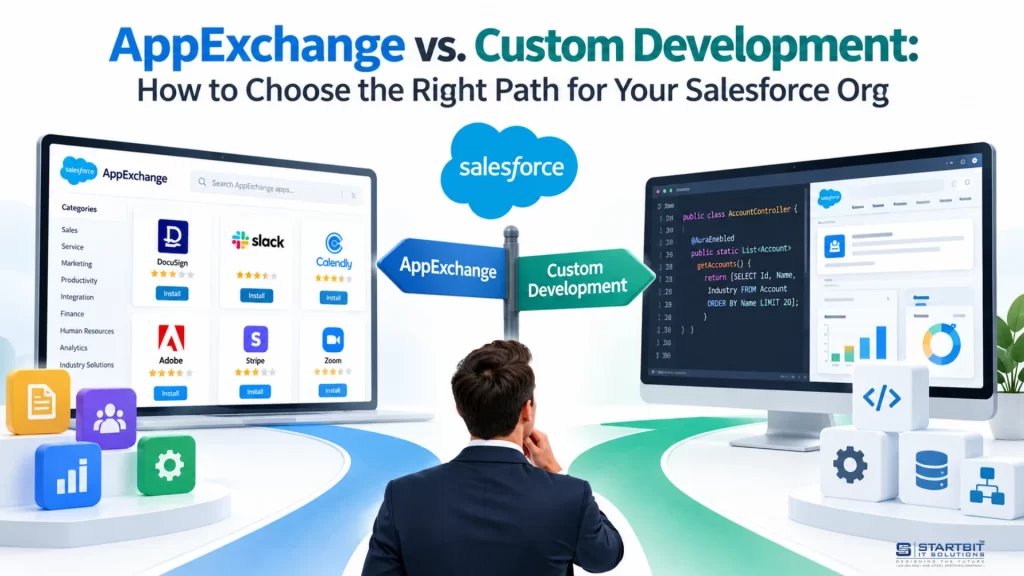
Salesforce provides powerful CRM features, but every business has unique needs. As an organization grows, its standard Salesforce functionality may no longer be enough. This raises an important question: Should you install an existing app from Salesforce AppExchange or build a custom solution?
Both options have advantages. AppExchange apps offer ready-made functionality, faster implementation, and vendor support. Custom development gives you greater flexibility, control, and the ability to build solutions around your business processes.
Choosing the wrong approach can increase costs, delay implementation, and create unnecessary complexity. This guide combines insights from five industry articles into a practical framework to help you evaluate both options and choose the right approach for your Salesforce org.
The recommendations should be considered alongside your specific business requirements, as the source articles were published by Salesforce consulting and development firms that also offer implementation services.
What Is Salesforce AppExchange?
Salesforce AppExchange is an online marketplace where businesses can discover and install applications, integrations, and components that extend Salesforce functionality.
These solutions are designed to address common business needs, such as document generation, electronic signatures, email marketing, payment processing, and data synchronization.
Benefits of AppExchange Apps
- Faster implementation: Many apps can be installed and configured within days or weeks.
- Lower initial investment: Subscription-based pricing often eliminates the need for a large upfront development budget.
- Existing functionality: Apps provide ready-made features that have been developed for common business requirements.
- Vendor support: Many providers offer technical assistance, documentation, and product updates.
- Customer feedback: Reviews and ratings can help businesses evaluate an app before purchasing it.
Limitations of AppExchange Apps
- Limited customization: The app may not support every aspect of your business workflow.
- Recurring subscription fees: Costs can increase as your number of users or usage grows.
- Vendor dependency: Product updates, bug fixes, and future features depend on the provider.
- Integration challenges: Connecting an app to existing systems may require additional configuration or development.
- Compatibility concerns: Businesses must check whether the app supports their Salesforce edition, security requirements, and existing configuration.
AppExchange is often a good starting point when a business needs standard functionality without developing and maintaining an entire solution.
What Is Custom Development in Salesforce?
Custom development involves creating a solution specifically for your organization’s requirements. It can include configuring Salesforce features, developing custom applications, or integrating Salesforce with external systems.
Salesforce provides several tools for this purpose. Declarative tools such as Flow and Lightning App Builder support low-code development, while Apex and Lightning Web Components (LWC) enable more advanced functionality.
Custom solutions can be developed by an internal team or an external Salesforce development partner.
Benefits of Custom Development
- Business-specific functionality: Build features that match your exact processes and requirements.
- Greater control: Decide which features to develop, how they work, and when to improve them.
- Flexible integrations: Connect Salesforce with internal applications, external APIs, and other business systems.
- Long-term adaptability: Extend the solution as your business grows or requirements change.
- Control over source code: Depending on the development agreement, your organization can own and maintain the custom code.
Limitations of Custom Development
- Higher initial cost: Requirements analysis, design, development, and testing require an upfront investment.
- Longer implementation time: Complex projects may take several months to complete.
- Ongoing maintenance: Your organization must arrange bug fixes, security updates, testing, and future enhancements.
- Delivery risks: Poor planning, unclear requirements, or insufficient testing can lead to delays and unexpected costs.
- Technical dependency: If the solution relies on a particular developer or partner, maintaining it may become difficult without proper documentation and knowledge transfer.
Custom development is particularly useful when standard Salesforce features and existing apps cannot adequately support critical business processes.
Key Factors to Consider Before Making a Decision
The choice between AppExchange and custom development should depend on more than the initial price. Consider the following factors before committing to either approach.
1. Business Requirements and Complexity
Start by identifying what your organization actually needs.
Create a list of essential features, optional improvements, integrations, and workflow requirements. Then compare those requirements against available AppExchange apps.
A commonly cited rule of thumb is that if an existing app covers approximately 70–75% of your requirements, purchasing it may be worth considering. If important requirements remain unsupported, custom development may be more suitable.
However, this percentage is only a starting point, not a proven universal benchmark. The importance of the missing features matters more than the percentage alone. An app that covers 90% of your needs may still be unsuitable if it cannot support one critical compliance requirement.
2. Implementation Time
Consider how quickly your business needs the solution.
AppExchange apps generally offer a faster path because much of the functionality has already been developed. However, installation, configuration, data migration, testing, and user training may still take time.
Custom development typically requires additional stages, including:
- Requirements gathering and planning
- Solution design and architecture
- Development and integration
- Testing and security validation
- Deployment and user training
For straightforward projects, configuration may take days or weeks. More complex custom solutions can take several months or longer.
Choose AppExchange when speed is a priority and the available functionality fits your needs. Consider custom development when the additional time is justified by essential business requirements.
3. Budget and Total Cost of Ownership
The initial price does not tell the whole story. Compare the total cost of each option over three to five years.
For AppExchange, consider:
- Subscription and licensing fees
- Costs based on users or usage
- Implementation and configuration
- Integration work
- Additional services or premium support
For custom development, consider:
- Requirements analysis and development
- Testing and deployment
- Hosting or external service costs, where applicable
- Ongoing maintenance and support
- Future enhancements and technical upgrades
An AppExchange app may be cheaper initially but become more expensive as subscriptions grow. A custom solution may require a larger initial investment but provide better value when the functionality is used extensively over time.
The right choice depends on the actual costs, the value delivered, and the level of flexibility your organization needs.
4. Scalability and Future Growth
Your Salesforce solution should support your business as it evolves.
AppExchange apps can scale effectively, but you should check their pricing structure, usage limits, integration capabilities, and product roadmap.
Custom development gives you more control over future enhancements. You can add features, change workflows, and integrate new systems according to your priorities. However, scalability still depends on the quality of the architecture and ongoing maintenance.
Consider not only what your organization needs today but also what it may require in the next three to five years.
5. Support and Maintenance
Every solution requires ongoing support.
With AppExchange, the vendor generally manages product updates and provides support according to its service agreement. Before purchasing, review response times, support availability, upgrade policies, and escalation procedures.
With custom development, your internal team or development partner must handle maintenance, troubleshooting, and enhancements.
If your organization does not have a dedicated Salesforce technical team, a well-supported AppExchange product may reduce operational responsibilities. For custom solutions, ensure that documentation, source code, and knowledge transfer are included in the development agreement.
6. Security and Compliance
Security should be evaluated before installing an app or developing a new solution.
For AppExchange apps, review the vendor’s security practices, permissions, data access, privacy policies, and relevant compliance certifications. Marketplace availability alone should not be treated as a guarantee that an app meets every requirement of your organization.
For custom development, ensure that the solution follows Salesforce security best practices, including appropriate access controls, secure API integrations, input validation, and testing.
Your decision should reflect the security and regulatory requirements of your industry.
7. Team Skills and Available Resources
Your team’s capabilities can influence the long-term success of either approach.
If you have limited development resources, AppExchange may provide a practical way to introduce new functionality without building everything internally.
If your organization has experienced Salesforce developers, custom development may be easier to implement and maintain.
You should also consider the availability of external development partners, the cost of hiring specialists, and the knowledge required to support the solution after launch.
AppExchange vs. Custom Development: Side-by-Side Comparison
| Factor | AppExchange | Custom Development |
|---|---|---|
| Implementation | Often faster | Usually requires more time |
| Initial cost | Typically lower | Typically higher |
| Ongoing cost | Subscription and support fees | Maintenance and enhancement costs |
| Customization | Depends on the product | Can be designed around your needs |
| Integration | May require additional work | Can be designed for specific systems |
| Testing | Vendor testing plus your own validation | Requires project-specific testing |
| Support | Generally provided by the vendor | Managed internally or by a partner |
| Future flexibility | Depends partly on the vendor | Greater control over enhancements |
| Code ownership | Governed by the app’s licensing terms | Governed by the development agreement |
| Best suited for | Common business requirements | Specialized business requirements |
Neither option is automatically better. The right choice depends on how well the solution meets your requirements and how much effort it takes to implement and maintain.
When Should You Choose AppExchange?
AppExchange is generally a strong option when:
- Your business needs standard functionality already available in the marketplace.
- You need to implement a solution quickly.
- Your budget does not support a large custom development project.
- You prefer vendor-managed updates and product support.
- The app integrates with your existing Salesforce configuration.
- The vendor’s pricing and licensing terms fit your expected growth.
For example, if your sales team needs electronic signatures, an existing e-signature app may provide everything required without building a new signing workflow from scratch.
Before installation, verify its features, compatibility, security, support terms, and total cost.
When Should You Choose Custom Development?
Custom development may be the better option when:
- Your business processes are specialized or significantly different from standard workflows.
- Existing apps cannot support critical requirements.
- You need advanced integrations with internal or legacy systems.
- You require specific user experiences or automation logic.
- You want greater control over the solution’s future development.
- You have the budget and resources to build and maintain the application.
For example, a company with a complex approval process involving multiple departments, external systems, and specialized business rules may need a custom Salesforce application built using Flow, Apex, and Lightning Web Components.
In this situation, custom development can provide a closer fit than forcing the business to adapt its processes to an existing product.
A Third Option: Combine AppExchange and Custom Development
The decision does not always have to be either-or.
A hybrid approach combines an existing AppExchange app with custom Salesforce functionality. This can reduce development effort while preserving flexibility where it matters most.
For example, a business could install an AppExchange document-generation app and build a custom Apex integration to support its internal approval process.
This approach can be useful when an existing product handles most requirements but needs a few additional features to fit your workflows.
Before choosing this route, confirm that the app supports the required extension points, APIs, and integrations. Also evaluate whether future vendor updates could affect your customizations.
A Practical Decision Framework
Follow these steps to evaluate the available options.
Step 1: Document your requirements.
Separate essential features from optional improvements. Identify critical workflows, integrations, security requirements, and expected user volumes.
Step 2: Research AppExchange solutions.
Compare available apps against your requirements. Review product demonstrations, documentation, customer feedback, compatibility, and support terms.
Step 3: Identify the gaps.
Determine which requirements are unsupported. Decide whether those gaps are acceptable, can be addressed through configuration, or require custom development.
Step 4: Compare the total cost.
Estimate implementation, licensing, maintenance, and enhancement costs over three to five years. Use realistic assumptions about user growth and future requirements.
Step 5: Evaluate your timeline and resources.
Determine when the solution must be available and whether your team can maintain a custom application.
Step 6: Review security and scalability.
Verify that the solution meets your organization’s access-control, compliance, integration, and growth requirements.
Step 7: Make a decision with stakeholders.
Involve business users, Salesforce administrators, developers, IT teams, security specialists, and budget owners. Their input will help ensure the chosen solution meets both technical and business needs.
Common Mistakes to Avoid
When choosing between AppExchange and custom development, avoid these common mistakes:
- Choosing based only on price: A low initial cost may hide expensive subscriptions or integration work.
- Assuming every requirement needs custom code: Salesforce’s standard features, Flow, and existing apps may already solve the problem.
- Ignoring maintenance: Every solution needs ongoing attention, even when the initial implementation is complete.
- Overlooking security: Evaluate permissions, data access, and compliance before approving a solution.
- Ignoring vendor dependency: Check the provider’s long-term support plans and licensing terms.
- Treating the 70–75% guideline as a strict rule: Prioritize critical requirements instead of relying on a single percentage.
- Failing to consider a hybrid approach: Combining a ready-made app with targeted customization may offer a better balance of cost, speed, and flexibility.
Conclusion
Choosing between Salesforce AppExchange and custom development comes down to your business requirements, budget, timeline, and long-term goals.
AppExchange is often the practical choice when an existing product meets your needs and you want to implement functionality quickly. Custom development is more suitable when your workflows are specialized, your integration requirements are complex, or you need greater control over future changes.
A hybrid approach can also be effective when an existing app covers most requirements but needs targeted customization.
The best solution is not necessarily the one with the most features or the lowest initial cost. It is the one that meets your critical requirements, provides long-term value, and remains manageable as your business grows. Start with your requirements, compare the available options, calculate the total cost, and make the decision based on evidence rather than assumptions.