

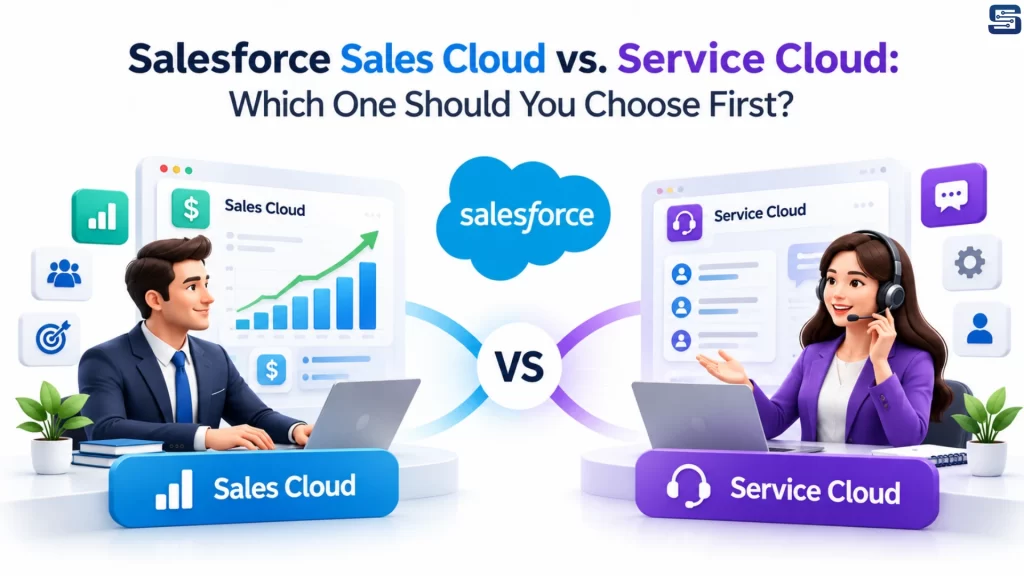
Salesforce offers several tools to help businesses manage their customers, but two of the most popular are Sales Cloud and Service Cloud.
Although both run on the Salesforce platform, they serve different purposes. Sales Cloud helps businesses find prospects and close deals, while Service Cloud helps them manage customer questions, complaints, and support requests.
So, which one should your business choose first?
The answer is simple: start with the cloud that solves your biggest business challenge.
1. What Is Salesforce Sales Cloud?
Salesforce Sales Cloud helps businesses manage their sales activities, from finding potential customers to closing deals.
It gives sales teams a clear view of their leads, opportunities, and sales performance in one place.
Key Features of Sales Cloud
- Lead Management: Capture potential customers, assign leads to sales representatives, and track follow-ups.
- Opportunity Management: Track deals as they move through different stages of the sales pipeline.
- Sales Forecasting: Estimate future sales and monitor progress toward business targets.
- Quote Management: Prepare and share pricing quotes with potential customers.
- Reports and Dashboards: Monitor sales performance, conversion rates, and team productivity.
Best for: Businesses that want to generate more leads, improve sales processes, and close deals faster.
2. What Is Salesforce Service Cloud?
Salesforce Service Cloud helps businesses deliver better customer support. It allows support teams to manage customer questions, complaints, and service requests from a central platform.
Instead of tracking issues across multiple emails and spreadsheets, teams can organize requests and ensure they receive proper attention.
Key Features of Service Cloud
- Case Management: Record, assign, and track customer issues until they are resolved.
- Automated Case Routing: Direct support requests to the right agent or team.
- Omnichannel Support: Manage supported channels such as email, chat, and phone.
- Knowledge Base: Provide agents and customers with helpful articles and answers.
- Service-Level Agreements (SLAs): Monitor response and resolution commitments.
- Self-Service and Chatbots: Help customers find answers to common questions without always needing an agent.
Best for: Businesses that want to improve customer satisfaction, resolve issues faster, and manage growing support requests.
3. Sales Cloud vs. Service Cloud: Key Differences
| Feature | Sales Cloud | Service Cloud |
|---|---|---|
| Main purpose | Generate sales and close deals | Manage customer support |
| Primary users | Sales representatives and managers | Support agents and service managers |
| Main focus | Leads, opportunities, and revenue | Cases, service requests, and resolution |
| Lead management | Core sales functionality | Not its primary focus |
| Case management | Basic capabilities may be available | Advanced service workflows |
| Sales forecasting | Sales-focused forecasting | Not its primary focus |
| Customer support channels | Limited support needs | Broader service-channel management |
| Main business goal | Win more customers | Keep customers satisfied |
Both products can use shared customer records, reports, dashboards, and other Salesforce platform capabilities, depending on your edition and configuration.
4. Which Salesforce Cloud Should You Choose First?
The right choice depends on your business needs, team structure, and current challenges.
| Your Business Challenge | Recommended Solution |
|---|---|
| You need more leads and better follow-ups | Sales Cloud |
| Your sales team tracks deals in spreadsheets | Sales Cloud |
| You struggle to forecast monthly revenue | Sales Cloud |
| Customer complaints are getting missed | Service Cloud |
| Your support team handles a high volume of requests | Service Cloud |
| You need better case assignment and tracking | Service Cloud |
| A small team manages both sales and support | Start with the cloud that addresses your biggest challenge |
| You have separate sales and customer support teams | Consider both |
When Should You Choose Sales Cloud?
Choose Sales Cloud if your business wants to improve lead generation, organize its sales pipeline, automate follow-ups, and increase conversions.
It is particularly useful for B2B companies, professional services firms, and businesses with longer sales cycles.
When Should You Choose Service Cloud?
Choose Service Cloud if your business receives frequent customer questions, manages multiple support channels, or needs structured processes for handling complaints and service requests.
It can be especially valuable for e-commerce, subscription-based businesses, and organizations with dedicated customer support teams.
5. Can You Use Sales Cloud and Service Cloud Together?
Yes. Many businesses benefit from using both clouds because sales and customer support often need access to the same customer information.
For example:
- A sales representative can review a customer’s open support case before offering an upgrade.
- A support agent can check the customer’s purchase history before resolving an issue.
- Managers can use shared customer information to understand the complete customer journey.
This helps teams work together, reduce repeated questions, and deliver a more consistent customer experience.
You do not always need both from day one. Start with the solution that fits your immediate needs and expand as your business grows.
6. What About Salesforce Pricing?
Salesforce pricing depends on the product, edition, billing arrangement, and additional features you need.
Implementation costs may also vary based on data migration, custom development, integrations, automation, and user training.
Before choosing a plan, compare the latest official pricing and confirm which features are included in your selected edition.
Rather than choosing solely by price, consider the value the platform will bring to your business.
7. Three Simple Steps to Make Your Decision
Step 1: Identify your biggest challenge.
Are you struggling to generate leads and close deals, or to manage customer requests and resolve issues?
Step 2: Understand your team’s needs.
Consider who will use Salesforce, which processes they need to manage, and how your teams currently work.
Step 3: Start with the right solution.
Implement the essential features first, train your team, and measure the results. Add the other cloud when your business needs it.
Final Thoughts
Salesforce Sales Cloud and Service Cloud help businesses achieve different but equally important goals.
Sales Cloud helps you win customers. Service Cloud helps you support and retain them.
If your priority is improving sales performance, start with Sales Cloud. If your priority is delivering better customer support, start with Service Cloud. If both teams need connected customer information and advanced workflows, consider using both.
The best Salesforce solution is the one that supports your business goals today while allowing you to grow tomorrow.
Need Help Choosing the Right Salesforce Solution?
Startbit IT Solutions Pvt. Ltd. can help you evaluate your business requirements, choose the right Salesforce cloud, and plan your implementation.
Whether you need Salesforce consulting, implementation, customization, or integration, the right approach can help you get more value from your CRM investment.
Contact Startbit IT Solutions to discuss your Salesforce requirements.