

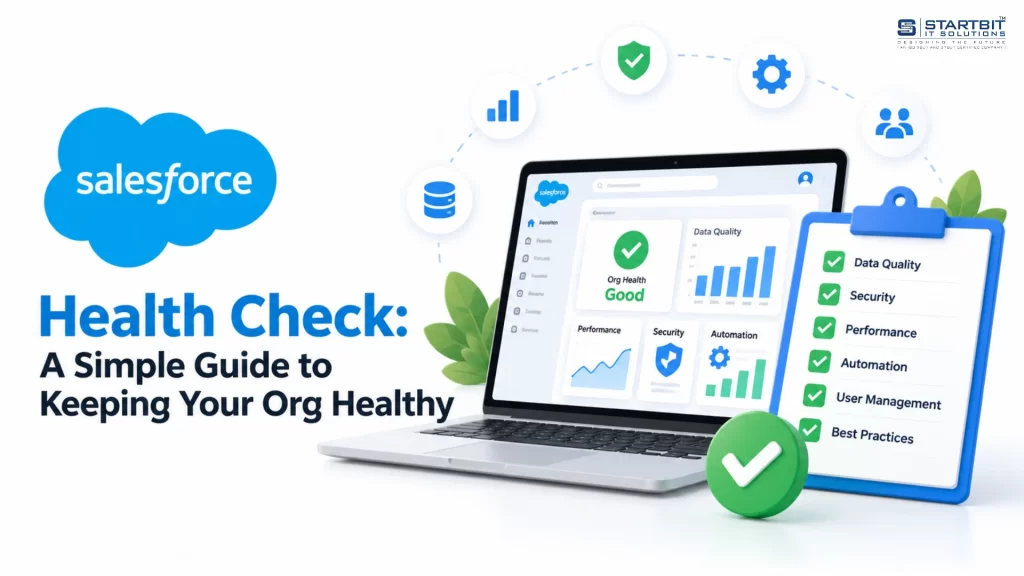
Salesforce helps businesses manage customers, sales, and daily operations. But over time, your Salesforce org can develop problems such as duplicate records, unused fields, outdated automation, and unnecessary user access.
These issues may not be noticeable at first, but they can affect security, data quality, system performance, and team productivity.
A Salesforce Health Check helps you identify these problems early and keep your Salesforce environment secure, organized, and efficient.
In this guide, we will explain what a Salesforce Health Check is, why it matters, what you should review, and how to get started.
What Is a Salesforce Health Check?
A Salesforce Health Check is a review of your Salesforce environment to identify risks, performance issues, and areas that need improvement.
It generally includes two types of reviews:
1. Salesforce Security Health Check
Salesforce provides a built-in Health Check tool that reviews security settings, such as password policies, session settings, and login security. It compares these settings against a security baseline and provides a score out of 100.
2. Full Salesforce Org Health Check
A full health check goes beyond security. It reviews the entire Salesforce environment, including data quality, automation, integrations, user permissions, licenses, and performance.
The built-in Security Health Check is a useful starting point, but a complete review helps you understand the overall condition of your Salesforce org.
Why Is a Salesforce Health Check Important?
Over time, Salesforce environments can become difficult to manage. Teams may create new fields, install applications, add automations, or grant permissions without reviewing older configurations.
A regular health check helps prevent these small issues from becoming bigger problems.
Here are the main benefits:
- Improved security: Identify weak security settings and users with unnecessary access.
- Better data quality: Find duplicate records, missing information, and outdated data.
- Lower costs: Identify unused licenses and applications.
- Better performance: Find issues that affect reports, pages, and automation.
- Easier maintenance: Remove unnecessary configurations and simplify future changes.
- Higher user adoption: Make Salesforce easier for employees to use in their daily work.
A healthy Salesforce org helps your team work more efficiently while protecting important business information.
Signs Your Salesforce Org Needs a Health Check
Not sure whether your Salesforce org needs a review? Look for these common warning signs.
- Reports contain incorrect or inconsistent information.
- Users maintain separate spreadsheets because they do not trust Salesforce data.
- Duplicate and incomplete records appear frequently.
- Pages and reports take too long to load.
- Too many users have administrator-level access.
- Integrations frequently fail or require manual fixes.
- Small Salesforce changes take too much time.
- Your team uses only a small portion of the available features.
If you notice several of these problems, it may be time to review your Salesforce environment.
What Should a Salesforce Health Check Include?
A complete health check should cover the key areas that affect your Salesforce org.
| Area | What to Review |
|---|---|
| Security and access | User permissions, administrator access, inactive users, login policies, and multi-factor authentication (MFA) |
| Data quality | Duplicate records, missing fields, outdated information, and storage usage |
| Automation | Flows, Apex code, older Workflow Rules and Process Builder processes, and failed jobs |
| Integrations | Connected applications, API usage, synchronization errors, and integration failures |
| Licenses and applications | Assigned licenses, actual usage, installed packages, and unused applications |
| Performance | Slow reports, page loading issues, and system limits |
| User adoption | Login activity, feature usage, user feedback, and training needs |
Reviewing these areas helps you understand which problems need immediate attention and which improvements can be planned for later.
How to Perform a Basic Salesforce Health Check
You can start with the built-in security tool and then review other parts of your org.
Step 1: Open the Health Check Tool
Log in to Salesforce and open Setup. Search for Health Check in the Quick Find box and select the tool.
You will see your security score and the settings that may need attention.
Step 2: Select a Security Baseline
Salesforce provides a standard security baseline. Depending on your requirements and Salesforce edition, you may also be able to use a custom baseline.
Choose the baseline that best matches your organization’s security policies.
Step 3: Review Your Security Score
The Health Check tool provides a score out of 100 based on how your settings compare with the selected baseline.
Use the score to understand your security gaps. A higher score generally indicates better alignment with the baseline, but it does not guarantee that your entire Salesforce org is healthy.
Step 4: Fix the Highest-Risk Issues First
Start with issues that could put your business data at risk.
For example:
- Review users with excessive permissions.
- Check login and session security settings.
- Verify that multi-factor authentication is enabled where required.
- Remove access that is no longer needed.
Prioritize fixes based on their security impact and business importance.
Step 5: Test Changes Before Applying Them Everywhere
Some security changes can affect integrations, single sign-on, mobile access, or existing workflows.
Make changes carefully, one at a time. Where possible, test them in a sandbox environment before applying them to production.
Step 6: Document the Results
Maintain a record of your findings, completed fixes, responsible team members, and follow-up dates.
This makes future reviews easier and helps your team track progress over time.
Quick Wins to Improve Salesforce Health
You do not need to fix every issue at once. Start with these practical improvements.
1. Enable multi-factor authentication: Add an extra layer of protection to help prevent unauthorized account access.
2. Review user permissions: Deactivate users who no longer need access and reduce unnecessary administrator privileges.
3. Check unused licenses: Identify licenses that are assigned but no longer required. Review actual usage before making changes.
4. Clean up data: Find duplicate records, complete missing information, and establish clear rules for data entry.
5. Review old automation: Check outdated Workflow Rules, Process Builder processes, and unnecessary or duplicate Flows. Salesforce ended support for Workflow Rules and Process Builder on December 31, 2025, so review older automation and plan appropriate migration to Flow where needed.
6. Monitor storage and API usage: Review data storage, file storage, and API consumption to identify potential capacity issues before they affect operations.
7. Remove unused applications: Review installed packages and connected applications. Remove them only after confirming that no business process or integration depends on them.
Salesforce Tools That Can Help
Different tools help you review different parts of your Salesforce environment.
| Tool | Main Purpose |
|---|---|
| Health Check | Reviews security settings against a baseline |
| Security Center | Helps monitor and manage security across supported Salesforce environments |
| Scale Center | Helps investigate performance and scalability issues |
| Lightning Usage App | Provides insights into user activity and feature adoption |
| Code Analyzer | Helps identify potential issues in Apex and other supported code |
| Manual review | Evaluates business processes, data quality, permissions, and configuration choices |
No single tool provides a complete picture. Combining these tools with a structured review gives you a better understanding of your org’s overall health.
How Often Should You Perform a Salesforce Health Check?
The right schedule depends on the size and complexity of your Salesforce environment.
- Monthly or quarterly: Review security settings, user access, and important system alerts.
- Every six to twelve months: Perform a broader review of data quality, automation, integrations, licenses, and performance.
- After major changes: Review the org after a migration, major release, new integration, or significant customization.
- After a security incident: Recheck access, security settings, and any affected systems.
Organizations with complex customizations, sensitive data, or multiple integrations may benefit from more frequent reviews.
Should You Perform a Health Check Yourself or Hire a Salesforce Partner?
The built-in Security Health Check is a good starting point for an internal Salesforce administrator. However, a full org review may require deeper technical knowledge.
Consider working with a Salesforce consultant or implementation partner if:
- Your org contains complex Apex code or many Flows.
- You have multiple integrations or Salesforce environments.
- Your business follows strict security or compliance requirements.
- Performance issues affect important business processes.
- Your internal team lacks the time or expertise for a detailed review.
A good Salesforce partner should provide more than a list of technical issues.
The final report should include:
- A summary of the current Salesforce environment.
- Identified risks and their business impact.
- Recommendations ranked by priority.
- Estimated effort and ownership for each improvement.
- A clear action plan for immediate, medium-term, and long-term fixes.
This approach helps your team focus on the improvements that provide the greatest value.
Final Thoughts
A Salesforce Health Check helps you keep your org secure, organized, and ready for future growth.
Start with the built-in Security Health Check, review user permissions, clean up unnecessary configurations, and monitor data quality and automation. Then schedule a broader review to identify problems that a security score alone cannot reveal.
Regular reviews can help your business protect customer information, reduce unnecessary costs, improve system performance, and make Salesforce easier for employees to use.
Need help reviewing your Salesforce environment?
Startbit IT Solutions can help your business assess Salesforce configurations, identify improvement opportunities, and plan practical solutions based on your requirements.
Contact Startbit IT Solutions to discuss your Salesforce consulting, development, and optimization needs.