

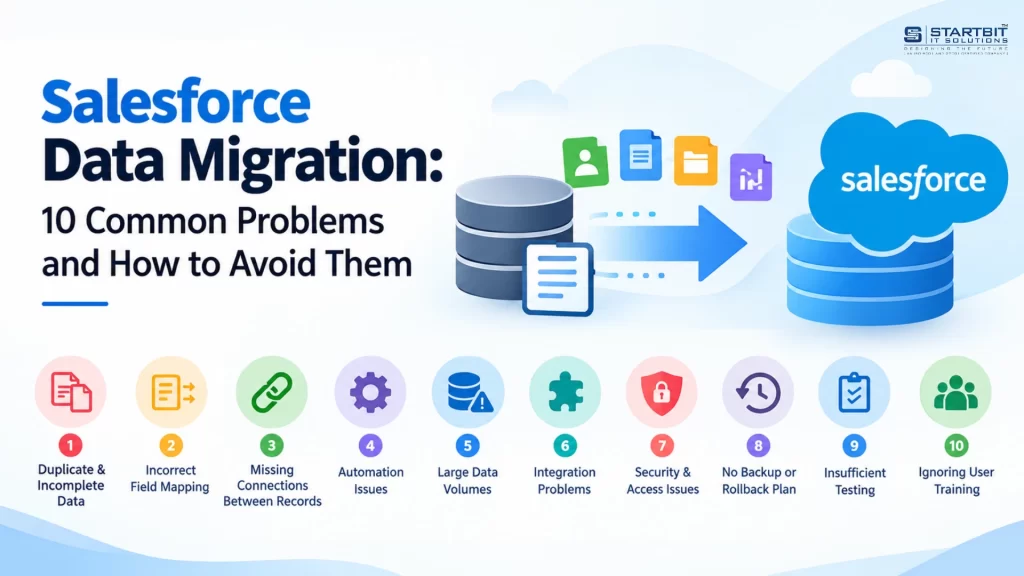
Moving your business data to Salesforce may sound simple. You export data from your existing system and import it into Salesforce. But in reality, data migration requires much more planning.
Every business stores information differently. Customer details, account records, sales history, and other business data may have different formats and structures. If this information is not prepared properly, problems can appear after moving to Salesforce.
For example, you may find duplicate customer records, missing contact details, incorrect account information, or reports showing the wrong numbers. These issues can affect your team’s daily work and make it difficult to get accurate business insights.
A successful Salesforce data migration is not just about moving data. It is about making sure the information is accurate, complete, and ready to use.
In this article, we will cover 10 common Salesforce data migration problems and explain how to avoid them.
1. Duplicate and Incomplete Data
One of the biggest challenges in Salesforce data migration is poor data quality.
Over time, businesses collect duplicate records, outdated customer details, incorrect email addresses, and incomplete information. If you move this data without checking it, the same problems will appear in Salesforce.
For example, the same company might be listed as “ABC Technologies” and “ABC Technology Pvt. Ltd.” in your old system. After migration, Salesforce may create two separate accounts for the same business.
This can confuse your sales team and affect customer records and reports.
How to avoid it:
- Check your existing data before starting migration.
- Find and remove duplicate records.
- Update incorrect email addresses and phone numbers.
- Remove outdated or unnecessary information.
- Keep only the records your business needs.
- Review unclear records before importing them.
Cleaning your data before migration saves time and reduces problems after moving to Salesforce.
2. Incorrect Field Mapping
Your existing system and Salesforce may use different field names and formats. Because of this, information may not move to the correct fields during migration.
For example, your old CRM may have a field called “Company Name”, while Salesforce uses “Account Name”. Similarly, your existing system may store a full name in one field, while Salesforce stores first and last names separately.
If these fields are not mapped correctly, important information can be lost or displayed incorrectly.
How to avoid it:
- Prepare a field mapping sheet before migration.
- Match every old field with the correct Salesforce field.
- Check field formats, such as dates, numbers, and email addresses.
- Identify fields that need changes before importing.
- Remove fields that are no longer useful.
- Test the mapping with a small set of records.
Proper field mapping ensures that your business information reaches the right place in Salesforce.
3. Missing Connections Between Records
Salesforce records are connected to each other. For example, contacts are linked to accounts, and opportunities are linked to customers.
During migration, these connections can break if records are not imported in the correct order or their relationships are not mapped properly.
For example, a contact may successfully move to Salesforce, but the related company account may be missing. Your team can see the contact but cannot easily identify the correct company.
How to avoid it:
- Understand how records are connected in your existing system.
- Import parent records before related records.
- Import accounts before contacts and opportunities.
- Use External ID fields to identify existing records.
- Check record relationships after every migration.
Do not check only the total number of imported records. Make sure the records are also connected correctly.
4. Salesforce Automation Creating Migration Issues
Salesforce has automation features that help businesses manage their daily activities. These include Flows, validation rules, Apex triggers, and approval processes.
However, these features can sometimes interrupt data migration.
For example, when you import new customer records, an automated flow may send an email to every customer. A validation rule may also reject records because they do not meet the existing conditions.
How to avoid it:
- Review active Salesforce automation before migration.
- Identify which rules may affect imported records.
- Decide which automation should remain active during migration.
- Use an appropriate migration user with the required permissions.
- Make temporary changes only when necessary.
- Test automation after migration and enable it carefully.
Planning automation in advance helps prevent unnecessary errors and unwanted activities during migration.
5. Problems With Large Data Volumes
Moving a few thousand records is different from moving millions of records.
Large migrations can take longer, create processing issues, and run into Salesforce API or storage limits. If you try to move everything in one go, it may become difficult to track errors and complete the migration successfully.
How to avoid it:
- Divide large datasets into smaller batches.
- Move important business records first.
- Choose the right Salesforce migration tool.
- Schedule migration during less busy hours.
- Monitor failed records and processing errors.
- Allow extra time for testing and corrections.
Salesforce provides different tools for data migration, including:
- Data Import Wizard: Suitable for smaller and simpler data imports.
- Data Loader: Useful for importing, updating, and exporting larger datasets.
- Bulk API: Helps handle large-volume data operations.
- ETL Tools: Useful when data needs complex changes before moving into Salesforce.
Choose the tool based on your data volume and migration requirements.
6. Problems With Existing System Integrations
Many businesses use different applications to manage sales, marketing, accounting, customer support, and other operations.
These applications may be connected to the existing CRM. When you move to Salesforce, those connections may stop working if they are not updated properly.
For example, your accounting software may use customer information from the old CRM. After migration, it may not recognize the new Salesforce records.
How to avoid it:
- Make a list of all applications connected to your existing system.
- Check which applications send or receive data.
- Identify how customer records are matched between systems.
- Update integrations to work with Salesforce.
- Test data sharing before going live.
- Assign someone to monitor important integrations.
Reviewing integrations early helps avoid unexpected business interruptions.
7. Data Security and Access Problems
Not every employee should have access to all business information. During Salesforce migration, incorrect permissions or record ownership can expose sensitive information to the wrong users.
For example, sales employees may get access to customer records belonging to another team, or sensitive financial information may become visible to users who do not need it.
How to avoid it:
- Define user roles and permissions before migration.
- Assign records to the correct owners.
- Configure profiles and permission sets.
- Set field-level security for sensitive information.
- Review which records need to be migrated.
- Test access using different user accounts.
- Remove temporary migration permissions after completion.
Proper security planning helps protect business information and ensures employees can access only the data they need.
8. No Backup or Recovery Plan
What happens if something goes wrong during migration?
Some businesses focus only on moving data and forget to prepare for unexpected problems. If records are lost, overwritten, or imported incorrectly, recovering the original information can become difficult without a proper backup.
How to avoid it:
- Take a complete backup before starting migration.
- Keep copies of the original data files.
- Document each migration step.
- Prepare a recovery plan in case migration fails.
- Test recovery procedures in a sandbox.
- Decide when to stop migration if too many records fail.
- Keep the old system available in read-only mode for some time after go-live.
A backup and recovery plan gives your team a safer way to handle unexpected migration issues.
9. Not Testing Data Before Going Live
Testing is an important part of every Salesforce data migration project. Without proper testing, problems may only become visible after employees start using the new system.
For example, all customer records may be imported successfully, but some contacts may be linked to the wrong accounts. Reports may also show incorrect numbers because certain fields were not mapped properly.
How to avoid it:
Follow these steps before moving data into your live Salesforce environment:
- Start with a small test: Import a few records into a Salesforce sandbox.
- Check field mapping: Make sure information appears in the correct fields.
- Run a complete test migration: Test the full process before production.
- Ask employees to review: Let sales and service teams check the migrated records.
- Fix identified issues: Correct errors before the final migration.
What Should You Check Before Salesforce Go-Live?
- All required records are imported.
- Important customer details are available.
- Duplicate records are removed.
- Contacts are linked to the correct accounts.
- Opportunities have the correct customer information.
- Record owners are correct.
- Reports and dashboards show accurate results.
- Automation works as expected.
- User permissions are properly configured.
Testing with actual business users is especially important. Your technical team can check whether data has been imported, but employees can confirm whether it is useful for their daily work.
10. Ignoring User Training After Migration
Salesforce migration does not end when the data is successfully imported. Your employees also need to understand how to use the new system.
If users are not familiar with Salesforce, they may continue using spreadsheets or the old CRM. They may also enter incorrect information or avoid updating records.
This can create new data quality problems.
How to avoid it:
- Provide basic Salesforce training to employees.
- Train teams according to their roles and responsibilities.
- Explain how to find and update customer information.
- Identify team members who can help others.
- Provide support during the initial days after migration.
- Collect feedback and resolve user issues.
- Review data quality regularly.
A well-trained team is important for getting the full benefit of Salesforce.
How Startbit IT Solutions Can Help With Salesforce Data Migration
Moving to Salesforce requires the right planning, technical knowledge, and understanding of your business processes.
At Startbit IT Solutions, we help businesses manage their Salesforce projects with solutions based on their specific requirements.
Our Salesforce services include:
- Salesforce Implementation: Set up Salesforce according to your business needs and daily workflows.
- Salesforce Customization and Development: Build custom objects, fields, Apex solutions, Lightning components, and automation.
- Salesforce Data Migration: Transfer business information from existing CRMs, spreadsheets, and other systems into Salesforce.
- Salesforce Integration: Connect Salesforce with third-party applications, ERP systems, and other business tools.
- Salesforce Support and Maintenance: Maintain your Salesforce environment, resolve technical issues, and improve system performance.
We focus on making Salesforce easier to manage, keeping business data organized, and helping teams get more value from their CRM.
Whether you are planning a new Salesforce implementation or moving data from an existing system, our team can help you plan the right approach.
Final Thoughts
Salesforce data migration is more than transferring records from one system to another. It is about making sure your business data is accurate, organized, and ready to use.
Problems such as duplicate records, incorrect field mapping, broken relationships, integration failures, and poor testing can affect your Salesforce environment if they are not handled properly.
The best approach is to plan before migration, clean your data, choose the right tools, test everything, and prepare your employees for the change.
With proper planning and the right technical support, your business can move to Salesforce smoothly and build a strong foundation for better customer management.
Planning to move your business data to Salesforce?
Contact Startbit IT Solutions to discuss your Salesforce migration, implementation, customization, and integration requirements.