

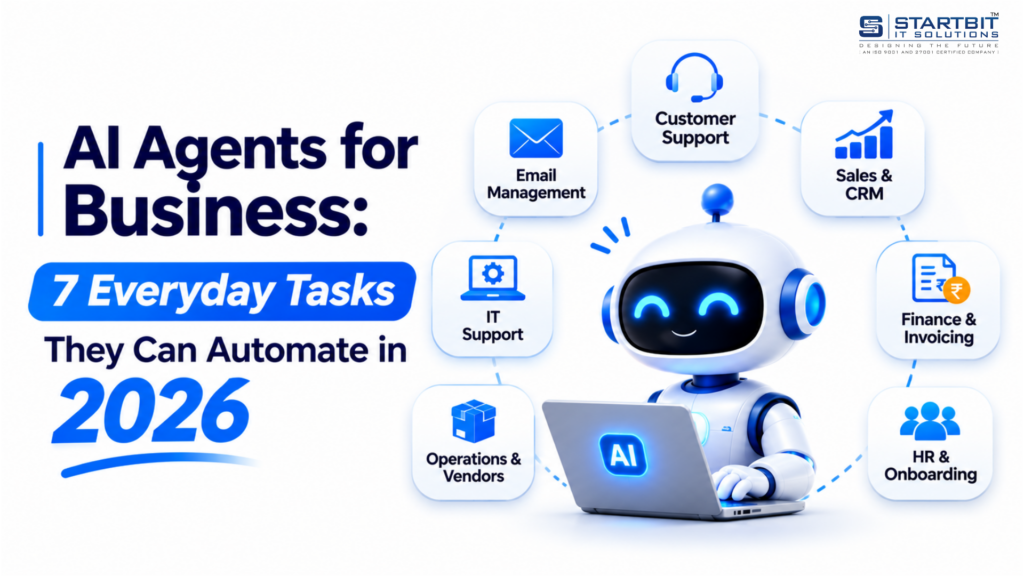
Businesses are increasingly adopting artificial intelligence to improve productivity, reduce manual work, and simplify daily operations. One of the most important developments in this space is the rise of AI agents.
Unlike traditional chatbots that primarily answer questions, AI agents can understand business requirements, make decisions, interact with different applications, and complete tasks with minimal human intervention.
For example, when a customer asks about an order, an AI agent can retrieve order details, check delivery status, prepare a response, update the CRM, and notify the support team if further action is required.
This ability to understand, decide, and act makes AI agents valuable for businesses looking to automate everyday processes.
But where can businesses actually use them?
Let’s explore seven practical tasks AI agents can automate in 2026, how they work, and what businesses should consider before implementing them.
What Are AI Agents for Business?
AI agents for business are intelligent software systems designed to perform tasks and achieve specific objectives using artificial intelligence.
They typically use large language models (LLMs), business data, application integrations, and automation tools to understand instructions and execute actions.
Unlike traditional automation, which follows predefined rules, AI agents can interpret different situations and determine the next appropriate action within their assigned permissions.
For example, consider a customer who sends an email requesting a product replacement.
An AI agent can:
- Read and understand the customer’s request.
- Retrieve the customer’s order information.
- Check the company’s replacement policy.
- Determine whether the request meets the required conditions.
- Prepare a replacement request.
- Update the relevant customer record.
- Escalate the request if approval is required.
Instead of employees manually completing every step, the agent coordinates the workflow.
How Do AI Agents Work?
AI agents generally operate through four stages:
- Goal: Receive an instruction or identify a task that needs attention.
- Planning: Determine the steps, information, and tools required to achieve the objective.
- Execution: Interact with connected applications to retrieve information, update records, send messages, or trigger workflows.
- Monitoring: Check the results, handle errors where possible, and involve a human when necessary.
This continuous process allows AI agents to manage multi-step business activities rather than simply generate responses.
AI Agents vs. Chatbots vs. Traditional Automation
Understanding the difference between these technologies helps businesses choose the right automation solution.
| Feature | Chatbots | Traditional Automation | AI Agents |
|---|---|---|---|
| Primary function | Answer questions | Execute predefined workflows | Complete business objectives |
| Decision-making | Limited | Rule-based | AI-driven |
| Data interpretation | Basic | Structured data | Structured and unstructured data |
| Application interaction | Limited | Predefined actions | Context-based actions |
| Handling exceptions | Limited | Often requires intervention | Can adapt or escalate |
| Best application | Customer FAQs | Repetitive processes | Multi-step workflows |
A chatbot is suitable for answering common questions, while traditional automation works well for predictable processes.
AI agents are more useful when a task requires understanding information, making decisions, and interacting with multiple systems.
7 Everyday Business Tasks AI Agents Can Automate
AI agents can support almost every department in an organization. However, the most practical opportunities are usually found in repetitive tasks that involve multiple steps and clearly defined business rules.
1. Email Management and Communication
Email remains an important communication channel for businesses, but managing large volumes of messages can consume valuable employee time.
AI agents can organize incoming emails, identify important requests, prepare responses, and coordinate follow-ups.
What can be automated?
- Categorizing incoming emails.
- Identifying urgent customer enquiries.
- Drafting responses using company information.
- Extracting important details from conversations.
- Creating follow-up reminders.
- Scheduling meetings.
- Updating customer records.
Business example:
When a company receives a sales enquiry, an AI agent can identify the customer’s requirements, retrieve relevant product information, prepare a personalized response, and notify the appropriate sales representative.
This helps businesses respond faster without requiring employees to manually review every incoming message.
2. Customer Support and Ticket Management
Customer support is one of the strongest use cases for AI business automation.
Support teams regularly handle questions about orders, payments, refunds, account access, and product information. Many of these requests follow similar patterns.
AI agents can understand customer messages, retrieve relevant information, and complete approved support activities.
What can be automated?
- Classifying customer enquiries.
- Retrieving customer and order information.
- Answering frequently asked questions.
- Creating and updating support tickets.
- Processing standard requests within approved limits.
- Forwarding complex cases to human agents.
- Preparing summaries of customer conversations.
Business example:
A customer contacts an online store to ask about a delayed order.
The AI agent checks the order details, retrieves the latest delivery information, and sends an update. If the shipment requires investigation, it creates a support ticket and forwards it to the relevant team.
According to research by Erik Brynjolfsson, Danielle Li, and Lindsey Raymond, involving 5,179 customer support agents, AI assistance improved productivity by approximately 14% on average.
This demonstrates the potential of AI in customer support, although the study examined AI assistance for human employees rather than fully autonomous agents.
3. Sales Automation and CRM Management
Sales teams spend considerable time collecting lead information, updating customer records, preparing follow-ups, and tracking opportunities.
AI agents can automate many of these administrative activities and help sales representatives focus on customer relationships.
What can be automated?
- Collecting information from website enquiries.
- Categorizing and qualifying leads.
- Creating and updating CRM records.
- Recording sales activities.
- Identifying leads requiring follow-ups.
- Preparing personalized messages.
- Scheduling sales meetings.
Business example:
When a potential customer submits an enquiry through a website, an AI agent can collect the information, check whether the customer already exists in the CRM, create or update the lead, and assign it to the appropriate sales representative.
It can also prepare a follow-up email and schedule a meeting when requested.
The result is a more organized sales process with fewer missed opportunities.
4. Invoice Processing and Financial Management
Finance departments handle invoices, expense records, payment reminders, and financial reports. These activities often involve manual data entry and verification.
AI agents can simplify these workflows by extracting information from documents and coordinating actions across accounting applications.
What can be automated?
- Extracting invoice information.
- Identifying invoice numbers, dates, and amounts.
- Matching invoices with purchase orders.
- Detecting missing or inconsistent information.
- Preparing payment reminders.
- Organizing expense records.
- Generating financial summaries.
Business example:
A company receives an invoice from a vendor.
The AI agent extracts the invoice details and compares them with the corresponding purchase order. If the information matches, it forwards the invoice for approval. If there is a discrepancy, it alerts the finance team.
This reduces manual processing while keeping financial approvals under human control.
5. HR Management and Recruitment
HR teams coordinate recruitment, employee onboarding, interview scheduling, and internal employee requests.
AI agents can help automate these activities and improve communication between HR, candidates, and other departments.
What can be automated?
- Organizing candidate information.
- Supporting initial resume screening.
- Scheduling interviews.
- Sending interview confirmations.
- Sharing employee onboarding documents.
- Creating IT access requests.
- Answering common HR policy questions.
- Scheduling employee orientation sessions.
Business example:
When a candidate is selected for a position, an AI agent can coordinate the onboarding process by sending welcome emails, sharing required documents, scheduling orientation meetings, and notifying the IT team about account creation.
For recruitment, it can also coordinate interview schedules between candidates and interviewers.
Human oversight should remain essential for hiring decisions and sensitive employee-related activities.
6. Business Operations and Vendor Coordination
Managing daily operations requires continuous communication between employees, suppliers, vendors, and customers.
AI agents can help coordinate these activities and keep business processes updated.
What can be automated?
- Tracking orders and deliveries.
- Checking inventory information.
- Requesting vendor confirmations.
- Sending delivery reminders.
- Identifying delayed shipments.
- Updating internal tracking systems.
- Coordinating schedule changes.
- Notifying teams about operational issues.
Business example:
A manufacturing company is waiting for raw materials from a supplier.
An AI agent can monitor the expected delivery date, request shipment confirmation, and notify the operations team if a delay occurs.
It can also update the internal tracking system so that employees have access to the latest information.
This helps businesses improve coordination and identify operational issues earlier.
7. IT Support and Technical Issue Management
IT departments receive regular requests related to password resets, application access, software problems, and technical support.
AI agents can manage initial troubleshooting and route requests to the appropriate team.
What can be automated?
- Categorizing IT support tickets.
- Identifying common technical problems.
- Providing troubleshooting instructions.
- Checking ticket status.
- Routing requests to the correct department.
- Resolving approved, low-risk issues.
- Monitoring alerts and identifying unusual activity.
Business example:
An employee reports that they cannot access a company application.
The AI agent identifies the issue, follows approved troubleshooting steps, and checks whether the problem can be resolved automatically. If administrator access is required, it forwards the request to the IT team.
This reduces repetitive support requests and allows IT employees to focus on more complex technical issues.
How AI Agents Improve Business Operations
The real value of AI agents is not limited to automating individual tasks. They can connect multiple applications and coordinate complete business workflows.
For example, a customer support workflow may involve several systems:
- A customer submits a support request.
- The AI agent identifies the issue.
- It retrieves customer information from the CRM.
- It checks order details in the ERP system.
- It prepares a response using the company’s knowledge base.
- It updates the support ticket.
- It notifies the appropriate employee if further action is required.
This type of cross-system automation reduces the need for employees to switch between applications and manually transfer information.
AI agents can also help manage scheduling, exception handling, reminders, and operational alerts.
AI Agents and Business Automation: Key Benefits
When implemented correctly, AI agents can provide several operational advantages.
- Improved Productivity: Employees spend less time handling repetitive administrative activities.
- Faster Customer Service: Customer enquiries can be handled more quickly through automated information retrieval and responses.
- Reduced Manual Errors: Automated data extraction and record updates can reduce repetitive data entry mistakes, although outputs still require monitoring.
- Better Coordination: Different departments can access relevant information through connected applications.
- Scalability: Businesses can manage increasing volumes of routine activities without proportionally increasing manual work.
However, these benefits depend on the quality of integrations, business data, workflows, and ongoing monitoring.
How to Measure the ROI of AI Agents
Implementing AI agents does not automatically guarantee cost savings. Businesses should measure actual improvements before expanding automation.
Important performance indicators include:
| KPI | What It Measures |
|---|---|
| Task completion time | Time required to complete a business activity |
| Automation rate | Percentage of tasks completed automatically |
| Error rate | Number of incorrect actions or records |
| Escalation rate | Tasks requiring human intervention |
| Response time | Time taken to respond to customers |
| Operating cost | AI usage, infrastructure, and maintenance expenses |
| Customer satisfaction | Quality of customer experience |
McKinsey’s 2026 State of AI research reported that 80% of respondents experienced individual productivity improvements from AI, while 37% reported some impact on organizational EBIT.
This highlights an important difference between improving individual productivity and generating measurable financial returns for an entire business.
Companies should therefore evaluate AI agents based on actual workflow improvements rather than simply the number of automated tasks.
How to Implement AI Agents in Your Business
Businesses do not need to automate every department at once. A focused implementation strategy is more practical.
Step 1: Identify Repetitive Processes
Start with activities such as customer support, email management, CRM updates, invoice processing, or interview scheduling.
Step 2: Define Requirements
Identify the applications, data, permissions, and actions required to complete the selected workflow.
Step 3: Start with a Pilot Project
Develop one AI agent with limited permissions. Initially, allow employees to review its decisions and actions.
Step 4: Monitor and Improve
Measure accuracy, completion time, operating costs, and employee feedback. Improve the workflow before introducing additional automation.
Challenges Businesses Should Consider
Although AI agents offer significant automation opportunities, their implementation requires careful planning.
- Data Security: Protect customer, employee, and financial information through appropriate access controls.
- Incorrect Decisions: Require human approval for sensitive or high-value actions.
- Integration Complexity: Check whether existing applications support the required integrations.
- Operating Costs: Consider AI usage, subscriptions, infrastructure, and maintenance.
- Human Oversight: Establish clear escalation procedures and assign responsibility for agent activities.
Starting with limited permissions and expanding capabilities gradually can help reduce these risks.
Conclusion
AI Agents for Business – Smarter Automation with Startbit IT Solutions
AI agents are changing the way businesses work. They help automate everyday tasks, manage workflows, support customers, and improve productivity across different departments.
From sales and customer support to HR, finance, and IT, AI agents can handle repetitive activities, connect business applications, and complete tasks with less manual effort.
At Startbit IT Solutions, we help businesses explore AI-powered solutions that simplify operations, save time, and improve efficiency.
Our focus is on building practical AI solutions that fit business needs, integrate with existing systems, and deliver measurable results.