

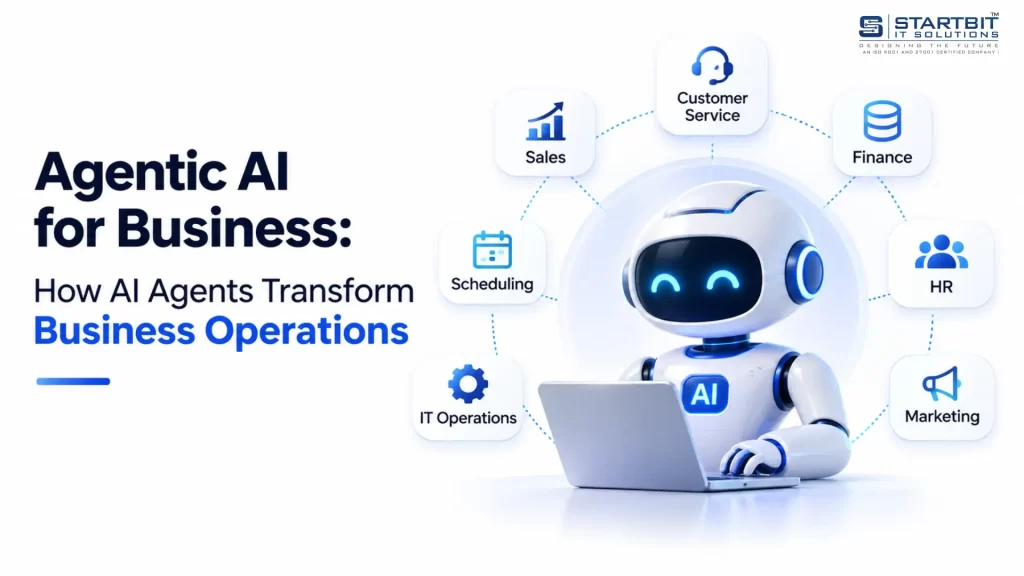
Artificial Intelligence is changing how businesses manage operations, interact with customers and make decisions. While traditional AI tools help generate content, answer questions and analyze information, the next generation of AI is taking automation further by performing tasks and managing complete workflows.
This is where Agentic AI for business is becoming increasingly important.
Agentic AI enables businesses to use intelligent AI agents that can understand objectives, plan tasks, interact with business applications and execute actions with minimal human intervention. Instead of simply responding to instructions, these systems can work toward defined business goals and manage multiple steps within a workflow.
For example, an AI agent for customer support can understand a customer request, retrieve order information, check company policies, prepare a response and update the support ticket. Similarly, sales agents can qualify leads, schedule meetings and update CRM records.
From customer service and sales to finance, recruitment and marketing, AI agents for business offer opportunities to automate repetitive operations and improve workflow efficiency.
What Is Agentic AI and Why Does It Matter for Businesses?
Agentic AI refers to artificial intelligence systems that can independently pursue specific objectives by planning tasks, making decisions and executing actions through connected tools and applications.
Unlike traditional AI applications that primarily generate responses, Agentic AI systems can determine what needs to happen next and perform multiple operations to achieve a particular outcome.
For example, consider an e-commerce business receiving a customer complaint about a delayed order.
A traditional chatbot might provide information about the delivery policy. However, an AI agent can retrieve the order details, check shipment information, review company policies, prepare an appropriate response and update the customer support ticket.
This ability to move beyond providing information and actually complete tasks makes Agentic AI valuable for modern business operations.
Business AI agents generally combine several technologies:
- Large Language Models (LLMs): Understand instructions, interpret information and support decision-making.
- Planning and reasoning: Break complex objectives into smaller tasks.
- Tool integrations: Connect with business applications, databases and APIs.
- Memory and knowledge retrieval: Maintain task context and access relevant information.
- Guardrails: Control permissions, actions and human approval requirements.
The capabilities of an agent depend on its underlying AI model, instructions, connected tools, available data and assigned permissions.
How Agentic AI Works in Business Environments
Agentic AI operates through a continuous execution cycle that allows an agent to understand objectives, determine the required actions and evaluate the results.
A common approach follows four stages: Perceive, Plan, Act and Observe.
1. Perceive: Understanding the Business Request
The process begins when an agent receives an instruction, business event or incoming request.
This could be a customer email, support ticket, form submission or scheduled workflow.
The AI model interprets the information, identifies the user’s intent and determines what needs to be accomplished.
For example, when a customer requests an appointment change, the agent identifies the request as a rescheduling task and extracts the relevant appointment details.
2. Plan: Determining the Next Actions
After understanding the objective, the agent creates an execution plan.
It identifies the necessary steps, required information and tools that can help complete the task.
For appointment rescheduling, the plan might involve retrieving the existing booking, checking availability, confirming a suitable time and updating the appointment.
The agent can also adjust its plan when information is missing or an unexpected situation occurs.
3. Act: Executing the Workflow
The agent uses connected tools to perform the required operations.
These tools might include CRM platforms, databases, calendar systems, APIs and email applications.
For example, an appointment scheduling agent can retrieve customer information, check available time slots, update a booking and trigger a confirmation notification.
4. Observe: Checking the Results
After performing an action, the agent evaluates the returned result.
If an appointment is successfully updated, it can proceed to send a confirmation. If the requested time is unavailable, it can identify alternative slots or request additional information.
This feedback mechanism allows the agent to continue, retry an operation within defined limits or escalate the task to a human employee.
Core Components of Business AI Agents
Building reliable business AI agents requires several interconnected components. Each component contributes to the agent’s ability to understand tasks, access information and execute operations safely.
AI Reasoning Model
The AI model acts as the reasoning engine of the system. It interprets instructions, understands context and determines which actions should be performed.
Large Language Models are commonly used for this purpose. Depending on task complexity, different models can be assigned to planning, information extraction and simpler operations.
Planning and Orchestration Engine
The orchestration layer manages task execution and coordinates interactions between the AI model and connected tools.
It determines which operation should happen next, manages the workflow and handles responses from external systems.
Some implementations use dynamic planning, while others combine predefined workflows with AI-driven decisions. For business applications, controlled workflows can improve consistency and make execution easier to monitor.
Tools and External Integrations
Tools give AI agents the ability to interact with real business applications.
These integrations can connect an agent with CRM software, databases, email services, accounting platforms, booking systems and customer support applications.
The agent’s practical capabilities depend on the tools it can access and the permissions associated with those tools.
Memory and Knowledge Base
Memory allows an agent to retain relevant information during task execution and, where appropriate, across interactions.
A knowledge base provides access to business-specific information such as company policies, product documentation, customer service guidelines and internal procedures.
Retrieval-based systems help agents obtain relevant information from these sources when responding to requests or performing operations.
Guardrails and Human Oversight
Security and control are essential when an AI agent can perform real business operations.
Guardrails define which actions an agent can perform, which information it can access and when human approval is necessary.
Important controls include permission management, execution limits, input validation, activity logging and escalation procedures.
Agentic AI vs Traditional Business Automation
Traditional automation, Robotic Process Automation (RPA), chatbots and Agentic AI all help organizations improve productivity. However, they differ in how they process information and complete tasks.
| Technology | How it works | Business application |
|---|---|---|
| Rule-based automation | Executes predefined conditions and actions | Automated notifications |
| RPA | Performs repetitive operations through application interfaces | Data entry and record transfer |
| Traditional chatbot | Responds to questions using predefined or AI-generated responses | Customer FAQs |
| Agentic AI | Plans and executes multi-step tasks using connected tools | Customer support workflow management |
These technologies can work together rather than replace one another.
For example, a business can use traditional automation for sending standard notifications and an AI agent for understanding customer requests, deciding what information is required and coordinating the next steps.
The objective is to use AI where interpretation and decision-making are valuable while keeping predictable operations within reliable automated workflows.
Top Agentic AI Use Cases Across Industries
Agentic AI can be applied across business departments where tasks involve multiple steps, different information sources and decisions based on context.
Here are some practical Agentic AI use cases that businesses can implement.
1. AI Agents for Business Customer Support
Customer service is one of the most practical areas for AI agent implementation.
AI agents can interpret incoming queries, retrieve customer information, check order status, review support policies and prepare responses. They can also update support tickets and route complex issues to the appropriate employee.
For example, an e-commerce support agent can manage an order-related inquiry by retrieving order information, checking delivery status and preparing a response based on company policies.
This reduces repetitive work for support teams while allowing employees to focus on situations that require personal attention.
2. AI Agents for Sales and Lead Management
Sales operations involve lead qualification, customer research, follow-ups, meeting scheduling and CRM management.
AI agents can collect lead information, evaluate prospects against predefined criteria, prepare personalized follow-up messages and update sales records.
They can also coordinate scheduling activities and notify sales representatives when a lead requires attention.
By connecting different sales applications, AI agents can help create a more coordinated lead management workflow.
3. Business AI Agents for Finance and Invoice Processing
Finance teams frequently process invoices, purchase orders and payment-related documents.
Business AI agents can support these workflows by extracting invoice details, matching documents, identifying discrepancies and preparing records for review.
For example, an invoice-processing agent can compare an incoming invoice with its corresponding purchase order and flag differences before the payment approval process begins.
This can reduce repetitive document handling and help finance teams manage large volumes of information more efficiently.
4. AI Agents for Recruitment and Human Resources
Recruitment involves multiple connected activities, from resume screening to interview coordination.
AI agents can assist with extracting candidate information, comparing qualifications against job requirements, generating assessment questions, coordinating interviews and preparing evaluation summaries.
For example, a recruitment agent can review incoming applications, identify candidates who meet predefined requirements and schedule interviews based on recruiter availability.
However, consequential hiring decisions should remain subject to appropriate human review.
5. AI Agents for Marketing Automation
Marketing teams manage campaign data, performance reports, customer engagement and content workflows.
AI agents can collect campaign information, summarize performance, identify changes in engagement and prepare optimization recommendations.
For example, a marketing agent can retrieve campaign performance data, compare key metrics and prepare a report highlighting areas that require attention.
This allows marketing professionals to spend less time gathering information and more time evaluating strategy.
6. AI Agents for Appointment Scheduling and Voice Automation
AI voice agents extend Agentic AI capabilities to phone-based interactions.
A voice agent can communicate with customers, understand their requirements, retrieve booking information and coordinate appointment scheduling.
For example, a customer calling a healthcare provider to reschedule an appointment can interact with a voice agent that checks availability, updates the booking within its permissions and sends a confirmation notification.
This creates opportunities for businesses that manage frequent calls, appointments and customer inquiries.
7. AI Agents for IT Operations and Technical Support
IT departments can use AI agents to assist with incident management, system monitoring and technical support.
An agent can categorize support tickets, retrieve relevant logs, investigate known issues and execute approved diagnostic procedures.
When an issue requires privileged access or changes to production infrastructure, the workflow should include additional authorization.
Benefits of Agentic AI for Business
The value of Agentic AI comes from its ability to coordinate multiple operations instead of handling isolated tasks.
- Reduced manual effort: AI agents can manage repetitive activities such as information retrieval, data entry, ticket classification and routine communication.
- Faster business workflows: Multiple connected operations can be performed through a coordinated process, reducing unnecessary manual handoffs.
- Improved operational consistency: Agents can follow defined instructions, validation rules and business procedures across repetitive tasks.
- Better scalability: Businesses can handle increasing volumes of routine work without increasing manual effort at the same rate.
- Greater system connectivity: Agents can coordinate information across different applications, reducing the need for employees to switch between disconnected systems.
- Extended service availability: Depending on infrastructure and system availability, AI agents can support business workflows outside normal working hours.
These benefits depend on the quality of implementation, data accuracy and reliability of connected applications.
Challenges of Implementing Business AI Agents
Although Agentic AI offers significant opportunities, organizations must consider the risks associated with systems that can make decisions and execute actions.
Incorrect Decisions
An agent may misunderstand a request, retrieve inaccurate information or choose an inappropriate action.
Businesses should validate important information and introduce human approval for high-impact operations.
Integration and Tool Failures
An agent depends on connected applications, APIs and databases. Changes to these systems or temporary service interruptions can disrupt workflows.
Reliable error handling, monitoring and fallback procedures are essential.
Security and Data Privacy
AI agents may access sensitive customer or business information. Excessive permissions can create opportunities for unauthorized access or data exposure.
Organizations should implement role-based permissions, secure integrations and appropriate data isolation.
Prompt Injection
External content, including emails and documents, may contain malicious instructions designed to manipulate an agent.
External information should be treated as untrusted data, with security and authorization enforced outside the language model.
Uncontrolled Execution
An agent may repeat operations, perform unnecessary actions or continue when it should request assistance.
Execution limits, timeouts, retry controls and duplicate-action protection help reduce these risks.
Increasing Operational Costs
Complex workflows may involve multiple AI model calls, integrations and external services.
Organizations should monitor the cost of completed tasks and optimize model selection and workflow execution.
A successful Agentic AI solution requires continuous monitoring, clear ownership and appropriate human oversight.
How to Implement AI Agents in Your Business
Implementing AI agents for business does not require automating every department immediately. A focused approach helps organizations understand the technology, evaluate performance and expand gradually.
A practical implementation strategy can be divided into three phases.
Phase 1: Identify and Evaluate Business Processes
Begin by identifying repetitive workflows that involve significant manual effort.
Document how the existing process works, which applications are involved, what information is required and where human decisions are necessary.
Select a workflow with measurable outcomes, limited operational risk and a clear definition of success.
Phase 2: Develop and Test the AI Agent
Once the workflow is defined, select an appropriate AI model and develop the agent around the required business operations.
Connect the necessary tools, configure permissions, establish execution limits and implement error-handling procedures.
Test the agent against historical scenarios and compare its results with the existing human-led process.
Testing should include normal operations, missing information, failed integrations and unexpected inputs.
Phase 3: Deploy and Optimize
Start with a limited deployment in which the agent prepares actions for human approval.
Monitor task completion, processing time, error rates, escalation frequency and operational costs.
Use the findings to improve instructions, integrations and workflows. Increase the agent’s autonomy only when its performance is consistently reliable.
A phased implementation helps organizations introduce AI automation without losing control over critical business operations.
Single-Agent vs Multi-Agent Systems: Which Is Better for Business?
Another important architectural decision is whether to use a single AI agent or a multi-agent system.
A single-agent system is generally easier to develop and manage when a workflow has one clear objective. For example, a customer support agent can retrieve order information, check policies and prepare responses within one coordinated workflow.
A multi-agent system uses multiple specialized agents that collaborate on different responsibilities.
For example, a business might use separate agents for sales, marketing and finance, each with its own tools and permissions.
Multi-agent architecture becomes useful when workflows involve distinct business domains or specialized responsibilities. However, additional agents introduce coordination complexity and require clear communication and monitoring mechanisms.
For an initial implementation, a well-defined single-agent workflow is often the more manageable option.
How to Measure the Success of Agentic AI for Business
The success of an Agentic AI implementation should be measured through actual business improvements rather than the number of tasks performed by the system.
Organizations should monitor the following performance indicators:
- Task completion rate: Percentage of workflows completed successfully.
- Processing time: Time required to complete a task compared with the previous process.
- Error rate: Frequency of incorrect results or failed operations.
- Human intervention rate: Percentage of tasks requiring employee assistance.
- Escalation rate: Number of tasks transferred to human employees.
- Cost per completed task: Total AI, infrastructure and integration costs associated with each completed workflow.
- Time saved: Reduction in manual employee effort.
These measurements help businesses understand whether AI agents are delivering meaningful operational value.
The Future of Agentic AI for Business
The future of Agentic AI is closely connected to how businesses integrate intelligence into their existing software and operational systems.
AI agents are moving beyond standalone conversational applications toward specialized systems that can coordinate activities across CRM platforms, communication tools, databases and business applications.
As these systems evolve, businesses will increasingly be able to automate complete workflows rather than individual tasks.
However, successful adoption will depend on more than advanced AI models. Reliable integrations, accurate data, secure permissions, transparent execution and human accountability will remain essential.
Organizations that approach Agentic AI strategically can use it to simplify operations, improve productivity and build more connected business processes.
Conclusion
Agentic AI is transforming the way businesses approach automation by moving beyond traditional AI responses toward intelligent systems that can plan, make decisions, interact with business applications and execute complex workflows. From customer support and sales to finance, recruitment and operations, AI agents offer businesses new opportunities to improve efficiency, reduce manual effort and streamline everyday processes.
However, successful Agentic AI adoption requires more than advanced AI models. It depends on reliable data, well-defined workflows, secure system integrations, appropriate permissions and effective human oversight.
At Startbit IT Solutions, we help businesses explore and implement AI-powered solutions that address real operational challenges. By combining AI capabilities, intelligent automation and custom software development, we focus on building practical solutions that simplify business processes and support long-term growth.
Whether you are exploring AI agents for business automation or planning to integrate Agentic AI into your existing systems, the right approach starts with identifying the processes where intelligent automation can deliver measurable value.
Start your AI transformation with Startbit IT Solutions and discover how Agentic AI can make your business operations smarter, more efficient and scalable.