

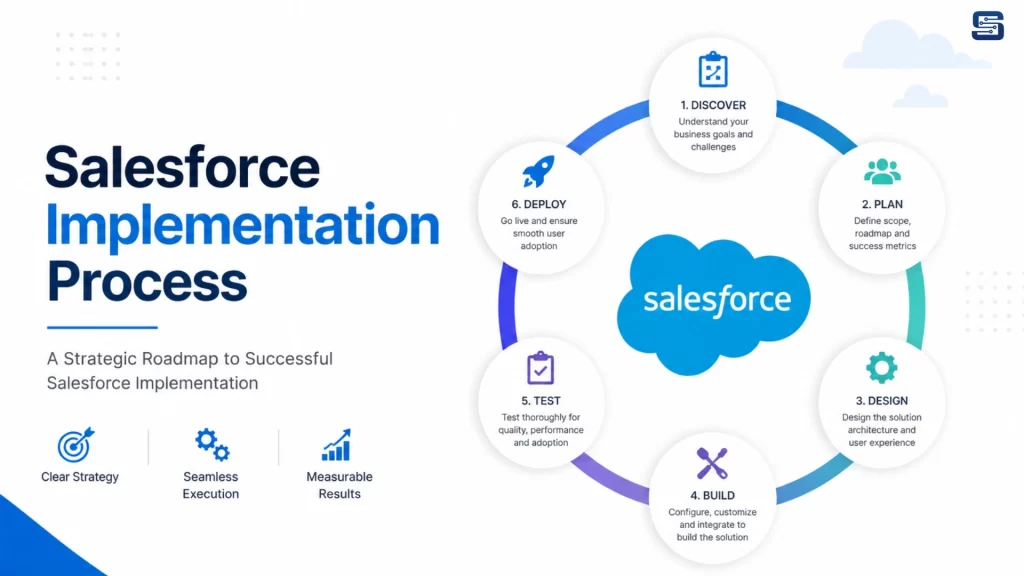
The Salesforce implementation process is a structured approach to planning, setting up, customizing, testing, launching, and optimizing Salesforce CRM for a business. A successful implementation helps companies centralize customer data, automate workflows, improve sales visibility, manage customer relationships, and make better business decisions.
Salesforce is a powerful CRM platform, but its success depends on how well it is implemented. Without proper planning, businesses may face poor user adoption, messy data, weak reporting, unnecessary customization, and integration issues. That is why following a clear Salesforce implementation process is important for long-term CRM success.
In this guide, we explain the complete Salesforce implementation process step by step.
What Is the Salesforce Implementation Process?
The Salesforce implementation process is the complete journey of setting up Salesforce CRM according to business needs. It includes requirement analysis, planning, solution design, configuration, customization, data migration, integration, testing, user training, deployment, and post-launch optimization.
A proper Salesforce implementation process helps businesses build a CRM system that is easy to use, scalable, secure, and aligned with their sales, service, marketing, and operational workflows.
Why Is the Salesforce Implementation Process Important?
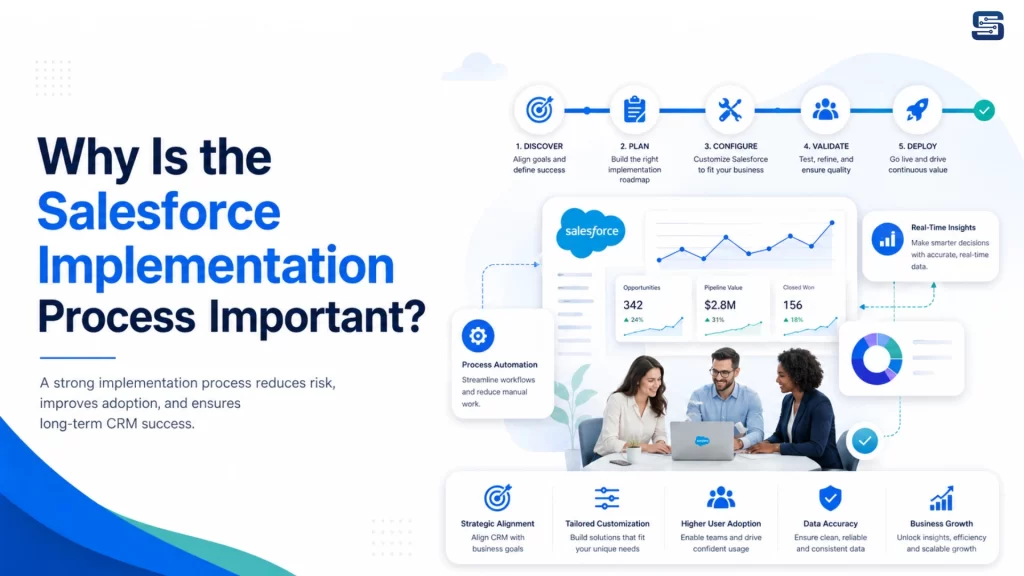
Salesforce implementation is not just about installing CRM software. It is about creating a system that supports your business goals, improves team productivity, and helps you manage customer relationships more effectively.
A well-planned Salesforce implementation helps businesses:
- Organize customer and sales data in one place
- Improve lead and opportunity management
- Automate repetitive business tasks
- Create better sales and service workflows
- Improve customer communication
- Build real-time reports and dashboards
- Reduce manual work and errors
- Improve team collaboration
- Increase CRM adoption
- Support long-term business growth
When Salesforce is implemented correctly, it becomes a powerful business growth platform instead of just another software tool.
Step 1: Salesforce Discovery and Requirement Analysis
The first step in the Salesforce implementation process is discovery and requirement analysis. In this stage, the implementation team understands your business goals, current systems, team structure, customer journey, and operational challenges.
This step helps define what Salesforce should do for your business.
Key Activities
- Understand business goals
- Review current sales and service processes
- Identify existing CRM or spreadsheet limitations
- Analyze user roles and departments
- Understand reporting needs
- Identify automation opportunities
- Review current customer data sources
- Define project success metrics
Why This Step Matters
Without proper requirement analysis, Salesforce may not match your real business workflows. Clear discovery helps avoid confusion, scope changes, and unnecessary customization later in the project.
Step 2: Salesforce Implementation Planning
After requirement analysis, the next step is creating a clear Salesforce implementation plan. This plan defines the project scope, timeline, required Salesforce products, team responsibilities, data migration needs, integration requirements, and expected deliverables.
Key Activities
- Define project scope
- Create Salesforce implementation roadmap
- Select required Salesforce clouds
- Define user roles and access levels
- Plan data migration
- Plan third-party integrations
- Identify required automation
- Set project milestones
- Define testing and training approach
Why This Step Matters
A strong Salesforce implementation plan helps keep the project organized. It reduces delays, controls cost, and ensures every stakeholder understands what will be delivered.
Step 3: Salesforce Solution Design
In the solution design stage, the Salesforce implementation team creates the technical and functional structure of your CRM system. This includes data models, workflows, page layouts, security roles, automation, dashboards, and integration architecture.
Key Activities
- Design Salesforce data structure
- Plan standard and custom objects
- Define fields and relationships
- Design role hierarchy
- Plan permissions and security
- Design page layouts
- Plan approval processes
- Design reports and dashboards
- Plan automation flows
- Create an integration architecture
Why This Step Matters
Solution design creates the foundation of your Salesforce CRM. A strong design makes Salesforce easier to use, easier to scale, and easier to maintain in the future.
Step 4: Salesforce CRM Configuration
Salesforce configuration means setting up standard CRM features based on your business requirements. This includes users, roles, permissions, sales stages, lead management, opportunity tracking, account management, page layouts, reports, and dashboards.
Key Activities
- Configure company settings
- Set up users
- Create role hierarchy
- Configure profiles and permission sets
- Set up leads, accounts, contacts, and opportunities
- Configure sales process
- Set up record types
- Customize page layouts
- Create validation rules
- Configure reports and dashboards
Why This Step Matters
Correct configuration makes Salesforce ready for daily business use. It ensures users can access the right information, follow the right workflows, and manage customer data properly.
Step 5: Salesforce Customization
Salesforce customization is used when standard Salesforce features do not fully match your business needs. This may include custom fields, custom objects, custom workflows, approval processes, Lightning pages, and Salesforce Flow automation.
Key Activities
- Create custom objects
- Add custom fields
- Build custom page layouts
- Configure record types
- Create validation rules
- Build approval processes
- Create Salesforce Flows
- Customize Lightning pages
- Build custom reports
- Create role-based CRM experiences
Why This Step Matters
Customization helps Salesforce match your unique business processes. However, too much customization can make the system complex, so customization should be done carefully and only where it adds real business value.
Step 6: Salesforce Data Migration
Data migration is one of the most important parts of the Salesforce implementation process. It involves moving data from old systems, spreadsheets, legacy CRMs, ERP platforms, or custom software into Salesforce.
Key Activities
- Audit existing data
- Remove duplicate records
- Clean outdated data
- Map old fields to Salesforce fields
- Prepare migration files
- Run test migration
- Validate migrated data
- Perform final migration
- Review data quality after migration
Why This Step Matters
Clean data builds trust in Salesforce. If poor-quality data is migrated into Salesforce, users may face duplicate records, incorrect reports, missing customer history, and poor CRM adoption.
Step 7: Salesforce Integration
Salesforce integration connects your CRM with other business systems. These may include ERP software, accounting tools, eCommerce platforms, websites, marketing automation tools, customer support platforms, payment systems, and reporting tools.
Key Activities
- Identify required integrations
- Review third-party systems
- Define data flow between systems
- Plan API connections
- Configure integration tools
- Test data synchronization
- Validate system communication
- Monitor integration performance
Common Salesforce Integrations
- ERP integration
- Accounting software integration
- Website integration
- eCommerce integration
- Marketing automation integration
- Customer support tool integration
- Payment gateway integration
- Power BI or Tableau integration
- Custom API integration
Why This Step Matters
Integration helps businesses avoid duplicate data entry and disconnected systems. It creates a connected business environment where teams can access accurate information from one CRM platform.
Step 8: Salesforce Automation
Salesforce automation helps businesses reduce manual work and improve process efficiency. Automation can be used for lead assignment, follow-up reminders, approval workflows, customer onboarding, case routing, task creation, and email notifications.
Key Activities
- Identify repetitive tasks
- Build lead assignment rules
- Create follow-up reminders
- Configure approval workflows
- Build Salesforce Flows
- Automate task creation
- Set email notifications
- Create service case automation
- Automate renewal reminders
Why This Step Matters
Automation saves time, reduces errors, and ensures business processes are followed consistently. It also helps sales and service teams focus more on customers instead of manual administrative work.
Step 9: Salesforce Testing
Before Salesforce goes live, the system must be tested properly. Testing ensures that workflows, permissions, automation, integrations, reports, dashboards, and migrated data work correctly.
Key Activities
- Functional testing
- Workflow testing
- Automation testing
- Security testing
- Data migration testing
- Integration testing
- Report and dashboard testing
- User acceptance testing
- Bug fixing
- Final system validation
Why This Step Matters
Testing helps identify problems before users start working in Salesforce. This reduces launch issues and improves the overall CRM experience.
Step 10: Salesforce User Training
User training is essential for successful Salesforce adoption. Even a well-configured Salesforce system can fail if users do not understand how to use it correctly.
Key Activities
- Admin training
- Sales team training
- Service team training
- Marketing user training
- Role-based training
- Dashboard training
- Workflow training
- Data entry best practices
- User documentation
- Post-training support
Why This Step Matters
Training helps users feel confident with Salesforce. It improves adoption, reduces mistakes, and helps teams get value from the CRM faster.
Step 11: Salesforce Go-Live and Deployment
Go-live is the stage where Salesforce is launched for real business use. During this phase, users get access to the production system, final settings are confirmed, and the implementation team monitors the system closely.
Key Activities
- Final production setup
- User access activation
- Final data migration
- Deployment validation
- Go-live monitoring
- Issue fixing
- User support
- Performance review
Why This Step Matters
A smooth Salesforce go-live ensures business continuity. Proper deployment support helps users start working confidently without major disruption.
Step 12: Salesforce Post-Launch Optimization
Salesforce implementation does not end after go-live. After launch, the system should be monitored, improved, and optimized based on user feedback and business needs.
Key Activities
- Collect user feedback
- Fix post-launch issues
- Improve workflows
- Update dashboards
- Optimize automation
- Clean data regularly
- Add new features
- Review system performance
- Improve user adoption
- Plan future enhancements
Why This Step Matters
Your business will continue to evolve, and Salesforce should evolve with it. Continuous optimization helps Salesforce remain useful, scalable, and aligned with your business goals.
How Long Does Salesforce Implementation Take?
The Salesforce implementation timeline depends on business size, number of users, data complexity, customization needs, integrations, and project scope.
A basic Salesforce setup may take a few weeks. A mid-level implementation with customization, automation, and data migration may take longer. A complex enterprise Salesforce implementation with multiple integrations, large data migration, and advanced workflows may take several months.
Timeline Depends On:
- Number of users
- Salesforce products required
- Data migration volume
- Customization needs
- Integration complexity
- Reporting requirements
- Automation requirements
- Testing cycles
- Training needs
Why Choose Startbit IT Solutions for Salesforce Implementation?
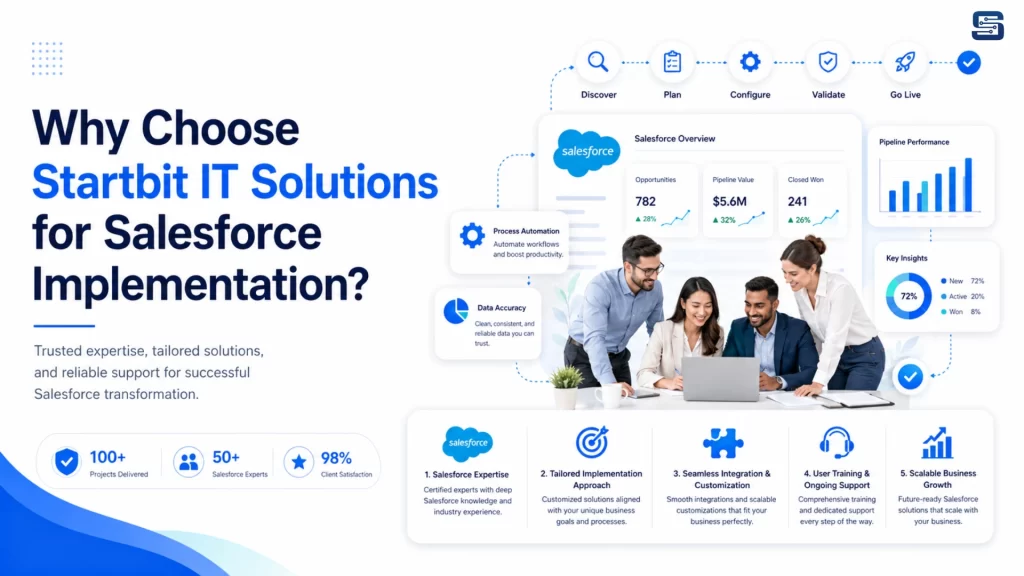
Startbit IT Solutions helps businesses implement Salesforce with a structured, scalable, and business-focused approach. Our team supports every stage of the Salesforce implementation process, from planning and setup to data migration, integration, training, go-live, and ongoing optimization.
Our Salesforce Implementation Services Include:
- Salesforce implementation consulting
- Salesforce CRM setup
- Salesforce customization
- Salesforce data migration
- Salesforce integration
- Salesforce automation
- Reports and dashboards
- User training
- Go-live support
- Salesforce CRM optimization
- Managed Salesforce support
We help businesses build Salesforce CRM systems that are easy to use, aligned with business goals, and ready for future growth.
Conclusion
The Salesforce implementation process is a complete journey that includes discovery, planning, solution design, configuration, customization, data migration, integration, testing, training, deployment, and optimization.
A successful Salesforce implementation helps businesses improve customer management, sales visibility, automation, reporting, and team productivity. However, Salesforce must be implemented with the right strategy, clean data, proper user training, and continuous support.
If your business is planning to implement Salesforce, working with an experienced Salesforce implementation partner like Startbit IT Solutions can help you reduce risk, avoid common mistakes, and build a CRM system that supports long-term growth.