

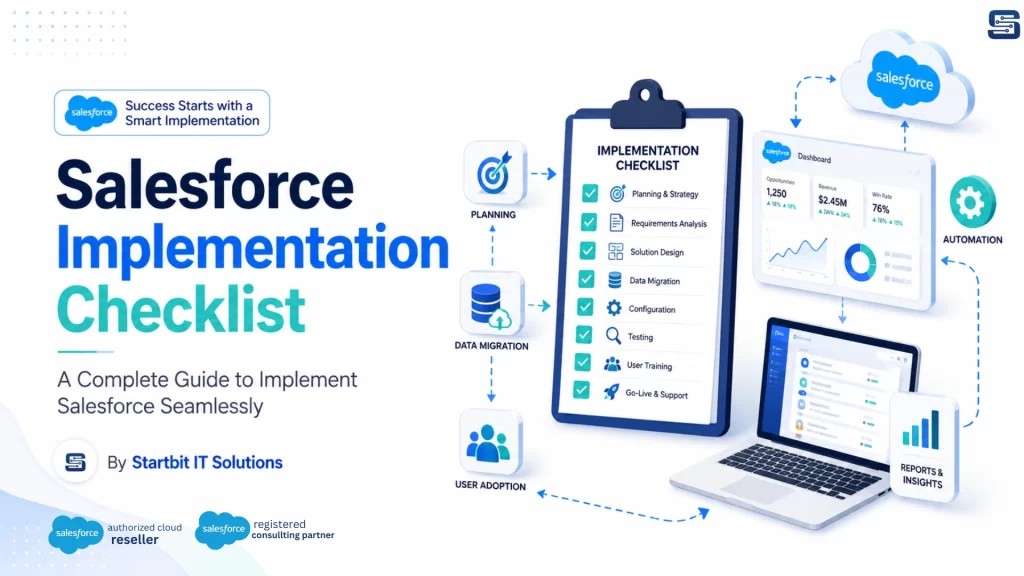
Salesforce is one of the most powerful CRM platforms for businesses that want to manage customers, sales, service, marketing, automation, reporting, and business operations from a single system. It helps organizations improve customer relationships, streamline internal processes, automate repetitive tasks, and make better decisions with real-time data.
A well-planned Salesforce implementation checklist helps businesses move step by step and ensures that every important stage is completed before the system goes live.
What Is a Salesforce Implementation Checklist?
A Salesforce implementation checklist is a structured roadmap that defines all the important steps required to implement Salesforce successfully. It helps businesses plan, configure, migrate, test, launch, and optimize Salesforce in a systematic way.
This checklist guides your team through every stage of implementation, including business goal planning, stakeholder alignment, requirement gathering, data preparation, Salesforce customization, third-party integration, user training, testing, deployment, and post-launch support.
For any business implementing Salesforce for the first time or improving an existing Salesforce setup, a checklist is essential to reduce risks and achieve better results.
Why Is a Salesforce Implementation Checklist Important?
Salesforce is a highly flexible platform, but that flexibility can become complicated if implementation is not properly managed. A checklist helps your business stay focused, avoid mistakes, and ensure that Salesforce is aligned with your actual business needs.
A Salesforce implementation checklist helps you:
- Define clear business goals
- Identify the right stakeholders
- Understand current business processes
- Prioritize important requirements
- Prepare clean and accurate data
- Avoid unnecessary customization
- Plan integrations with other systems
- Improve user adoption
- Reduce implementation risks
- Launch Salesforce smoothly
- Measure success after go-live
With the right checklist, your Salesforce implementation becomes more organized, predictable, and result-driven.
Complete Salesforce Implementation Checklist
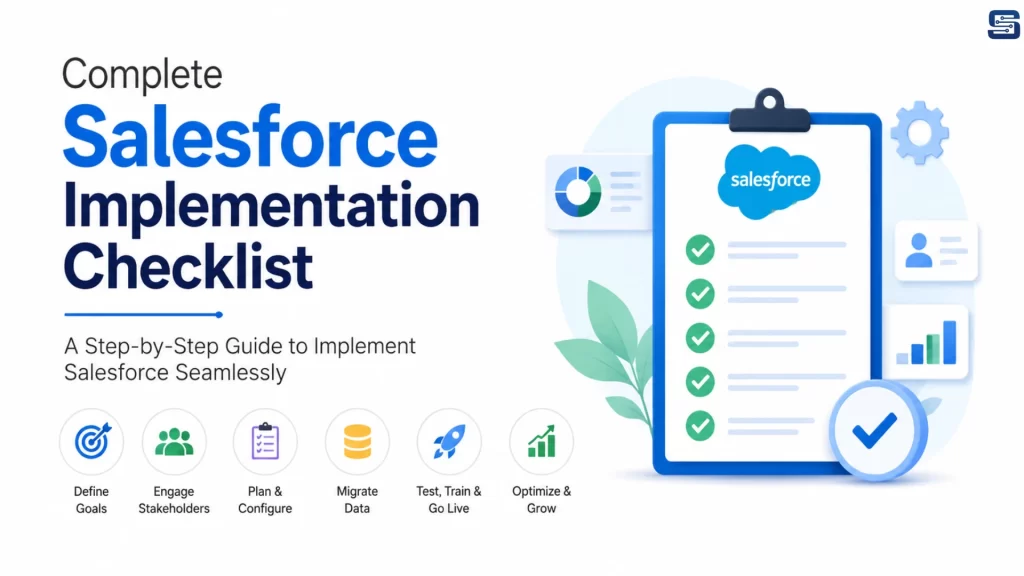
1. Define Your Business Goals
The first step in Salesforce implementation is to define what your business wants to achieve. Without clear goals, it becomes difficult to configure Salesforce correctly or measure the success of the project.
Your goals may include improving lead management, increasing sales visibility, automating customer support, centralizing customer data, improving reporting, reducing manual work, or enhancing customer experience.
Before implementation, ask these important questions:
- What business challenges do we want to solve with Salesforce?
- Which departments will use Salesforce?
- What processes need improvement?
- Which tasks should be automated?
- What does a successful implementation look like?
- Which KPIs will help us measure success?
Clear goals help your implementation team design Salesforce according to your business needs instead of creating a generic CRM setup.
2. Identify Key Stakeholders
Salesforce implementation involves multiple teams, so it is important to identify all key stakeholders from the beginning. These stakeholders help define requirements, review processes, approve decisions, and support user adoption.
Your Salesforce implementation team may include:
- Executive Sponsor
- Project Manager
- Salesforce Consultant
- Salesforce Administrator
- Sales Team
- Marketing Team
- Customer Service Team
- IT Team
- Finance Team
- Operations Team
- End Users
Each stakeholder should have a clear role in the project. This avoids confusion and ensures that business, technical, and user expectations are properly aligned.
3. Choose the Right Salesforce Implementation Partner
One of the most important decisions is whether to implement Salesforce internally or work with a Salesforce implementation partner.
If your business has complex workflows, multiple departments, legacy data, third-party integrations, or limited Salesforce expertise, working with an experienced Salesforce partner is the better choice.
Before selecting a Salesforce implementation partner, check:
- Do they have experience with similar businesses?
- Do they understand your industry?
- Which Salesforce Clouds do they work with?
- Do they provide consulting, customization, integration, and migration?
- What implementation methodology do they follow?
- Do they provide training and post-launch support?
- Can they help with long-term Salesforce optimization?
Startbit IT Solutions provides end-to-end Salesforce implementation services to help businesses set up Salesforce according to their goals, workflows, users, and growth plans.
4. Analyze Your Current Business Processes
Before configuring Salesforce, it is important to understand how your current business processes work. This helps identify what should be improved, automated, simplified, or redesigned.
Review important processes such as:
- Lead management
- Sales pipeline
- Opportunity tracking
- Customer support
- Marketing campaigns
- Approval workflows
- Reporting process
- Data management
- Customer communication
- Order or quote management
This analysis helps ensure Salesforce is implemented as a business solution, not just as a software tool.
5. Gather and Prioritize Requirements
Requirement gathering is one of the most critical stages of Salesforce implementation. It helps define what Salesforce needs to do for each department and user group.
You can collect requirements through:
- Discovery workshops
- Stakeholder interviews
- Department meetings
- Process mapping
- User surveys
- Existing system review
After gathering requirements, prioritize them based on business value and urgency. You can divide them into:
- Must-have requirements
- Should-have requirements
- Could-have requirements
- Future phase requirements
This helps your team focus on the most important features first and avoid overcomplicating the initial implementation.
6. Select the Right Salesforce Cloud
Salesforce offers different products for different business needs. Choosing the right Salesforce Cloud is essential for a successful implementation.
Common Salesforce solutions include:
- Salesforce Sales Cloud
- Salesforce Service Cloud
- Salesforce Marketing Cloud
- Salesforce Experience Cloud
- Salesforce Commerce Cloud
- Salesforce Data Cloud
- Salesforce CPQ
- Salesforce Field Service
- Salesforce Agentforce
The right Salesforce product depends on your business goals, team structure, customer journey, budget, and required features.
7. Plan Salesforce Configuration and Customization
Salesforce can be configured and customized based on your business processes. However, unnecessary customization can make the system difficult to maintain.
Start with standard Salesforce configuration first, then customize only where required.
Important configuration areas include:
- Objects and fields
- Page layouts
- Record types
- User roles
- Profiles and permissions
- Validation rules
- Approval processes
- Automation workflows
- Reports and dashboards
- Security settings
The goal should be to keep Salesforce simple, scalable, and easy for users to adopt.
8. Prepare and Clean Your Data
Data quality plays a major role in Salesforce implementation success. If your data is incomplete, outdated, duplicated, or inaccurate, it can affect reporting, automation, customer communication, and user trust.
Before migration, you should:
- Identify all data sources
- Remove duplicate records
- Correct incorrect information
- Fill missing fields
- Standardize naming formats
- Define data ownership
- Map data fields with Salesforce
- Set user access permissions
- Validate data before migration
Clean data ensures that your Salesforce system starts with accurate and reliable information.
9. Create a Data Migration Plan
Data migration should be planned carefully before moving information into Salesforce. A poor migration process can create duplicate records, missing data, and reporting issues.
Your data migration plan should include:
- Source system identification
- Data backup
- Field mapping
- Data cleansing
- Migration tool selection
- Test migration
- Data validation
- Final migration schedule
- Post-migration review
Always perform a test migration before the final migration. This helps identify errors early and ensures a smoother go-live.
10. Identify Required Integrations
Most businesses use multiple tools along with Salesforce. Integrating Salesforce with these tools creates a connected system and reduces manual data entry.
Common Salesforce integrations include:
- ERP systems
- Accounting software
- Marketing automation tools
- E-commerce platforms
- Payment gateways
- Customer support tools
- Document generation tools
- Email and calendar tools
- Microsoft 365
- Slack or Microsoft Teams
- Shopify, Magento, or WooCommerce
- Custom business applications
Before integration, define what data should sync, how often it should sync, and which system will act as the source of truth.
11. Set Up Automation Workflows
Salesforce automation helps businesses reduce manual tasks and improve team productivity. Automation should be planned carefully so that it supports business users without creating unnecessary complexity.
You can automate:
- Lead assignment
- Follow-up reminders
- Email notifications
- Approval workflows
- Task creation
- Case routing
- Opportunity updates
- Customer onboarding
- SLA alerts
- Sales pipeline movement
Well-planned automation helps your team save time, reduce errors, and focus on high-value activities.
12. Build Reports and Dashboards
Reports and dashboards help businesses track performance and make informed decisions. During Salesforce implementation, reporting requirements should be planned early so the right data structure is created from the beginning.
Useful Salesforce dashboards include:
- Sales pipeline dashboard
- Lead conversion dashboard
- Revenue forecast dashboard
- Customer service dashboard
- Marketing performance dashboard
- Team productivity dashboard
- Opportunity tracking dashboard
- Customer retention dashboard
A strong reporting setup gives leadership and teams real-time visibility into business performance.
13. Test the Salesforce Setup
Testing is essential before Salesforce goes live. It ensures that all features, workflows, integrations, permissions, and reports are working correctly.
Salesforce testing should include:
- Functional testing
- Workflow testing
- Integration testing
- Data migration testing
- Security testing
- Report testing
- User acceptance testing
User Acceptance Testing is especially important because real users can confirm whether the system supports their daily work properly.
14. Train Your Users
User training is one of the most important parts of Salesforce implementation. Even a well-configured system can fail if users do not understand how to use it.
Training should be practical and role-based. Different teams should receive training based on how they will use Salesforce.
Training can include:
- Live training sessions
- Role-based demos
- Video tutorials
- User guides
- Admin training
- Hands-on practice
- Department-specific workflows
- Process documentation
Proper training improves adoption and helps users feel confident with the new system.
15. Create a Change Management Plan
Salesforce implementation often changes the way teams work. A change management plan helps users understand the value of Salesforce and reduces resistance.
Your change management plan should include:
- Clear communication
- Stakeholder involvement
- User training
- Feedback collection
- Adoption tracking
- Internal support process
- Regular updates
- Issue resolution process
When users understand why Salesforce is being implemented and how it helps their work, adoption becomes easier.
16. Prepare for Go-Live
Before launching Salesforce, create a complete go-live checklist to make sure everything is ready.
Your go-live checklist should include:
- Final testing completed
- Data migration verified
- User permissions checked
- Reports and dashboards ready
- Integrations tested
- Automation reviewed
- Training completed
- Support team assigned
- Backup plan prepared
- Go-live date confirmed
A well-planned go-live reduces risk and helps your team start using Salesforce smoothly.
17. Provide Post-Launch Support
After Salesforce goes live, users may need support, guidance, and minor improvements. This post-launch phase is important for stabilizing the system and improving user confidence.
Post-launch support may include:
- Issue resolution
- Bug fixing
- Data correction
- Workflow adjustments
- Additional training
- Dashboard improvements
- Integration monitoring
- User feedback review
This support helps ensure Salesforce continues to work smoothly after launch.
18. Monitor, Optimize, and Improve Continuously
Salesforce implementation does not end after go-live. To get long-term value, businesses should continuously monitor system performance, user adoption, data quality, and business outcomes.
Track important metrics such as:
- User login activity
- Lead conversion rate
- Sales pipeline accuracy
- Case resolution time
- Data quality score
- Report usage
- Automation performance
- Customer satisfaction
- Revenue growth
Regular Salesforce health checks and continuous improvements help your business get maximum value from the platform.
Common Salesforce Implementation Mistakes to Avoid
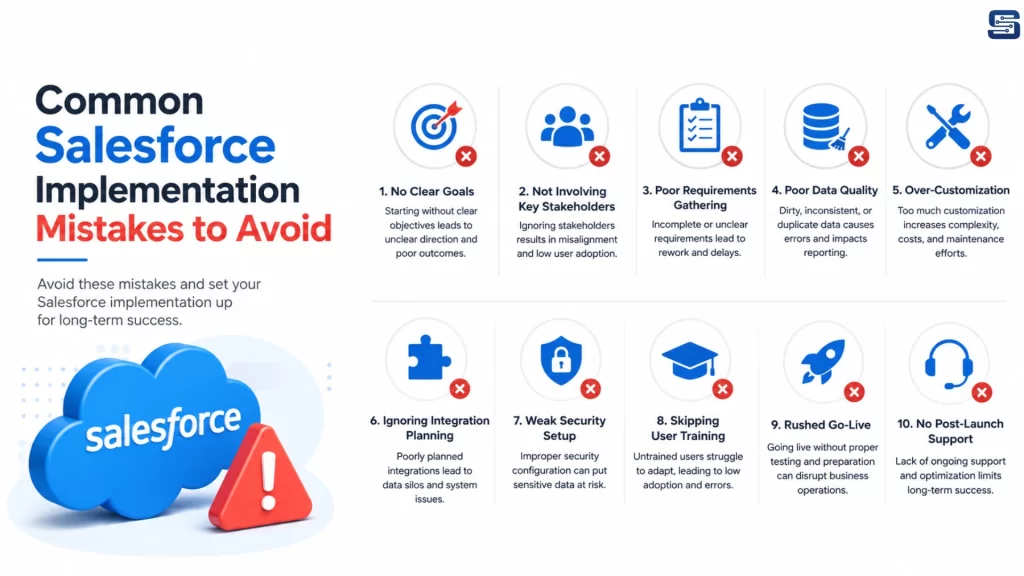
Many Salesforce implementation issues happen because of poor planning or lack of user involvement. Avoid these common mistakes:
- Starting without clear goals
- Not involving key stakeholders
- Ignoring user requirements
- Migrating poor-quality data
- Over-customizing Salesforce
- Skipping testing
- Not training users properly
- Choosing the wrong implementation partner
- Ignoring change management
- Not planning post-launch support
Avoiding these mistakes can save time, reduce cost, and improve Salesforce adoption across your organization.
Why Choose Startbit IT Solutions for Salesforce Implementation?
Startbit IT Solutions helps businesses implement Salesforce with a clear strategy, scalable architecture, and business-focused approach. Our Salesforce experts work closely with your team to understand your goals, processes, users, and technical requirements.
We provide end-to-end Salesforce services, including Salesforce consulting, implementation, customization, integration, migration, automation, testing, training, and ongoing support.
Whether you are implementing Salesforce for the first time or improving your existing Salesforce setup, Startbit IT Solutions can help you build a CRM solution that improves productivity, customer experience, and business growth.
Conclusion
A successful Salesforce implementation requires proper planning, accurate data, the right configuration, user training, testing, and continuous improvement. A clear Salesforce implementation checklist helps businesses avoid mistakes and launch Salesforce with confidence.
If you want to implement Salesforce seamlessly, Startbit IT Solutions can help you with complete Salesforce consulting, implementation, integration, customization, and support services.
Contact Startbit IT Solutions today to build a Salesforce solution that is aligned with your business goals and ready for future growth.