

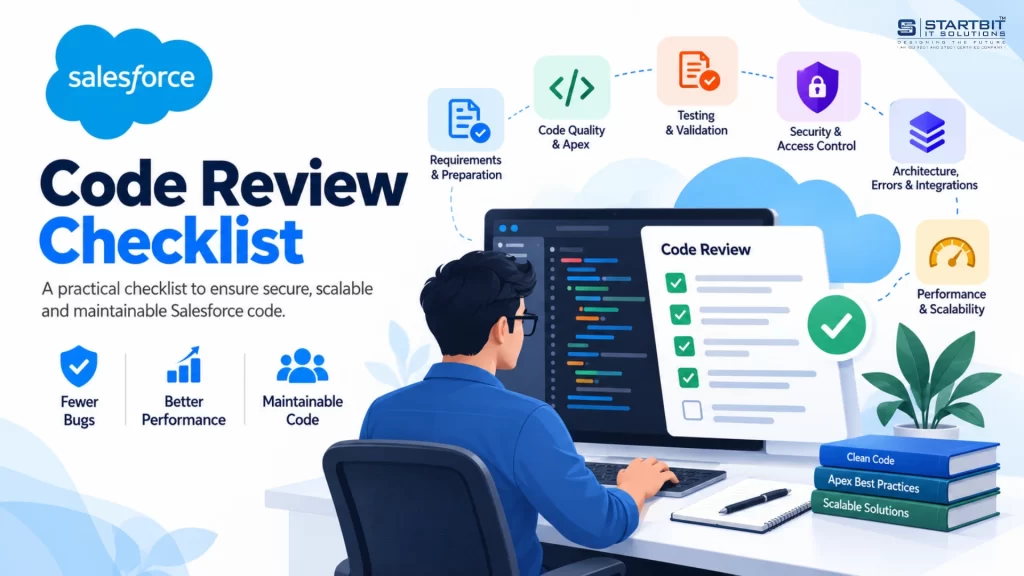
A complete guide to reviewing Apex code, improving security, preventing governor-limit issues, and building maintainable Salesforce applications.
Salesforce applications support critical business operations, including customer relationship management, sales automation, reporting, and third-party integrations. As these applications grow, maintaining code quality becomes essential for ensuring reliability, performance, and long-term maintainability.
A structured Salesforce code review helps developers identify defects before deployment, strengthen security, improve code readability, and ensure that custom implementations follow Salesforce best practices.
1. What Is Salesforce Code Review?
Salesforce code review is the process of examining code changes before they are merged or deployed to ensure that the implementation meets business requirements and established development standards.
Reviews may cover Apex classes, triggers, test classes, Lightning Web Components (LWC), integrations, and related metadata.
A reviewer evaluates whether the implementation is correct, secure, efficient, testable, and consistent with the existing architecture.
For example, an Apex trigger that updates related Account records when Contacts change should handle bulk operations, avoid unnecessary database queries, and respect appropriate access controls.
The goal is not simply to make code compile. It is to ensure that the solution works reliably in a real Salesforce environment.
2. Why Is Salesforce Code Review Important?
A consistent review process provides several benefits.
- Fewer defects: Identify logic errors and edge cases before they affect users.
- Better security: Detect missing permission checks and unsafe handling of external input.
- Governor-limit compliance: Reduce the risk of exceeding Salesforce transaction limits.
- Maintainability: Make code easier to understand, debug, and extend.
- Knowledge sharing: Encourage collaboration and improve development standards across the team.
- Lower technical debt: Address avoidable complexity before it becomes expensive to maintain.
Code reviews are particularly valuable in Salesforce because custom code often interacts with Flows, triggers, validation rules, and integrations within the same transaction.
3. Salesforce Code Review: Quick Reference
| Area | Recommended approach |
|---|---|
| Review size | Start with 200–400 lines at a time where practical |
| Review duration | Keep sessions focused, ideally within 60 minutes |
| Automated analysis | Run Salesforce Code Analyzer or compatible static analysis tools |
| Testing | Meet applicable deployment coverage requirements and verify behavior |
| Security | Evaluate record sharing, object permissions, and field-level security |
| Performance | Review queries, DML operations, bulk processing, and governor limits |
| Approval | Confirm requirements, tests, and critical risks are addressed |
These are practical guidelines rather than universal platform limits. Review depth should reflect the complexity and risk of the change.
4. What to Do Before Reviewing Code
Prepare for the review by understanding the purpose and context of the change.
Understand the business requirement
Confirm the expected behavior, acceptance criteria, and relevant edge cases. A technically correct implementation can still be wrong if it does not solve the business problem.
Evaluate standard Salesforce functionality
Consider whether standard Salesforce features, Flow, existing platform capabilities, or an appropriate AppExchange solution can meet the requirement without unnecessary custom Apex.
Run automated checks
Use Salesforce Code Analyzer, PMD-based rules, automated tests, and CI/CD validation to identify common issues before manual review.
Check related components
Review dependent classes, triggers, Flows, permissions, integrations, and metadata. A small change can affect other automation that operates on the same records.
5. Essential Salesforce Code Review Practices
Instead of treating every review as a long list of unrelated checks, focus on six core areas.
A. Code readability and maintainability
Good code should communicate its purpose clearly.
Review naming conventions, method responsibilities, duplicated logic, comments, and unnecessary complexity.
For example, calculateOpportunityDiscount() is more descriptive than processData() when the method calculates Opportunity discounts.
Methods should have focused responsibilities, and repeated logic should be consolidated when doing so improves clarity and reliability. Avoid unnecessary abstractions that make simple code harder to understand.
B. Apex best practices and bulkification
Salesforce processes records in batches, so code must work reliably beyond single-record scenarios.
Avoid unnecessary SOQL queries and DML operations inside loops. Use Lists, Sets, and Maps to collect records, retrieve related data efficiently, and perform database operations in batches.
Example of inefficient Apex:
for (Contact contactRecord : contacts) {
    Account accountRecord = [
        SELECT Id, Name
        FROM Account
        WHERE Id = :contactRecord.AccountId
        LIMIT 1
    ];
}
This query runs repeatedly and may exceed governor limits during bulk processing.
Improved approach:
Set<Id> accountIds = new Set<Id>();

for (Contact contactRecord : contacts) {
    if (contactRecord.AccountId != null) {
        accountIds.add(contactRecord.AccountId);
    }
}

Map<Id, Account> accountsById = new Map<Id, Account>();

if (!accountIds.isEmpty()) {
    accountsById = new Map<Id, Account>([
        SELECT Id, Name
        FROM Account
        WHERE Id IN :accountIds
    ]);
}
This approach retrieves related Accounts in a single query rather than executing one query per Contact.
Also check for hardcoded record IDs, unnecessary processing, and trigger logic that does not follow the team’s established architecture.
C. Testing and code coverage
Tests should verify business behavior rather than merely execute code.
Salesforce generally requires at least 75% overall Apex code coverage for applicable production deployments, with test coverage for each trigger. Other deployment requirements may apply.
However, coverage alone does not prove correctness. A test can execute every line without verifying the result.
Effective tests should cover:
- Expected outcomes and meaningful assertions.
- Positive, negative, and boundary scenarios.
- Bulk processing and relevant error conditions.
- Permission-related behavior where applicable.
- Reliable test-data creation without unnecessary dependencies on production data.
Aim for comprehensive scenario coverage instead of treating a specific percentage as the sole measure of quality.
D. Security and access control
Security reviews should consider how records and fields are accessed, how user input is handled, and how external services are authenticated.
Pay particular attention to:
- Record-sharing requirements.
- Object-level and field-level permissions.
- SOQL and SOSL injection risks.
- Input validation and error messages.
- Credential management and integration access.
- Sensitive information in logs.
Important: Apex declared with sharing helps enforce record-level sharing, but does not automatically enforce object permissions or field-level security. Depending on the use case, user-mode database operations, WITH USER_MODE, or Security.stripInaccessible() may be appropriate.
Apply the principle of least privilege and ensure the implementation follows the intended security model.
E. Architecture and reliability
A maintainable Salesforce solution should fit the existing architecture and work predictably alongside other platform automation.
Evaluate whether:
- Business logic and data-access responsibilities are separated appropriately.
- Classes have clear responsibilities and manageable dependencies.
- Salesforce order of execution is understood.
- Interactions between Apex, Flows, and other automation are considered.
- Exceptions can be diagnosed without exposing sensitive data.
- The implementation can be extended and tested without excessive refactoring.
Avoid introducing design patterns or architectural complexity without a clear benefit.
F. Performance and scalability
Consider how the implementation will behave as data volumes and transaction activity increase.
Review query efficiency, CPU time, heap usage, repeated calculations, asynchronous processing, and external API dependencies.
Ask:
What happens if the record volume increases two or three times?
The solution should accommodate realistic growth without unnecessarily consuming governor limits or creating performance bottlenecks.
For integrations, also consider timeouts, authentication failures, retry behavior, API limits, and the possibility of duplicate operations.
6. SOLID Principles for Salesforce Developers
SOLID principles help developers design code that is easier to maintain, test, and extend.
| Principle | Meaning | Salesforce example |
|---|---|---|
| Single Responsibility | A class should have one clear responsibility. | Separate discount calculations from notification delivery. |
| Open/Closed | Extend behavior without repeatedly modifying stable code. | Add new discount strategies through an abstraction. |
| Liskov Substitution | Implementations should honor their base contract. | Alternative payment providers should behave consistently with their shared interface. |
| Interface Segregation | Prefer focused interfaces over large, unrelated ones. | Separate notification and payment interfaces. |
| Dependency Inversion | Depend on abstractions rather than concrete implementations. | A service depends on a payment gateway interface. |
Dependency injection is a related technique that supplies dependencies to a class rather than having the class create them internally. It makes implementations easier to test by allowing mock services to be substituted for real dependencies.
Apply these principles when they improve clarity and flexibility, rather than following them mechanically.
7. How to Give Effective Code Review Feedback
A productive review focuses on improving the implementation, not criticizing its author.
Effective feedback practices
- Explain the technical reason behind a requested change.
- Identify the potential business or operational impact.
- Distinguish blocking defects from optional improvements.
- Suggest practical alternatives where possible.
- Apply consistent standards to all developers.
Example
Instead of writing:
“This query is wrong.”
Write:
“Could we move this SOQL query outside the loop and collect the required record IDs first? The current implementation may exceed governor limits during bulk processing.”
For developers submitting changes, clear pull request descriptions, relevant test results, and screenshots of UI or Flow changes can make reviews faster and more effective.
8. Salesforce Org Health Check: Beyond Code Review
A code review examines specific changes. An org health check evaluates the broader Salesforce environment, including legacy automation, data quality, security, integrations, and technical debt.
| Area | What to investigate |
|---|---|
| Data quality | Duplicate records, unused fields, inconsistent values, and missing validation |
| Automation | Overlapping Flows, legacy Workflow Rules or Process Builder processes, and conflicting updates |
| Apex | Weak tests, inefficient queries, hardcoded IDs, and governor-limit risks |
| Security | Excessive permissions, inconsistent sharing rules, and overprivileged integration users |
| Integrations | Expired credentials, missing monitoring, and unreliable error handling |
| Architecture | Duplicated business logic, unclear responsibilities, and unnecessary dependencies |
Conduct an org health check periodically and before major migrations or rollouts.
Prioritize findings by severity, business risk, remediation effort, and ownership. Do not replace an existing automation simply because it is old; assess its behavior and value before deciding whether to retain, refactor, or retire it.
9. A Practical Salesforce Code Review Workflow
Use a consistent process for every significant change.
<box gap={2}> <row align=start gap={3}> <box background=”surface-secondary” radius=”lg” size=”40px” align=”center” justify=”center”> <title size=”lg”>1</title> </box> <box flex=”1″ gap={1}> **Understand**
  Confirm the business requirement, acceptance criteria, and expected behavior.
</box>
</row> <row align=start gap={3}> <box background=”surface-secondary” radius=”lg” size=”40px” align=”center” justify=”center”> <title size=”lg”>2</title> </box> <box flex=”1″ gap={1}> **Validate**
  Run static analysis, automated tests, and relevant CI/CD checks.
</box>
</row> <row align=start gap={3}> <box background=”surface-secondary” radius=”lg” size=”40px” align=”center” justify=”center”> <title size=”lg”>3</title> </box> <box flex=”1″ gap={1}> **Review**
  Inspect readability, Apex practices, architecture, security, and performance.
</box>
</row> <row align=start gap={3}> <box background=”surface-secondary” radius=”lg” size=”40px” align=”center” justify=”center”> <title size=”lg”>4</title> </box> <box flex=”1″ gap={1}> **Resolve**
  Address critical findings, verify fixes, and confirm relevant tests pass.
</box>
</row> <row align=start gap={3}> <box background=”surface-secondary” radius=”lg” size=”40px” align=”center” justify=”center”> <title size=”lg”>5</title> </box> <box flex=”1″ gap={1}> **Approve**
  Confirm the change meets team quality standards and applicable deployment requirements.
</box>
</row> </box>
Integrating this workflow into pull requests and CI/CD pipelines helps identify problems earlier and reduces reliance on manual checks alone.
10. Common Salesforce Code Review Mistakes
| Mistake | Potential consequence | Better approach |
|---|---|---|
| Queries inside loops | Governor-limit failures | Collect IDs and query in batches |
| Coverage without assertions | Defects remain undetected | Verify expected results |
| Missing permission checks | Unauthorized data access | Enforce the correct security model |
| Hardcoded IDs | Environment-specific failures | Use suitable configuration or metadata |
| Ignoring existing automation | Conflicting updates or recursion | Evaluate related automation and execution order |
| Silent exception handling | Difficult troubleshooting | Handle and monitor errors appropriately |
| Oversized pull requests | Important issues may be overlooked | Split unrelated changes into manageable units |
Conclusion
Salesforce code review is an essential practice for building secure, scalable, and maintainable applications. By examining business logic, bulkification, testing, security, architecture, and performance, teams can identify problems early and improve the reliability of their releases.
The most effective reviews combine automated checks with human judgment. A consistent process, meaningful tests, and constructive feedback help developers maintain high standards without introducing unnecessary complexity.
Make code review a standard part of your Salesforce development lifecycle to reduce technical debt, improve application quality, and deliver dependable solutions as business requirements evolve.
Need Help with Salesforce Development?
Startbit IT Solutions helps businesses with Salesforce development, customization, integrations, application optimization, and technical consulting.
Contact Startbit IT Solutions to discuss your Salesforce requirements and identify opportunities to improve your application’s quality and maintainability.