

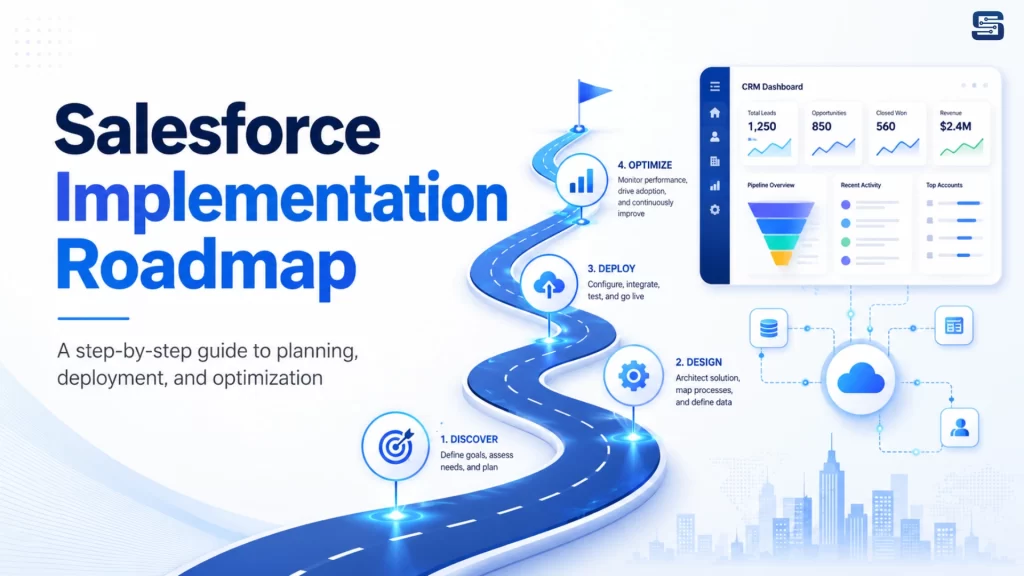
A Salesforce implementation roadmap gives your organization a structured plan to move from existing manual processes, spreadsheets, or old CRM systems to a fully configured Salesforce CRM platform. It helps define what needs to be implemented, who will use the system, what data should be migrated, which workflows should be automated, and how success will be measured after go-live.
In this guide, we will explain the complete Salesforce implementation roadmap in a simple, practical, and business-friendly way.
What Is a Salesforce Implementation Roadmap?
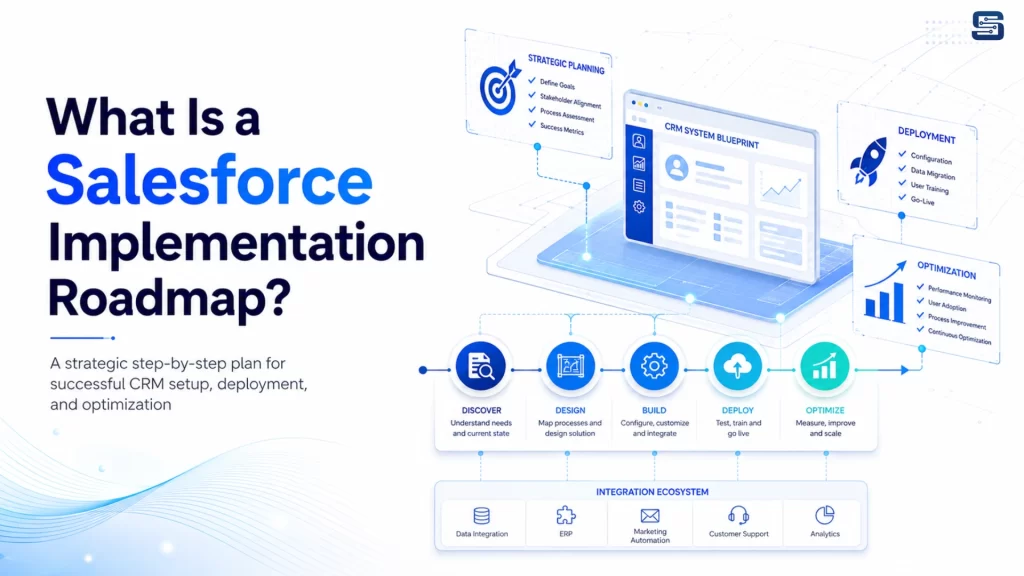
A Salesforce implementation roadmap is a step-by-step plan that explains how Salesforce will be planned, configured, customized, tested, launched, and improved after implementation.
It acts as a blueprint for the entire Salesforce CRM implementation process. Instead of randomly setting up objects, fields, reports, dashboards, and automations, the roadmap ensures that every part of Salesforce is aligned with business goals.
A strong Salesforce roadmap usually includes:
Business goal planning, requirement analysis, process mapping, solution design, data migration, Salesforce configuration, customization, workflow automation, third-party integrations, reporting, testing, user training, go-live preparation, post-launch support, and continuous optimization.
Why Your Business Needs a Salesforce Implementation Roadmap
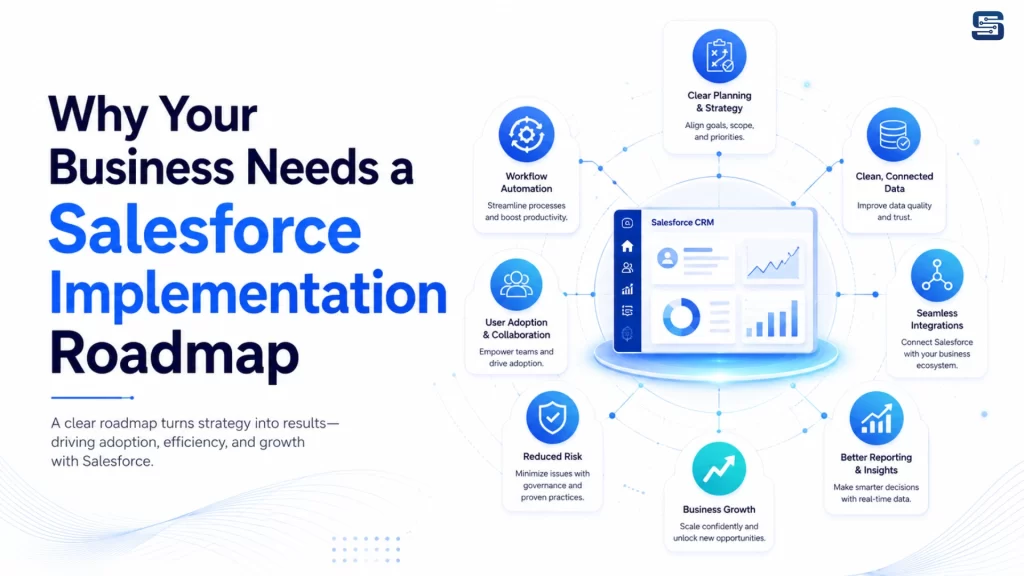
Many Salesforce projects face problems because businesses start implementation without proper planning. They may not define clear goals, clean their data, involve users, document workflows, or test the system correctly.
With a proper Salesforce implementation roadmap, your business can:
Define clear CRM goals, reduce implementation delays, avoid unnecessary customization, improve data quality, increase user adoption, automate manual tasks, connect Salesforce with other business tools, create useful reports and dashboards, improve customer visibility, and measure CRM success after launch.
A roadmap ensures that Salesforce is not just installed but actually used by your team to improve daily business operations.
Who Should Be Involved in Salesforce Implementation?
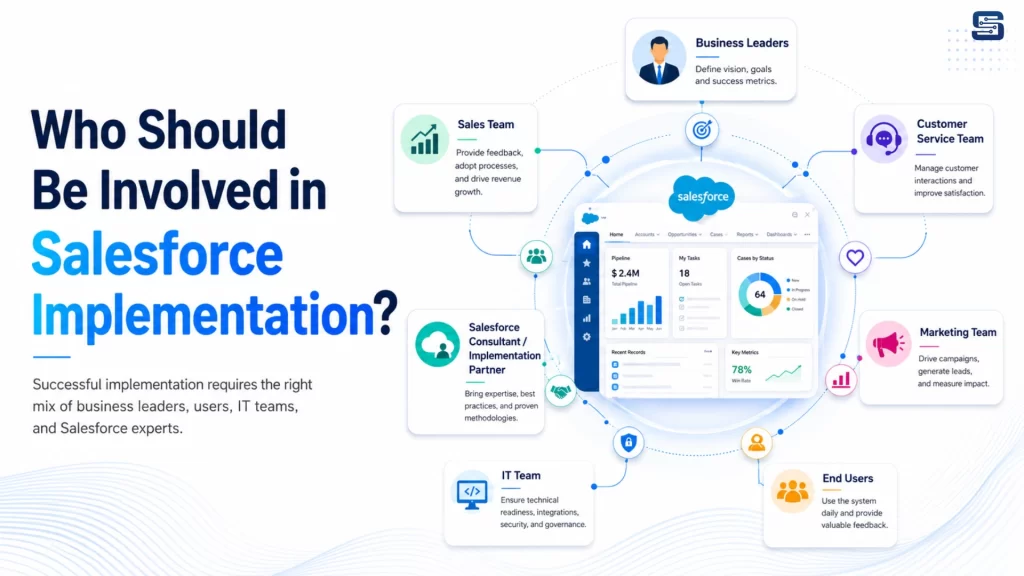
Salesforce implementation should not be managed by a single person or department. It requires input from business leaders, users, technical teams, managers, and Salesforce experts.
Business Leaders
Business leaders define the overall goals, budget, priorities, and expected outcomes from Salesforce implementation.
Sales Team
The sales team helps define lead management, opportunity tracking, sales pipeline stages, follow-up processes, and sales reporting needs.
Customer Service Team
The service team helps define case management, support workflows, escalation rules, service dashboards, and customer communication processes.
Marketing Team
The marketing team helps define campaign tracking, lead source management, customer journeys, and marketing performance reporting.
IT Team
The IT team supports system security, data migration, integrations, user access, and technical architecture.
Salesforce Consultant or Implementation Partner
A Salesforce implementation partner guides the complete process, including planning, configuration, customization, data migration, integration, testing, training, and post-launch support.
End Users
End users test the system and provide practical feedback before Salesforce goes live.
When all the right people are involved from the beginning, Salesforce becomes easier to use and better aligned with real business needs.
Salesforce Implementation Roadmap: Step-by-Step Process
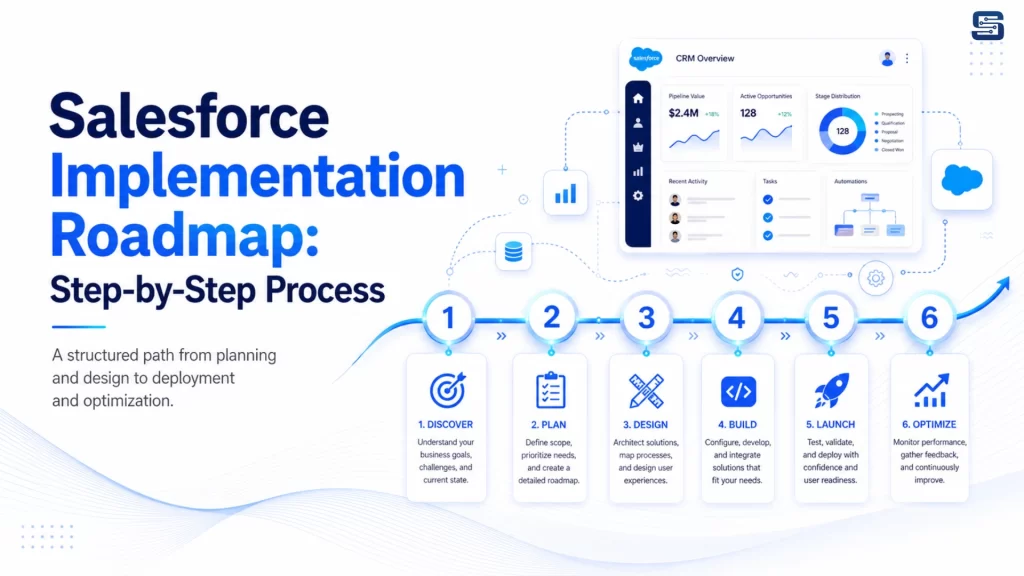
Step 1: Define Clear Business Goals
The first step in Salesforce implementation is not configuration. It is understanding your business goals. Before starting Salesforce setup, your business should clearly define what it wants to improve.
Common goals include:
Improving lead management, increasing sales productivity, tracking customer interactions, automating follow-ups, improving customer service response time, creating real-time dashboards, reducing spreadsheet dependency, improving forecasting, and connecting sales, service, and marketing data.
Instead of saying:
“We want to use Salesforce for sales.”
A better goal would be:
“We want to improve lead response time, automate sales follow-ups, track opportunity stages, and create real-time sales dashboards.”
Clear goals make the entire Salesforce implementation process more focused and successful.
Step 2: Review Current Business Processes
After defining goals, the next step is to review your current business processes.
This includes understanding how your business currently manages leads, contacts, accounts, opportunities, support cases, approvals, reports, emails, follow-ups, customer communication, and marketing campaigns.
This step helps identify what is working, what is slow, and what needs improvement.
For example, if your team is using spreadsheets to track leads, Salesforce can replace that with a structured lead management system. If managers manually ask for weekly sales updates, Salesforce dashboards can provide real-time visibility.
Salesforce should improve your business process, not copy old problems into a new system.
Step 3: Define Salesforce Requirements
Once your current process is reviewed, your team should define detailed Salesforce requirements. These requirements explain what Salesforce needs to do for your business.
Salesforce requirements may include:
Lead capture from website forms, lead assignment rules, opportunity pipeline stages, customer account management, quote approval process, case escalation rules, email notifications, activity tracking, role-based dashboards, ERP integration, mobile access, customer portals, partner portals, and campaign tracking.
This stage creates clarity between your business team and the Salesforce implementation team.
Step 4: Choose the Right Salesforce Products
Salesforce offers different products for different business needs. Choosing the right Salesforce products is important for building a useful CRM system.
Sales Cloud
Sales Cloud helps businesses manage leads, contacts, accounts, opportunities, activities, forecasting, and sales performance.
Service Cloud
Service Cloud helps manage customer support, cases, service requests, knowledge base, support automation, and service dashboards.
Marketing Cloud
Marketing Cloud supports email marketing, customer journeys, campaign automation, personalization, and customer engagement.
Experience Cloud
Experience Cloud helps create customer portals, partner portals, and self-service communities.
Commerce Cloud
Commerce Cloud supports ecommerce experiences, product journeys, and digital commerce operations.
Data Cloud and AI Capabilities
Modern Salesforce implementation can also include unified customer data, AI-powered insights, automation, and connected customer experiences.
The right product selection depends on your business goals, users, budget, industry, and long-term CRM strategy.
Step 5: Create the Salesforce Solution Design
The solution design is the blueprint of your Salesforce system. It explains how Salesforce will be structured for your business.
A Salesforce solution design may include:
Objects, fields, page layouts, record types, user roles, profiles, permission sets, sales stages, case stages, approval workflows, automation logic, reports, dashboards, integration architecture, and security rules.
A good solution design keeps Salesforce simple, scalable, and easy to use.
The goal is not to make Salesforce complicated. The goal is to make Salesforce useful.
Step 6: Prepare a Data Migration Strategy
Data migration is one of the most important parts of the Salesforce implementation roadmap.
Your existing data may be stored in Excel sheets, old CRM systems, ERP systems, accounting software, email platforms, support tools, ecommerce platforms, or internal databases.
This data may include leads, contacts, accounts, opportunities, customers, products, cases, activities, notes, and historical records.
Before moving data into Salesforce, it should be cleaned and organized.
A proper Salesforce data migration plan should include:
Identifying all data sources, removing duplicate records, fixing incomplete records, standardizing field formats, mapping old fields to Salesforce fields, defining data ownership, validating important records, running test migration, reviewing sample records, and completing final migration before go-live.
Poor data migration can create serious problems after launch. If users see duplicate, outdated, or incorrect data, they may stop trusting Salesforce.
Step 7: Configure Salesforce
After planning and solution design, Salesforce configuration begins.
Configuration means setting up Salesforce using standard features. This is usually the best first approach because standard features are easier to maintain.
alesforce configuration may include:
Creating users, setting roles and profiles, creating permission sets, adding custom fields, setting page layouts, creating record types, configuring lead assignment rules, setting opportunity stages, setting up case management, creating approval processes, building reports and dashboards, setting up email templates, and creating notification rules.
The goal is to make Salesforce match your business process without making the system too complex.
Step 8: Customize Salesforce Only Where Needed
Customization is useful when standard Salesforce features cannot fully support your business needs.
Salesforce customization may include custom objects, custom apps, Lightning components, Apex development, Visualforce pages, validation rules, custom workflows, advanced dashboards, and custom integrations.
However, customization should be handled carefully.
Too much customization can make Salesforce harder to maintain, more expensive to support, and difficult to upgrade in the future.
The best approach is:
Use standard Salesforce configuration first. Customize only when there is a real business need.
This keeps your CRM clean, scalable, and easier for users to understand.
Step 9: Set Up Workflow Automation
Automation is one of the biggest benefits of Salesforce.
It helps reduce manual work, improve process speed, and ensure important tasks are not missed.
Salesforce automation can be used for:
Lead assignment, follow-up reminders, email alerts, task creation, approval workflows, case escalation, opportunity updates, renewal reminders, quote approvals, onboarding tasks, and internal notifications.
For example, when a new lead comes from your website, Salesforce can automatically assign it to the right sales representative, create a follow-up task, and send an alert.
Good automation should make work easier, not confusing for users.
Step 10: Integrate Salesforce with Other Business Systems
Most businesses use multiple tools. Salesforce becomes more powerful when it connects with those tools. Salesforce integration helps data move between Salesforce and other business systems.
ommon Salesforce integrations include:
ERP systems, accounting software, ecommerce platforms, website forms, marketing automation tools, customer support tools, payment gateways, inventory systems, email platforms, reporting tools, and third-party APIs.
For example, if your website captures a lead, that lead can automatically enter Salesforce. If your ecommerce store receives an order, order details can sync with Salesforce. If your support team resolves a case, the sales team can see customer history in one place.
Integration creates a connected business system and improves customer visibility.
Step 11: Build Reports and Dashboards
Reports and dashboards help your team understand business performance. Without proper reports, Salesforce becomes only a data entry system. With useful dashboards, Salesforce becomes a decision-making platform.
Salesforce dashboards can show:
New leads, lead sources, sales pipeline, opportunity value, win rate, sales forecast, follow-up activities, customer support cases, case resolution time, team performance, revenue trends, and marketing campaign results.
Different users need different dashboards.
Sales representatives need pipeline and task dashboards. Sales managers need team performance dashboards. Executives need revenue and forecasting dashboards. Support managers need case and response-time dashboards.
Reports should be simple, useful, and connected to business goals.
Step 12: Test the Salesforce System
Testing is a critical step before Salesforce go-live. Testing ensures that the system works properly before users start using it for real business operations.
Salesforce testing should include:
Functional testing, workflow testing, automation testing, report testing, dashboard testing, user permission testing, data migration testing, integration testing, mobile testing, and security testing.
For example, if a lead is created from the website, testing should confirm that the lead enters Salesforce, gets assigned to the right user, creates the correct task, and appears in the correct report.
Testing helps avoid errors after launch.
Step 13: Conduct User Acceptance Testing
User Acceptance Testing, also known as UAT, allows real business users to test Salesforce before launch.
During UAT, users check whether Salesforce supports their daily work.
They may test creating leads, updating contacts, managing opportunities, creating support cases, running reports, using dashboards, completing approvals, and following automated workflows.
UAT is important because business users can identify practical issues that technical teams may miss.
After UAT, the implementation team should collect feedback, fix issues, and get final approval before go-live.
Step 14: Train Users Properly
User training is one of the most important parts of Salesforce implementation. Even if Salesforce is configured perfectly, the project will not succeed if users do not know how to use it.
Training should be simple, practical, and role-based.
Sales Team Training
Sales users should learn lead management, opportunity tracking, follow-up tasks, activity tracking, and sales dashboards.
Service Team Training
Service users should learn case creation, case updates, escalation process, knowledge base, and support dashboards.
Management Training
Managers should learn reports, dashboards, forecasting, and performance tracking.
Training should also explain why Salesforce is being used and how it helps the team in daily work.
Step 15: Prepare for Salesforce Go-Live
Before going live, your team should complete a final readiness check.
A Salesforce go-live checklist should include:
Final data migration completed, users created, permissions checked, reports tested, dashboards tested, automations tested, integrations tested, UAT completed, training completed, support team ready, backup plan prepared, and launch communication sent.
This step ensures that Salesforce is ready for real business use.
Step 16: Launch Salesforce
Go-live is the stage where Salesforce becomes active for users.
During the first few days, the implementation team should closely monitor login issues, data accuracy, workflow errors, automation issues, integration sync, user questions, report accuracy, and system performance.
The first week after Salesforce launch is very important. Users may need quick support, small changes, or additional guidance. A smooth go-live builds user confidence.
Step 17: Provide Post-Launch Support
Salesforce implementation does not end after go-live.
After launch, your business should provide proper support to help users adjust to the new system.
Post-launch support may include:
Fixing user issues, answering questions, updating reports, improving dashboards, monitoring automation, checking integration performance, cleaning data, reviewing user adoption, and providing additional training.
This support helps users become comfortable with Salesforce and ensures the system continues to work properly.
Step 18: Optimize Salesforce Continuously
Salesforce should grow with your business.
After the first launch, your business should continue improving the platform based on user feedback, business changes, and new requirements.
Continuous optimization may include:
Adding new automations, improving dashboards, enhancing workflows, adding new fields or objects, improving data quality, creating new reports, adding integrations, training new users, reviewing adoption metrics, and planning future Salesforce releases.
This is where Salesforce becomes a long-term growth platform instead of a one-time implementation project.
Common Salesforce Implementation Mistakes to Avoid
Many businesses face Salesforce implementation challenges because they make avoidable mistakes.
Some common mistakes include:
Starting without clear goals, copying old processes without improvement, migrating poor-quality data, adding too much customization, ignoring user feedback, skipping proper testing, providing limited training, not planning integrations, creating too many complex fields, and stopping support after go-live.
Avoiding these mistakes helps your business get better value from Salesforce.
Benefits of a Proper Salesforce Implementation Roadmap
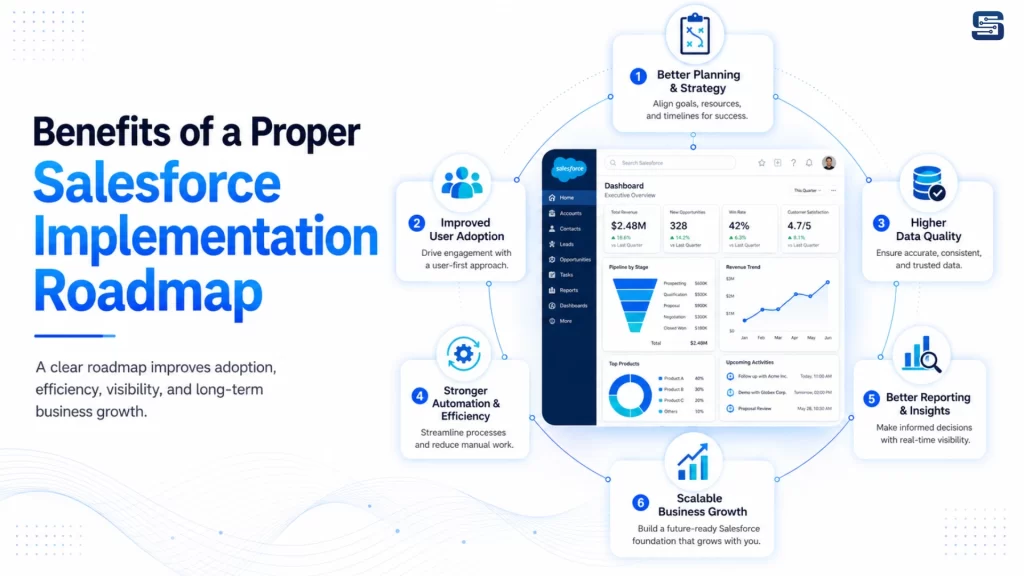
A well-planned Salesforce implementation roadmap helps your business achieve better CRM results.
Improved sales productivity, better customer visibility, faster response time, cleaner data, reduced manual work, stronger reporting, better team collaboration, improved user adoption, more accurate forecasting, and long-term CRM scalability.
When Salesforce is implemented with a clear roadmap, it becomes more than a CRM tool. It becomes a central business platform for growth.
Conclusion
Implementing Salesforce successfully requires the right planning, setup, data migration, automation, integration, training, and ongoing support.
At Startbit IT Solutions, we provide complete end-to-end Salesforce solutions, including consultation, implementation, customization, integration, migration, testing, user training, go-live support, and post-launch optimization.
Our team helps businesses build a scalable, user-friendly, and future-ready Salesforce CRM system that improves sales productivity, customer visibility, reporting, and business growth.
Contact Startbit IT Solutions today to implement Salesforce the right way.