

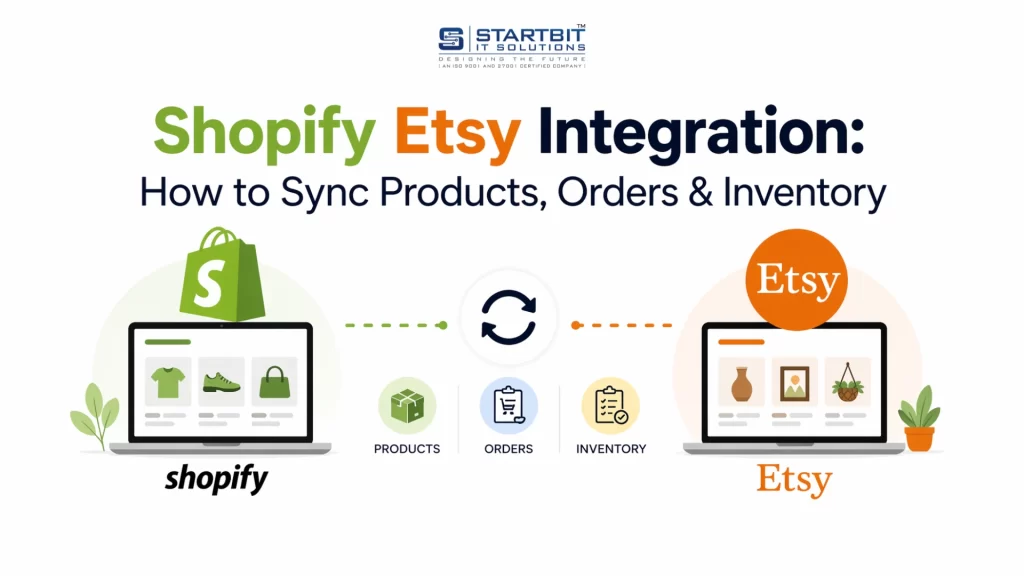
Selling online today isn’t about picking just one platform – it’s about building a connected system through Shopify Etsy Integration. Many sellers begin with Etsy because it brings quick visibility and ready customers. As their business grows, they move to Shopify to build their own brand, have more control, and scale properly.
Instead of choosing one over the other, you can connect both. When you integrate Shopify with Etsy, you don’t have to manage two completely separate stores. Your products, orders, and inventory can work together in one system, which saves time and reduces manual work.
The goal is simple: help you run a smarter, more connected online business without confusion or technical complexity.
1. Understanding Shopify and Etsy
Before you even think about integrating Shopify with Etsy, you need a clear understanding of what each platform is built for. Many sellers run into operational issues, inconsistent inventory, or poor sales performance simply because they treat both platforms the same way, which is a mistake.
Shopify and Etsy serve very different purposes. When used strategically together, they can create a powerful multi-channel selling system. But to do that, you must first understand their roles.
What Shopify Is (And What It Is Not):
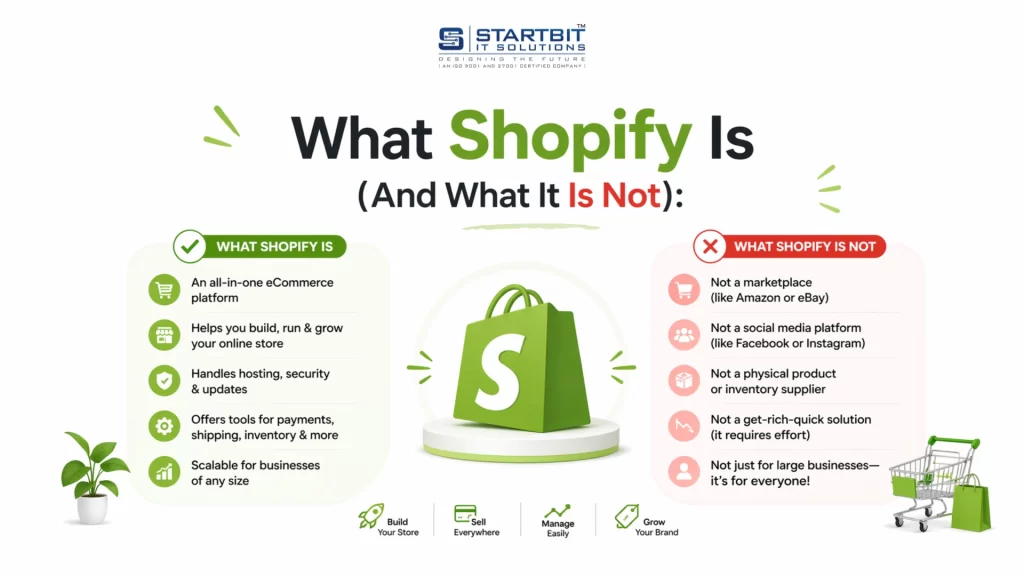
Shopify is a standalone eCommerce platform designed to help you build and scale your own online store. When you use Shopify, you are essentially creating your own digital property, just like owning a physical retail store.
What Shopify Allows You to Do:
With Shopify, you get full control over your business:
- You own your website and domain
- You control your branding, design, and user experience
- You manage your checkout process and payment gateways
- You handle products, inventory, orders, and customers
- You can integrate with multiple sales channels (Amazon, Facebook, Instagram, Google, etc.) from one backend
This level of control makes Shopify ideal for businesses that want to build a long-term brand, not just make short-term sales.
What Shopify Does NOT Do:
Shopify does not function as a marketplace.
- It does not bring built-in traffic
- It does not promote your products automatically
- It does not provide instant visibility
This means success on Shopify depends heavily on your ability to drive traffic through:
- SEO (Search Engine Optimization)
- Paid ads (Google, Meta, etc.)
- Social media marketing
- Email campaigns
In simple terms:
Shopify gives you freedom and scalability, but requires effort to generate traffic.
What Etsy Is (And Its Limitations):
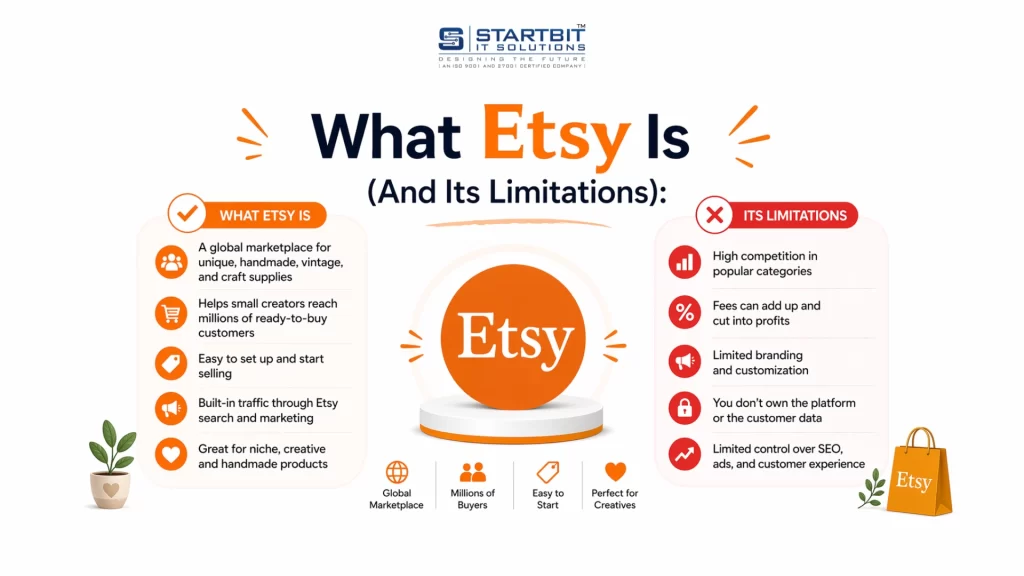
Etsy, on the other hand, is a marketplace, not a standalone website builder. It’s designed for a very specific type of seller and product category.
What Etsy Focuses On:
Etsy is built around niche, creative, and unique products such as:
- Handmade goods
- Vintage items (at least 20 years old)
- Craft supplies
- Personalized or custom-made products
Because of this specialization, Etsy attracts a highly targeted audience that is already in a buying mindset.
What Etsy Provides:
Etsy offers several advantages, especially for beginners:
- Built-in traffic – millions of active buyers browsing daily
- Established buyer trust – customers feel safe purchasing on Etsy
- Search visibility – your products can appear in Etsy search results without external marketing
This makes Etsy a great platform for quick exposure and early sales validation.
The Limitations of Etsy:
However, this convenience comes with trade-offs:
- You have limited control over storefront design and branding
- Etsy enforces strict product policies and listing rules
- You do not own the customer relationship (Etsy controls communication)
- Your shop or listings can be suspended without warning
- You are competing directly with thousands of similar sellers
In short:
Etsy gives you traffic and visibility, but limits your control and independence.
Why Smart Sellers Use Both Shopify and Etsy:
Relying on just one platform can limit your growth.
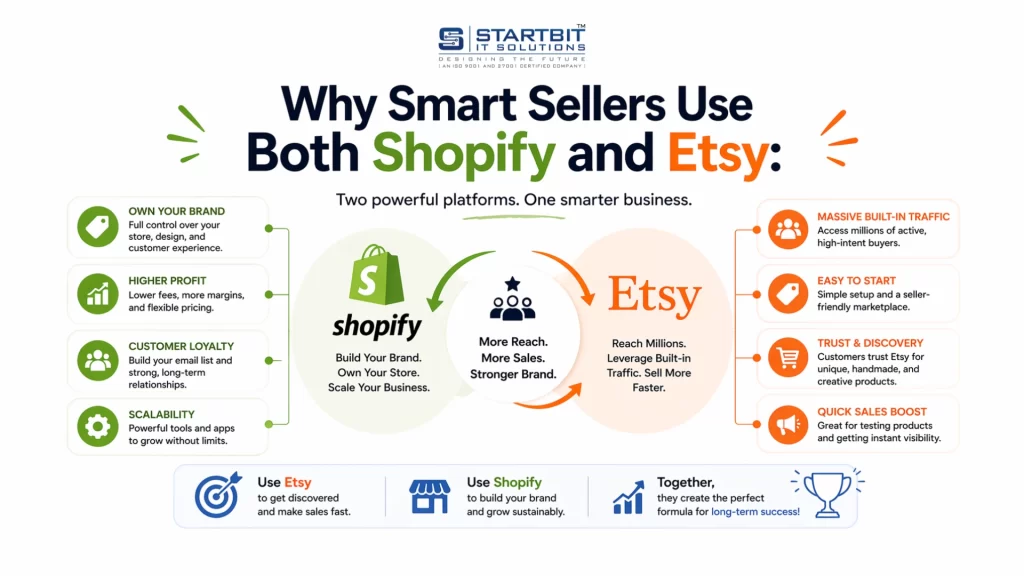
That’s why many successful eCommerce businesses use a hybrid strategy, combining the strengths of both platforms.
How They Work Together:
- Etsy is used for:
- Discoverability
- Reaching new customers
- Generating initial sales
- Shopify is used for:
- Building a brand
- Creating a premium customer experience
- Retaining customers and increasing lifetime value
The Real Strategy:
Think of it like this:
- Etsy = Traffic Source
- Shopify = Brand & Profit Engine
You attract customers through Etsy, and gradually move them toward your Shopify store where you have full control over their experience.
2. What “Connecting Shopify to Etsy” Really Means
One of the biggest misconceptions sellers have is assuming that Shopify and Etsy can be connected directly with a simple built-in feature. That’s not how it works. There is no native integration between Shopify and Etsy.
This is where many beginners get confused and often frustrated when they can’t find a “connect” button inside either platform.
The Reality: How the Connection Actually Works
Instead of a direct connection, Shopify and Etsy rely on a third-party integration layer.
The actual flow looks like this:
Shopify Store → Integration App → Etsy Shop
This middle layer, the integration app, is essential. Without it, the two platforms cannot communicate with each other.
What Does the Integration App Do?
Think of the integration app as a translator and bridge between two systems that speak completely different languages.
Shopify and Etsy have different:
- Data structures
- Product formats
- Inventory systems
- Order workflows
The integration app ensures that information moves smoothly between them without breaking anything.
It Handles Key Operations Like:
- Product Syncing
Automatically pushes your Shopify products to Etsy listings - Inventory Updates
Keeps stock levels consistent across both platforms to avoid overselling - Order Management
Pulls Etsy orders into Shopify so you can manage everything from one dashboard - Pricing & Variations Mapping
Matches product variants (size, color, etc.) correctly between platforms
Why This Indirect Connection Matters
Because the connection depends on a third-party app, your experience will largely depend on:
- The quality of the app you choose
- How well it handles syncing and errors
- Its ability to scale with your business
A poor integration setup can lead to:
- Inventory mismatches
- Duplicate listings
- Missed or delayed orders
- Customer dissatisfaction
3. What Data Can Be Synced (And What Cannot)
One of the most important things to understand before integrating Shopify with Etsy is how data actually behaves across both platforms.
Many sellers assume “everything will sync automatically”. That assumption leads to errors, confusion, and operational issues.
Data That Can Be Synced
Most integration apps allow synchronization of core operational data, including:
- Products (title, description, pricing)
- Variants (size, color, personalization options)
- Inventory quantities
- Orders (Etsy orders pulled into Shopify)
- SKU mapping (critical for tracking and syncing)
This is what enables centralized management.
Data That Does NOT Sync
However, several critical elements remain completely independent:
- Etsy shop design and layout
- Etsy SEO rankings and visibility
- Etsy Ads performance
- Customer messages and conversations
- Etsy reviews (in most cases)
4. Why Sellers Connect Shopify and Etsy
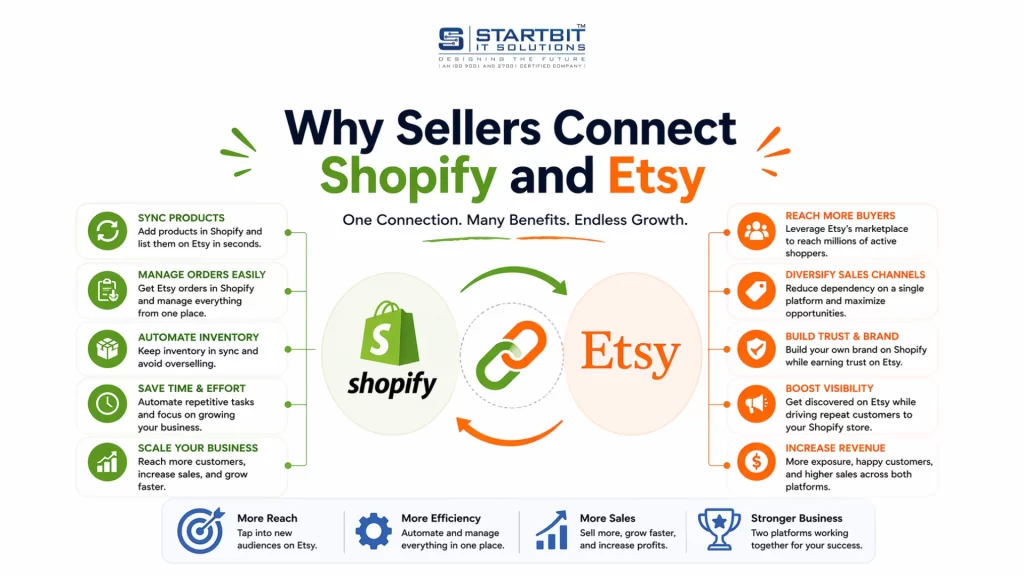
Connecting Shopify and Etsy is not just a technical setup – it is a strategic move to solve real operational challenges and enable business growth.
Many sellers begin their journey on one platform and later expand to another. However, without a proper integration system, managing both platforms independently quickly becomes inefficient and error-prone.
To understand the real value of integration, it’s important to compare both scenarios.
Without Integration: Operational Complexity and Risk
When Shopify and Etsy are managed separately, sellers are forced to handle duplicate processes manually. This not only increases workload but also introduces significant risks.
- Manual Inventory Management: Without integration, inventory must be updated manually across both platforms. Every time a product is sold on one platform, the stock level must be adjusted on the other. In practice, this often leads to delays or missed updates. As a result, inventory data becomes inaccurate, increasing the chances of selling products that are no longer available.
- Duplicate Product Listings: Sellers must create and maintain product listings separately on both platforms. This means updating product titles, descriptions, images, and pricing twice. Over time, this leads to inconsistencies between listings, making it difficult to maintain a professional and unified brand presence.
- High Risk of Overselling: One of the most critical issues without integration is overselling. Since inventory is not synchronized in real time, the same product can be sold simultaneously on both platforms, even if stock is limited. This forces sellers to cancel orders or issue refunds, which negatively impacts customer trust and brand reputation.
- Inefficient Order Management: Orders from Shopify and Etsy must be managed separately, requiring sellers to constantly switch between dashboards. This fragmented workflow increases the likelihood of missed orders, delayed processing, and operational confusion – especially as order volume grows.
- Limited Scalability: As the business grows, manual processes become increasingly difficult to manage. More products and higher order volumes amplify inefficiencies, making it nearly impossible to scale without errors. In such a setup, growth leads to more problems rather than more opportunities.
With Integration: Centralized, Automated, and Scalable Operations
Integrating Shopify and Etsy transforms how the business operates by creating a centralized and automated system.
- Centralized Inventory Control: With integration in place, inventory is managed from a single source – typically Shopify. Any change in stock levels, whether from a Shopify or Etsy sale, is automatically reflected across both platforms. This ensures accurate inventory tracking and eliminates the risk of overselling.
- Automated Order Synchronization: Orders placed on Etsy are automatically imported into Shopify. This allows sellers to manage all orders from one unified dashboard. By removing the need to manually track orders across platforms, businesses can process orders faster and more efficiently.
- Single Source of Truth: Integration establishes Shopify as the central system where all critical data is managed, including products, inventory, and orders. This “single source of truth” ensures consistency across platforms and reduces discrepancies caused by manual updates.
- Streamlined and Organized Workflow: By eliminating duplicate tasks and manual intervention, integration creates a clean and structured workflow. Sellers no longer need to manage multiple systems independently. Instead, they operate within a unified process that improves clarity, efficiency, and control.
- Scalability and Business Growth: Perhaps the most important advantage of integration is scalability. With automated processes in place, businesses can handle increased order volumes, expand product catalogs, and grow across multiple channels without significantly increasing operational complexity. Integration allows sellers to shift focus from manual tasks to strategic growth activities such as marketing, branding, and customer experience.
5. Requirements Before You Start
Before setting up integration, make sure your foundation is ready.
You Must Have:
- A live Shopify store (any active plan)
- An Etsy seller account (not just a buyer account)
- At least one integration app
Strongly Recommended:
- Unique SKUs for every product variant
- Clean, optimized product titles and descriptions
- A clear pricing strategy across both platforms
Skipping these basics leads to sync errors later.
6. Shopify – Etsy Integration Apps (The Core System)
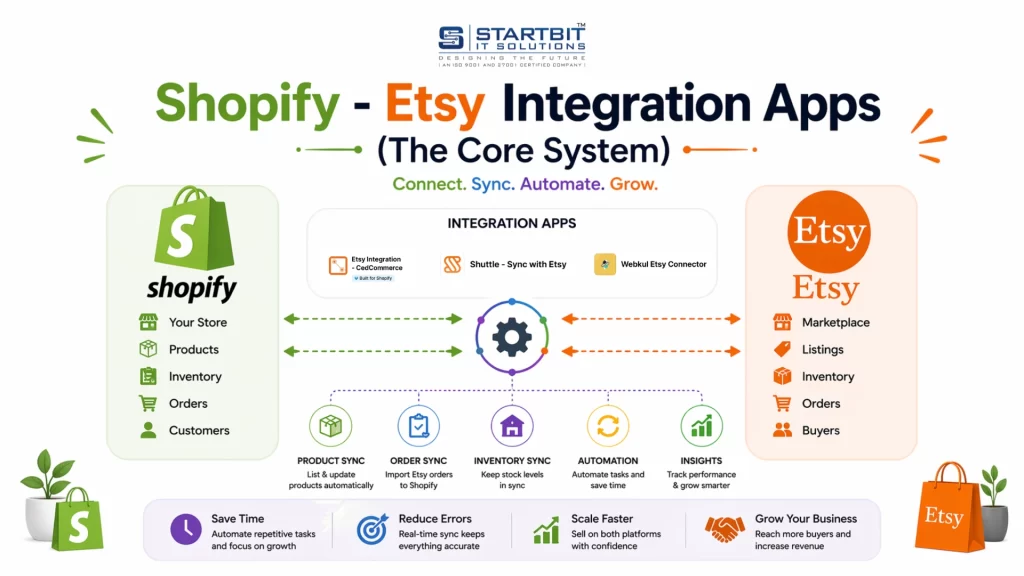
Since Shopify and Etsy don’t connect natively, third-party apps are mandatory.
What These Apps Actually Do
Integration apps act as the operational engine:
- Authenticate your Etsy shop
- Read and write product data
- Monitor inventory changes
- Import Etsy orders into Shopify
- Track sync errors and conflicts
Commonly Used Integration Apps
Here are some widely used solutions:
CedCommerce Etsy Integration
- Two-way product & inventory sync
- Etsy category and attribute mapping
- Beginner-friendly
Shuttle – Sync with Etsy
- Best for Etsy → Shopify migration
- Limited real-time sync
- Ideal for transitions
Webkul Etsy Integration
- Advanced configuration
- Supports multiple Etsy shops
- Better for experienced sellers
7. Step-by-Step: Connecting Shopify to Etsy
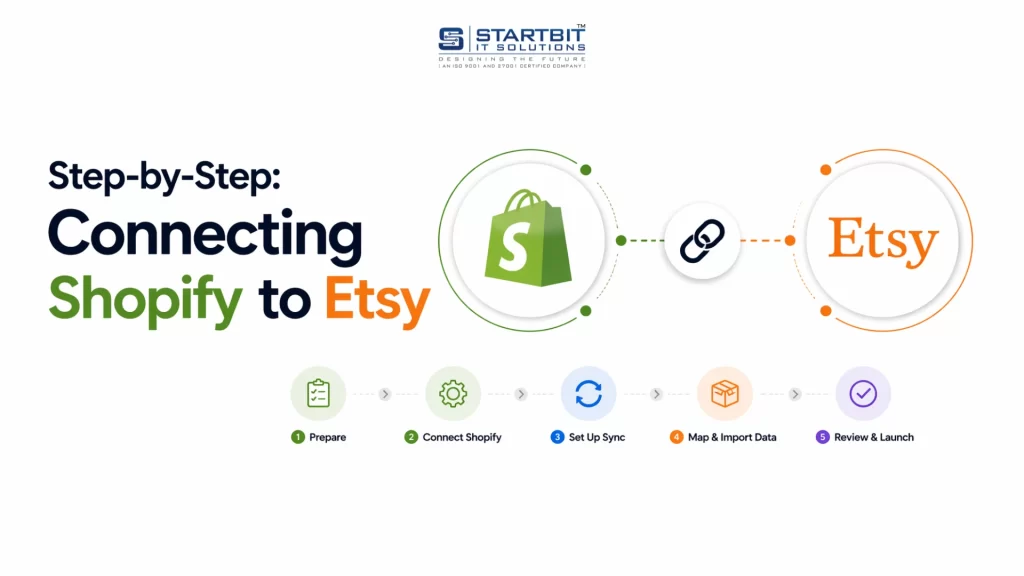
Step 1: Install the Integration App
- Go to Shopify Admin → Apps
- Open Shopify App Store
- Search for “Etsy integration”
- Install a trusted app
- Approve required permissions
These permissions allow product, inventory, and order management.
Step 2: Connect Your Etsy Seller Account
- Open the installed app
- Click “Connect Etsy Account”
- Log into Etsy
- Approve API access
At this point, both systems are technically connected.
8. Product Synchronization (The Most Critical Part)
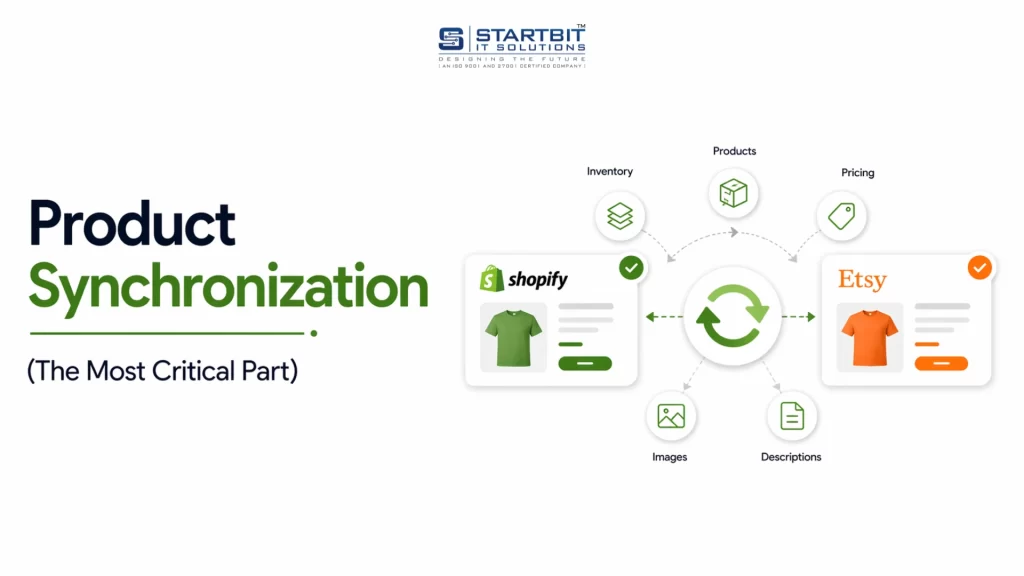
This is where most mistakes happen.
There are two correct approaches -choosing the wrong one can create duplicates or inventory conflicts.
Method 1: Import Etsy Products into Shopify
Best if:
- You started selling on Etsy
- You already have active listings
How it works:
- Select Etsy listings in the app
- Import them into Shopify
- Shopify creates matching products
Imported data includes:
- Title
- Description
- Images
- Price
- Variations
After import, Shopify becomes your control panel.
Method 2: Export Shopify Products to Etsy
Best if:
- Shopify is your primary store
- You want full control
Process:
- Select Shopify products
- Publish them to Etsy via the app
- Fill Etsy-required fields
Mandatory Etsy Fields:
- Category
- Product type
- Handmade/vintage declaration
- Materials
- Production partners
Etsy will reject listings that don’t meet these requirements.
9. Inventory Synchronization Explained in Depth
Inventory sync is the core advantage of integration.
Example:
- Product stock = 30 units
- 3 sold on Etsy
- Shopify updates → 27
- Etsy updates automatically
Sync Types:
- One-way: Shopify → Etsy
- Two-way: Shopify ↔ Etsy
Best Practice:
Use Shopify as your master inventory source to avoid conflicts.
10. Order Management and Fulfillment Flow
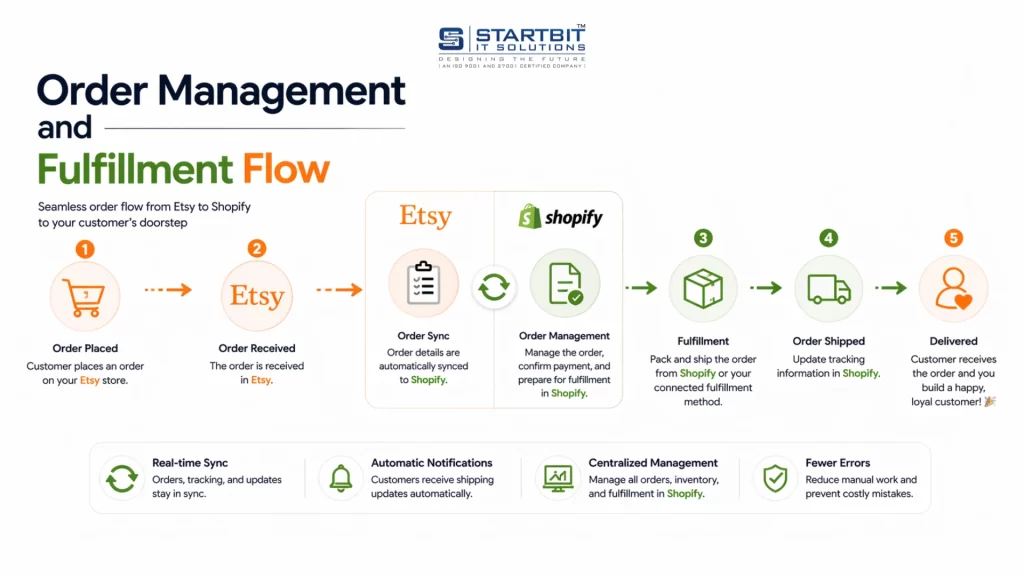
When an order is placed on Etsy:
- Etsy records the sale
- Integration app pulls the order
- Order appears in Shopify
- Inventory updates automatically
Important Clarifications:
- Payments remain inside Etsy
- Refunds must be processed in Etsy
- Shopify is used for fulfillment and tracking
11. Pricing, Fees, and Cost Reality
Etsy Fees Still Apply
- Listing fees
- Transaction fees
- Payment processing fees
Shopify Costs
- Monthly subscription
- Integration app fees
Integration does not eliminate Etsy fees.
12. Real-World Limitations You Must Accept
No integration is perfect. Be aware of these realities:
- Etsy SEO is completely independent
- Shopify design does not affect Etsy
- Etsy policies override flexibility
- Listings can be removed anytime
- Apps may break if APIs change
Integration is a tool – not a guarantee.
13. Best Practices for Long-Term Stability
To avoid issues and scale safely:
- Start with a small test batch
- Use consistent SKUs
- Keep Shopify as the master system
- Sync only Etsy-compliant products
- Monitor sync logs weekly
- Stay updated with Etsy policies
14. Who This Integration Is Best (And Not Best) For
Ideal For:
- Handmade sellers
- Print-on-demand brands
- Creative entrepreneurs
- Small to medium catalogs
Not Recommended For:
- Generic dropshipping
- Mass-produced products
- Policy-risk items
Conclusion
Selling online today is about building a connected system, not choosing one platform. Etsy brings traffic and quick sales, while Shopify gives you full control and brand growth. When integrated properly, both platforms work together to reduce manual work, prevent errors, and create a scalable business.
However, success depends on the right setup, clean data, and a clear strategy.
Startbit IT Solutions helps you manage everything -from integration setup and product syncing to automation and ongoing support. We turn Shopify into your central control system while Etsy continues driving visibility.
With the right approach, you can build a smooth, scalable, and future-ready eCommerce business.