


Modern businesses don’t struggle because they lack tools – they struggle because their tools don’t work together. Shopify handles online sales, while Salesforce manages customers and business processes. When they operate separately, teams miss important data, leading to poor decisions and lost growth.
What is Shopify Salesforce Integration?
Shopify and Salesforce were built for different purposes, and that’s exactly why integration is needed.
Shopify is designed to run transactions. It manages products, pricing, checkout, payments, shipping, taxes, and order fulfillment. Its strength is speed and reliability at scale. Shopify tells you what was sold, when it was sold, and how much revenue was generated.
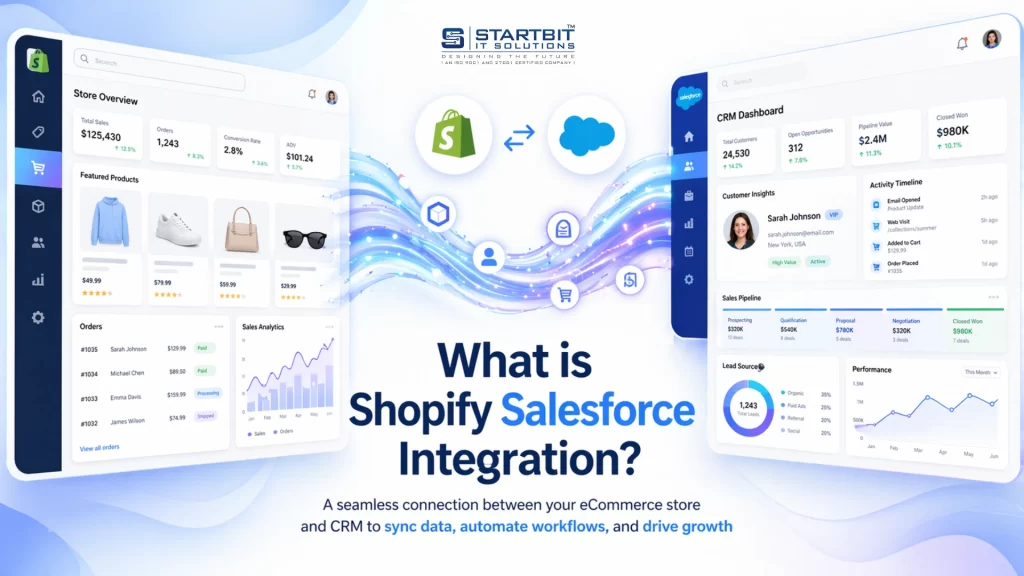
Salesforce is designed to manage relationships and processes. It tracks leads, contacts, accounts, opportunities, campaigns, service cases, and internal workflows. Salesforce answers deeper questions: Who are our best customers? Which leads are likely to convert? Which campaigns actually drive revenue? Why are customers leaving?
The problem starts when businesses expect one system to replace the other. Shopify is not a CRM, and Salesforce is not an eCommerce engine. When they operate separately, teams are forced to manually move data, which leads to delays, errors, and frustration.
Integration allows each platform to do what it does best – while sharing the data that matters.
Why Shopify Salesforce Integration Matters in 2026
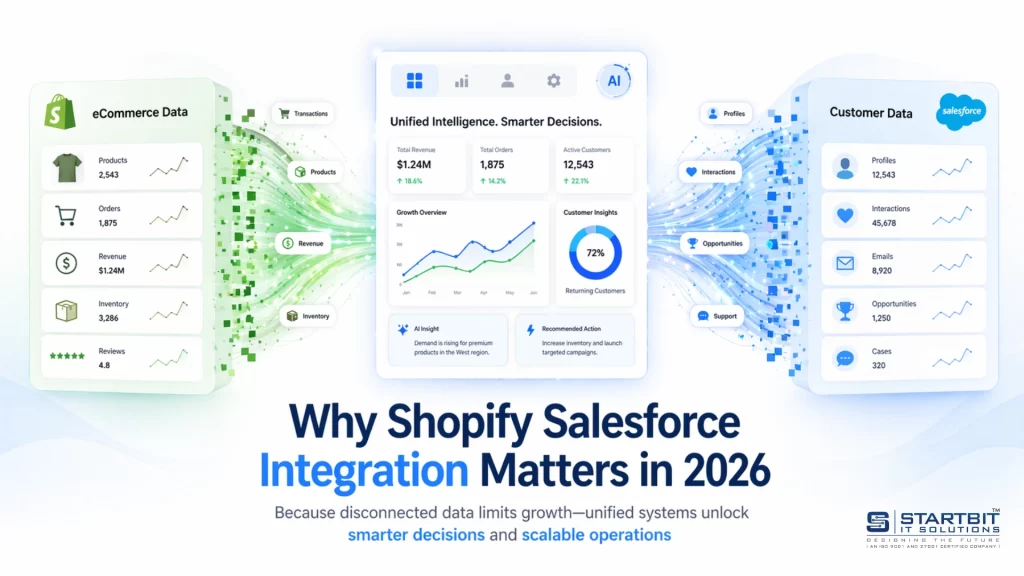
Most companies use multiple platforms, but when these systems are disconnected, important data gets Shopify Salesforce integration means that events happening in Shopify automatically update Salesforce in a structured and reliable way. This includes customers, orders, payments, refunds, and sometimes inventory or subscriptions.
For example, when a customer places an order in Shopify:
- A customer record is created or updated in Salesforce
- The order is logged as an opportunity or custom object
- Revenue metrics update automatically
- Sales, marketing, or support workflows are triggered
This turns raw transactions into usable business intelligence. Good integration is not about syncing everything. It’s about syncing the right data, at the right time, for the right teams.
How Shopify Salesforce Integration Works
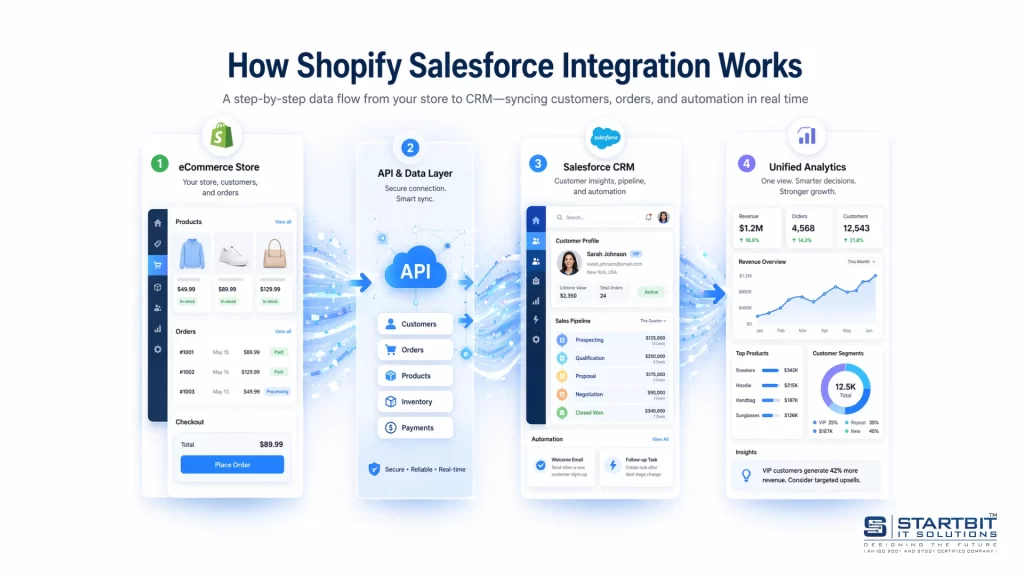
Integration works using APIs, webhooks, or middleware platforms.
Basic Flow:
Customer Action → Shopify → Webhook/API → Middleware → Salesforce
Explanation:
- Shopify Webhooks: Trigger events (order created, updated, refunded)
- Middleware: Translates and processes data (Celigo, MuleSoft, etc.)
- Salesforce API: Receives and stores structured data
Key Components:
- Authentication (secure connection)
- Field mapping (data alignment)
- Sync logic (real-time vs scheduled)
- Error handling
Real-Time vs Scheduled Sync: Choosing the Right Approach
Real-time sync updates Salesforce instantly when something happens in Shopify. This is ideal when:
- Sales teams need immediate visibility
- High-value transactions require fast action
- Subscription renewals trigger workflows
Scheduled sync updates data at fixed intervals (hourly or daily). This works well for:
- High-volume stores
- Non-urgent reporting needs
- Performance optimization
Most mature integrations use a hybrid approach, syncing critical events in real time and bulk data on a schedule.
Business Benefits of Shopify Salesforce Integration
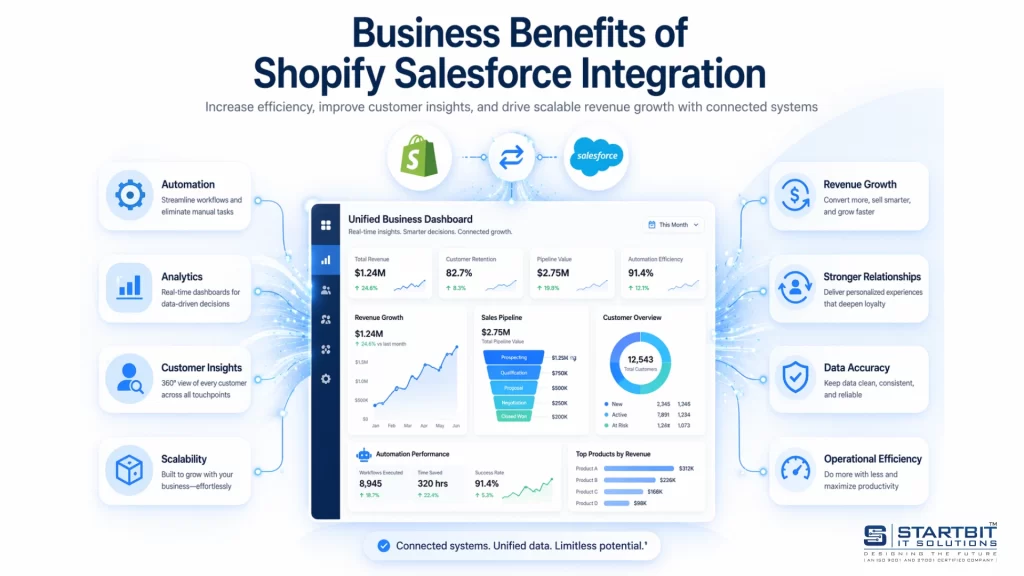
When Shopify and Salesforce are integrated, the impact goes beyond just data syncing. It improves how your entire business operates – bringing clarity, speed, and better decision-making across teams.
1. A Single Source of Truth
One of the biggest challenges businesses face is inconsistent data across different tools. With integration, all customer and order data is connected and updated in one place.
This means every team, sales, marketing, and support, works with the same accurate information. There’s no confusion, no duplicate records, and no need to manually verify data. As a result, reporting becomes more reliable, and decisions are based on facts, not assumptions.
2. Stronger Sales Performance
Sales teams perform better when they have complete visibility into customer behavior. Instead of guessing, they can see what customers have purchased, how often they buy, and how much they spend.
This allows sales teams to focus on high-value opportunities, personalize their approach, and close deals faster. With real insights, sales become more targeted and effective rather than reactive.
3. Better Customer Experience
Customer experience improves significantly when support teams have full access to customer history. With Shopify data available inside Salesforce, support agents can instantly view past orders, transactions, and interactions.
This eliminates the need for customers to repeat information and helps resolve issues faster. The result is a smoother, more personalized experience that builds long-term trust and loyalty.
4. More Effective Marketing
Marketing becomes much more powerful when it’s driven by real data. Instead of relying on assumptions, teams can create campaigns based on actual customer behavior.
For example, businesses can segment customers based on purchase history, target repeat buyers, and send personalized offers. This leads to higher engagement, better conversion rates, and improved return on investment.
5. Scalable Automation
Integration removes the need for manual work by automating key processes. Customer data, orders, and updates flow automatically between systems without human intervention.
This not only reduces errors but also saves time and resources. Teams can focus on strategic tasks instead of repetitive data entry, making it easier to scale operations as the business grows.
Shopify to Salesforce Integration Process (Step-by-Step Guide)
A successful integration is not about tools, it’s about following the right steps. When the process is clear, your integration will work smoothly and support your business as it grows.
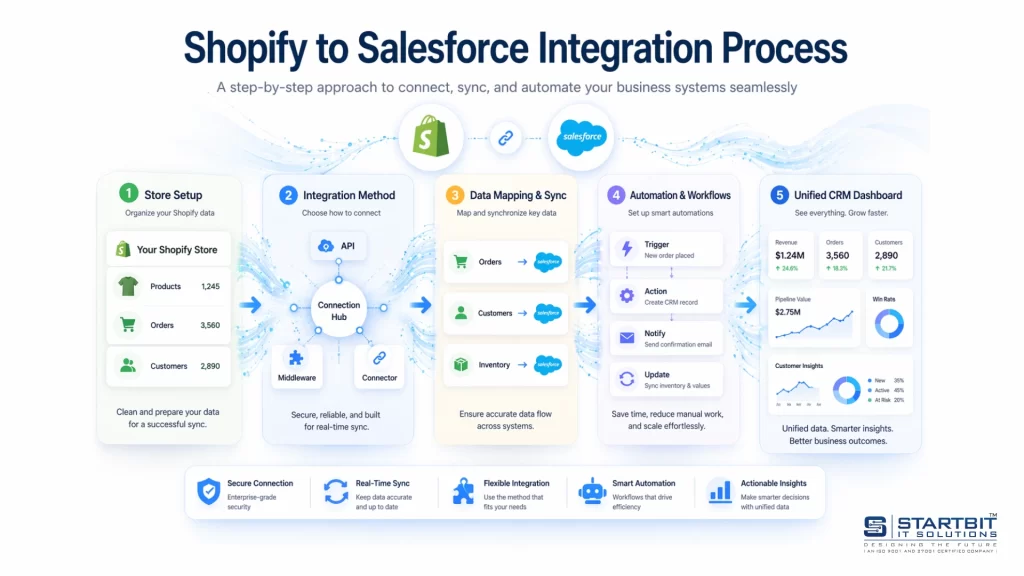
Step 1: Define Clear Business Goals
Do not start with “let’s connect Shopify to Salesforce.” Start with understanding your needs.
Ask simple questions:
- What problems do we want to solve?
- Which team needs what data?
- What decisions will depend on this data?
For example, sales may need to see orders instantly, marketing may need customer segments, and support may need order history. These goals decide how your integration should be built.
Step 2: Clean and Prepare Your Data
Before connecting systems, make sure your data is clean. Bad data will create more problems after integration.
You should:
- Remove duplicate contacts in Salesforce
- Use email as a standard unique field
- Clean product details and SKUs in Shopify
- Remove unused or confusing fields in Salesforce
Clean data helps both systems match records correctly and work without errors.
Step 3: Define Data Ownership
Each type of data should have one clear owner. This avoids confusion and data conflicts.
Usually:
- Shopify manages orders, products, payments, and refunds
- Salesforce manages customers, accounts, and workflows
This keeps data consistent and prevents one system from overwriting the other.
Step 4: Map Data Between Systems
Now decide how data will move from Shopify to Salesforce.
For example:
- Shopify customers → Salesforce contacts
- Shopify orders → Salesforce opportunities
- Shopify products → opportunity products
- Payments → revenue fields
- Refunds → status updates
Keep mapping simple and useful. The goal is to make data easy for your team to understand and use.
Step 5: Set Up Sync Logic
Decide how and when data should sync.
- Important data (like new orders) should sync in real time
- Large or old data can sync on a schedule
This balance keeps your system fast and avoids overload.
Step 6: Test with Real Scenarios
Before going live, test everything using real situations.
Check:
- New orders
- Repeat customers
- Refunds and cancellations
- Failed payments
Make sure the data in Salesforce looks correct and useful for your team.
Step 7: Monitor and Improve
Integration is not a one-time task. You need to keep checking and improving it.
You should:
- Watch for sync errors
- Avoid duplicate records
- Check system performance regularly
As your business grows, update your integration to match new needs.
Shopify to Salesforce Integration Apps and Tools
There is no single “best” integration tool – only the one that fits your business needs, technical capability, and scale. The right tool depends on how complex your workflows are, how much data you handle, and how much control you need.
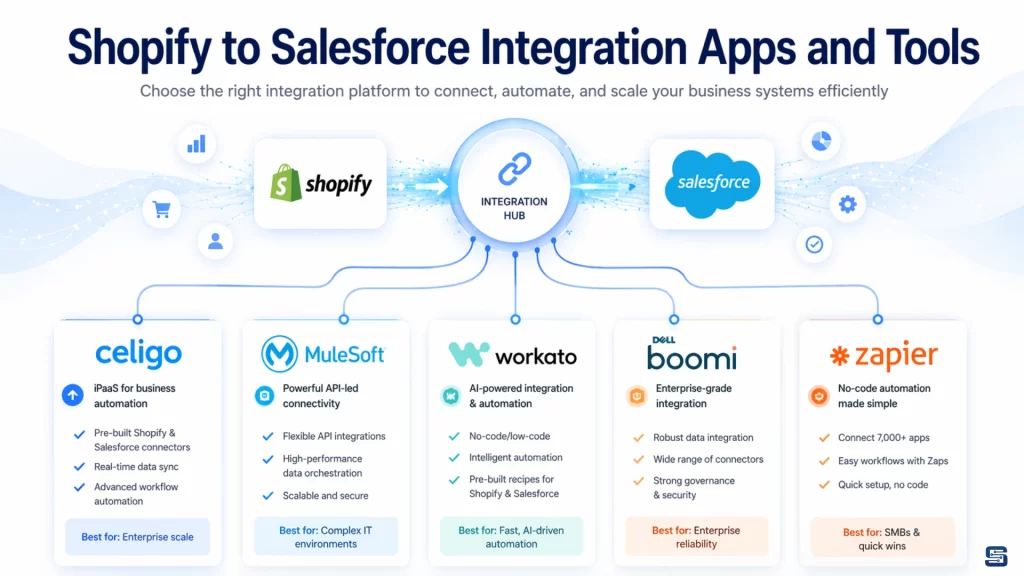
Below is a detailed breakdown to help you choose the right solution.
Celigo – Best Overall for Most Businesses
Celigo is one of the most popular choices for Shopify–Salesforce integration, especially for growing eCommerce businesses.
It provides prebuilt connectors specifically designed for Shopify and Salesforce, which makes setup faster and easier compared to building everything from scratch. It also includes built-in error handling, monitoring dashboards, and flexible data mapping.
Why businesses choose Celigo:
- Faster implementation with ready-to-use templates
- Strong error handling and retry mechanisms
- Scales well as order volume increases
- Requires less custom development
Best for: Small to mid-sized businesses that want a reliable and scalable solution without heavy technical effort.
MuleSoft – Best for Enterprise Organizations
MuleSoft is Salesforce’s own enterprise integration platform. It is designed for large companies that need full control over their integration architecture.
Unlike plug-and-play tools, MuleSoft allows you to build highly customized integrations using APIs. It can connect not just Shopify and Salesforce, but multiple systems across your entire business ecosystem.
Why enterprises choose MuleSoft:
- Full customization and flexibility
- Strong API management capabilities
- Handles complex, multi-system integrations
- Enterprise-level security and governance
Best for: Large organizations with dedicated technical teams and complex integration needs.
Workato – Best for Automation-Focused Businesses
Workato is a powerful platform that combines integration with workflow automation. It is especially useful when your goal is not just to sync data, but to trigger actions based on that data.
For example, when an order is placed in Shopify, Workato can automatically update Salesforce, send notifications, assign leads, or trigger marketing campaigns.
Why businesses choose Workato:
- Strong automation capabilities
- User-friendly interface compared to enterprise tools
- Supports complex logic without heavy coding
- Good balance between power and usability
Best for: Businesses that want to automate processes along with integration.
Dell Boomi – Best for Large-Scale Data Synchronization
Dell Boomi is a cloud-based integration platform known for handling large volumes of data across multiple systems. It is designed for businesses that operate at scale and need reliable, high-performance data synchronization.
It supports advanced data transformations, making it suitable for companies with complex data structures.
Why businesses choose Boomi:
- Handles high data volumes efficiently
- Supports complex data transformations
- Strong performance for global operations
- Connects multiple systems beyond Shopify and Salesforce
Best for: Large businesses with high transaction volumes and complex data environments.
Zapier – Best for Simple Use Cases
Zapier is a simple, no-code tool that can connect Shopify and Salesforce with basic workflows. It’s easy to set up and requires no technical expertise.
However, it has limitations when it comes to handling large data volumes, complex logic, or error management.
Why businesses use Zapier:
- Quick and easy setup
- No coding required
- Good for simple automation tasks
Limitations:
- Limited scalability
- Basic error handling
- Not suitable for complex integrations
Best for: Small businesses or simple automation needs.
How to Choose the Right Tool
Choosing the right tool depends on your business size, complexity, and goals.
| Business Type | Recommended Tool | Why |
|---|---|---|
| Small / Growing | Celigo | Easy setup, scalable, cost-effective |
| Automation-Focused | Workato | Strong workflow automation |
| Enterprise | MuleSoft / Boomi | Full control and scalability |
| Simple Needs | Zapier | Quick and easy setup |
Common Challenges in Shopify Salesforce Integration
Most integration problems don’t come from technology – they come from poor planning. If the setup is not done correctly, even the best tools won’t deliver results.
One common issue is incorrect data mapping. When Shopify data is not mapped properly to Salesforce, the information becomes confusing and difficult to use. To avoid this, always map data based on real business needs, not just technical setup.
Another challenge is duplicate records. If matching rules are weak, the same customer can appear multiple times in Salesforce. This can be solved by using a unique identifier, like email, and setting clear rules for updates.
Scalability is also often ignored. An integration that works for a small business may fail as order volume grows. Planning for future growth and choosing scalable tools helps prevent this.
Many businesses also forget to monitor their integration. Over time, sync failures or errors can go unnoticed. Regular monitoring and alerts ensure everything runs smoothly.
B2B vs B2C Integration Considerations
Shopify Salesforce integration works for both B2B and B2C businesses, but the way it is used is different.
In B2B businesses, the focus is on long-term relationships and complex sales processes. There are multiple decision-makers, custom pricing, and longer sales cycles. Salesforce handles this complexity, while Shopify manages transactions.
In B2C businesses, the focus is on speed and customer experience. Customers expect quick purchases, personalized offers, and smooth interactions. Integration helps create a seamless journey across all touchpoints.
Measuring ROI of Shopify Salesforce Integration
Integration is not just a technical upgrade – it directly impacts business performance.
You will start seeing results in several ways.
Conversion rates improve because marketing and sales teams use real customer data. Customer retention increases because experiences become more personalized. Forecasting becomes more accurate since it is based on actual transactions, not assumptions.
At the same time, manual work is reduced. Tasks that once required hours are now automated, saving time and reducing errors. Decision-making also becomes faster because teams have access to real-time insights.
Future of Shopify Salesforce Integration
Integration is moving beyond simple data syncing. The future is about smarter systems that can guide decisions.
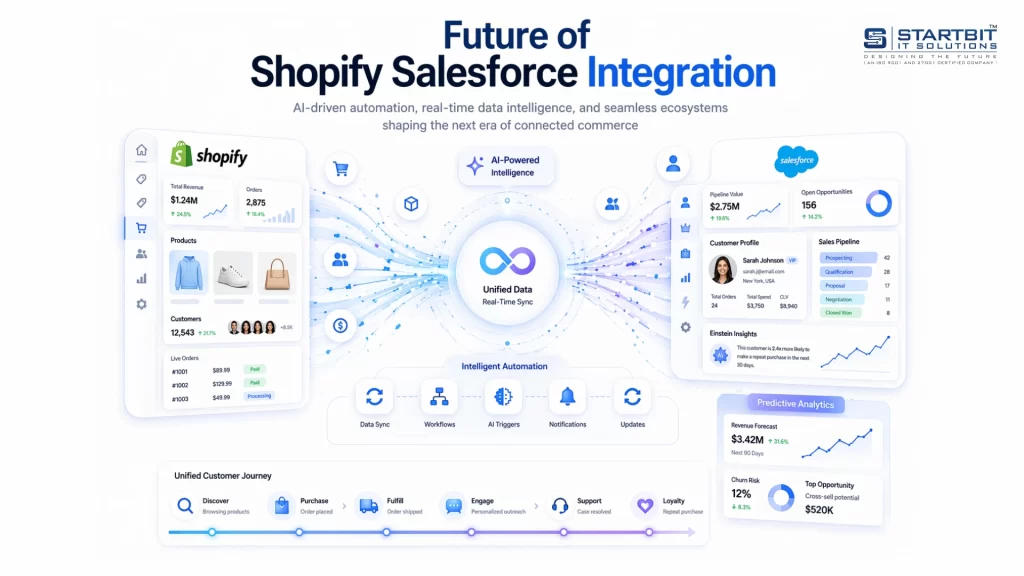
Technologies like AI and predictive analytics will help businesses understand customer behavior before it happens. Automation will become more advanced, handling entire workflows without manual effort. Headless commerce will allow more flexible and personalized digital experiences.
Conclusion
Shopify and Salesforce integration is not just a technical setup – it’s a business decision that brings everything together.
When your systems are connected, your data becomes clear, your teams stay aligned, and your customers get a better, more consistent experience. Instead of working in silos, your sales, marketing, and support teams operate with the same real-time information, making faster and smarter decisions.
But real success doesn’t come from just connecting tools – it comes from doing it the right way. That means clear planning, clean data, the right integration approach, and ongoing optimization.
This is where Startbit IT Solutions plays a key role. From strategy and setup to customization and long-term support, Startbit helps businesses build reliable, scalable, and future-ready integrations. Whether you are just starting or looking to improve an existing system, the right guidance makes all the difference.
FAQs
Yes. It reduces manual work and prepares your business for growth.
Not always. Many tools make it easier, but complex setups may need technical support.
Yes, if the integration is designed properly with scalable tools.
Yes, when proper security practices like encryption and access control are used.
A complete and accurate view of your customers and business data.