

Choosing an ecommerce platform isn’t just a technical decision – it’s a business-defining one. The platform you select determines how fast you can launch, how much control you have, how secure your customer data is, and how easily your store can scale as sales grow. Think of it like choosing the foundation for a building. You can redesign rooms later, but if the foundation doesn’t support growth, cracks will eventually appear.
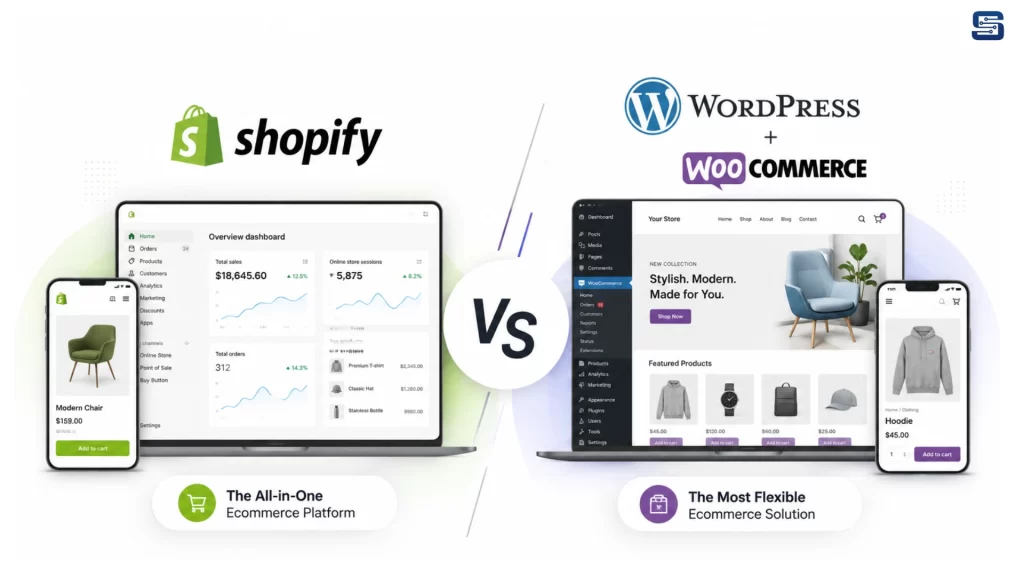
In today’s ecommerce landscape, two platforms dominate the conversation: Shopify and WordPress with WooCommerce. Both power millions of online stores worldwide, from solo entrepreneurs selling handmade products to enterprise-level brands processing millions in revenue. Yet despite serving the same purpose, these platforms couldn’t be more different under the hood.
Shopify promises simplicity, speed, and peace of mind. It’s a fully hosted solution designed to let you focus on selling, not managing technology. WordPress with WooCommerce, on the other hand, offers unmatched flexibility and ownership, but demands more responsibility and technical involvement.
If you’ve ever asked yourself questions like
“Which platform is better for beginners?”,
“Which one is more SEO-friendly?”, or
“Which ecommerce solution will scale with my business?”,
you’re in the right place. This in-depth comparison breaks down every critical aspect of Shopify vs WordPress (WooCommerce) – clearly, honestly, and without bias – so you can make a confident, informed decision.
Understanding the Core Difference Between Shopify and WordPress
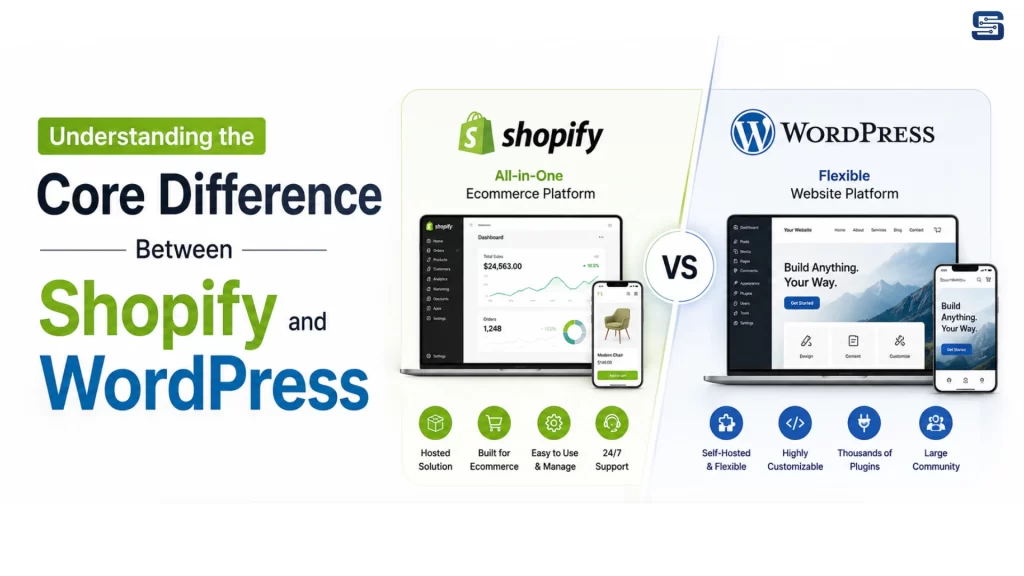
At a glance, Shopify and WordPress may seem like competitors offering similar e-commerce capabilities. Dig deeper, and you’ll realize they are built on entirely different philosophies. Understanding this foundational difference is essential before comparing features, pricing, or performance.
What Shopify Is and How It Works
Shopify is a fully hosted, Software-as-a-Service (SaaS) ecommerce platform. Everything you need to run an online store – hosting, security, checkout, product management, payment processing, and updates – is bundled into one centralized system. You don’t install Shopify on a server or worry about backend infrastructure. You simply create an account, choose a theme, add products, and start selling.
The beauty of Shopify lies in its all-in-one approach. Technical complexity is abstracted away. Shopify handles server maintenance, security patches, PCI compliance, and performance optimization behind the scenes. For store owners, this means fewer headaches and more time spent on marketing, branding, and customer experience.
What WordPress + WooCommerce Is and How It Works
WordPress is an open-source content management system (CMS) originally built for blogging and content publishing. On its own, WordPress doesn’t handle e-commerce. That’s where WooCommerce comes in – a free plugin that transforms WordPress into a fully functional online store.
With WordPress + WooCommerce, you own everything. The website files, database, hosting environment, and codebase are all under your control. You choose your hosting provider, install WordPress, configure WooCommerce, and then customize your store using themes and plugins.
This approach offers unmatched flexibility. You can modify nearly every aspect of your store’s functionality and design. But with that freedom comes responsibility. You’re in charge of hosting performance, security, updates, backups, and compatibility between plugins.
In simple terms, WordPress is like owning land and building a house from scratch, while Shopify is like renting a luxury apartment where maintenance is handled for you.
E-commerce-First vs. Content-First Philosophy
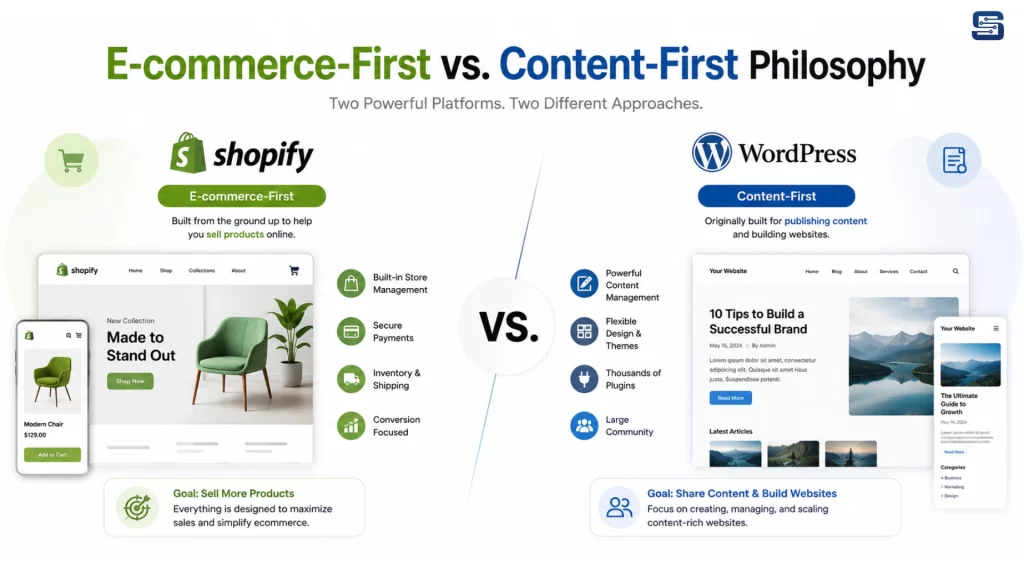
The philosophical difference between these platforms defines everything else:
- Shopify is ecommerce-first
Every feature, menu, and workflow is designed around selling products efficiently.
- WordPress is content-first
Ecommerce is an extension layered on top of a powerful publishing platform.
If your business revolves around content marketing, blogging, SEO, and storytelling, WordPress naturally shines. If your primary goal is selling products with minimal setup and maintenance, Shopify feels purpose-built.
Understanding this distinction will make every comparison that follows clearer and more meaningful.
Hosting & Infrastructure: Managed Convenience vs Self-Control
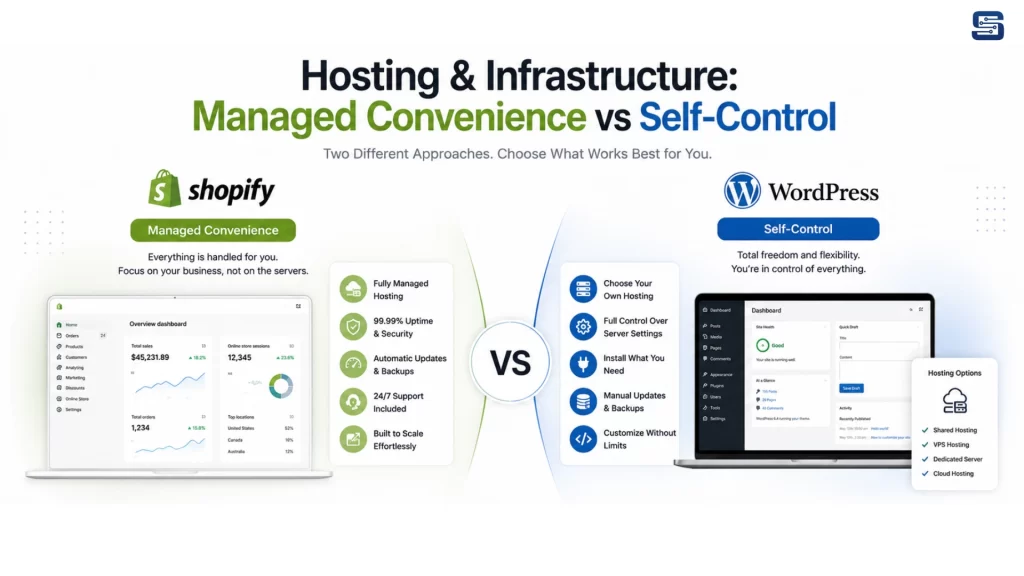
Hosting and infrastructure are the invisible backbone of your ecommerce store. They affect speed, reliability, security, and scalability – often without you noticing until something goes wrong.
Shopify Hosting Explained
With Shopify, hosting is fully managed and included in your monthly subscription. Your store runs on Shopify’s globally distributed infrastructure, optimized specifically for ecommerce performance. Bandwidth is unlimited, traffic spikes are handled automatically, and uptime is consistently high.
You don’t see server settings, databases, or configuration files – and that’s intentional. Shopify’s infrastructure is designed to “just work.” Whether you have 10 visitors a day or 100,000 during a flash sale, Shopify handles the load without requiring manual intervention.
This is especially valuable during high-traffic events like Black Friday or viral product launches. Shopify stores rarely go down due to traffic surges because scaling happens automatically.
WordPress Hosting Explained
With WordPress, hosting is your responsibility. You must choose a hosting provider, select a plan, and configure your environment. Options range from shared hosting to VPS, cloud hosting, and managed WordPress hosting.
The quality of your hosting directly impacts:
- Page load speed
- Store uptime
- Security
- Ability to handle traffic spikes
Cheap hosting can cripple a WooCommerce store, while high-quality managed hosting can make it incredibly fast and reliable. But choosing, configuring, and maintaining that hosting requires knowledge—or a budget for professional help.
Performance, Uptime, and Traffic Handling
Here’s the key difference:
- Shopify removes infrastructure risk
- WordPress gives you infrastructure control
If you want peace of mind and predictable performance, Shopify wins. If you want granular control and are willing to manage – or pay for – technical optimization, WordPress offers more flexibility.
Ease of Use: Beginner-Friendly vs Power-User Control
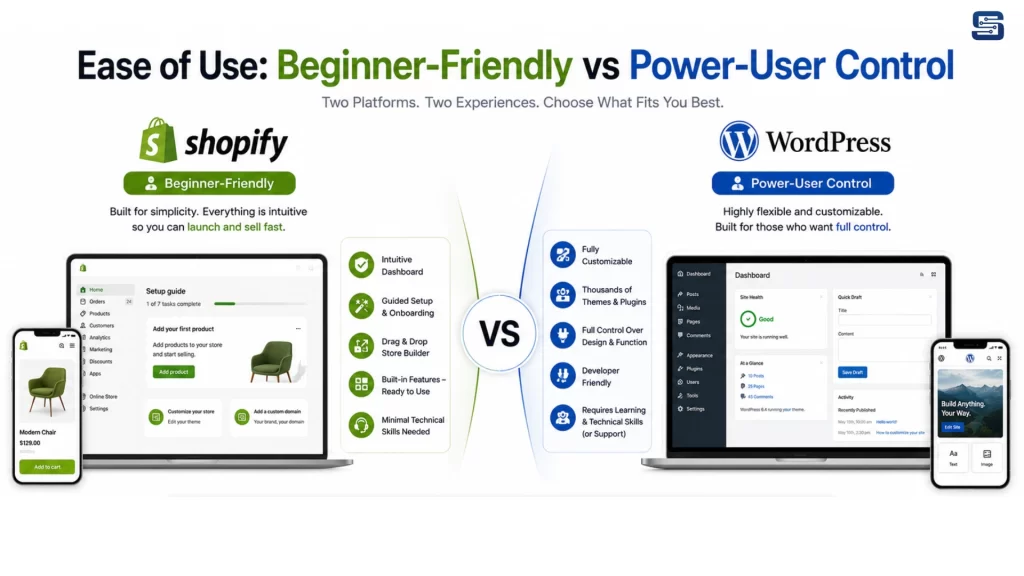
Ease of use can determine whether your ecommerce journey feels exciting or overwhelming.
Shopify Dashboard Experience
Shopify’s dashboard is clean, intuitive, and purpose-built for ecommerce. Product creation, order management, inventory tracking, and analytics are all accessible within a few clicks. The interface feels like using modern software rather than managing a website.
Even non-technical users can:
- Add products
- Customize layouts
- Configure payments
- Launch a store within hours
Shopify minimizes decision fatigue by offering guided setups and sensible defaults.
WordPress + WooCommerce Learning Curve
WordPress + WooCommerce is powerful, but not immediately intuitive. You’re dealing with:
- WordPress core settings
- Theme customization
- WooCommerce configurations
- Plugin compatibility
Each plugin adds features but also complexity. For beginners, this can feel like assembling a puzzle without a picture on the box.
Which Platform Is Easier for Non-Technical Users
There’s no contest here.
- Shopify is easier for beginners
- WordPress rewards technical users
If you value simplicity and speed, Shopify is the clear winner. If you enjoy tinkering and customization, WordPress offers deeper control.
Setup Time & Launch Speed
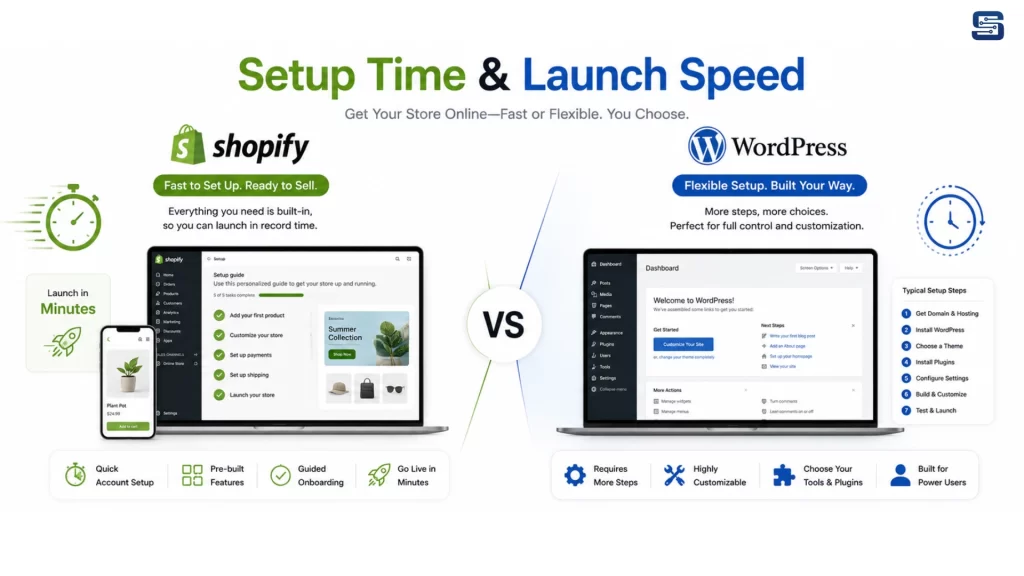
Speed matters, especially when testing product ideas or entering competitive markets.
How Fast You Can Launch a Shopify Store
With Shopify, you can:
- Create an account
- Choose a theme
- Add products
- Connect payments
- Launch
This can realistically happen within a single day.
Steps Required to Launch a WooCommerce Store
Launching a WooCommerce store involves:
- Purchasing hosting
- Installing WordPress
- Installing WooCommerce
- Configuring payments, shipping, and taxes
- Adding security and performance plugins
Each step introduces potential friction.
Time-to-Market Comparison
- Shopify = faster launch
- WordPress = slower but customizable
For rapid deployment, Shopify clearly leads.
Pricing Models & Real Long-Term Costs
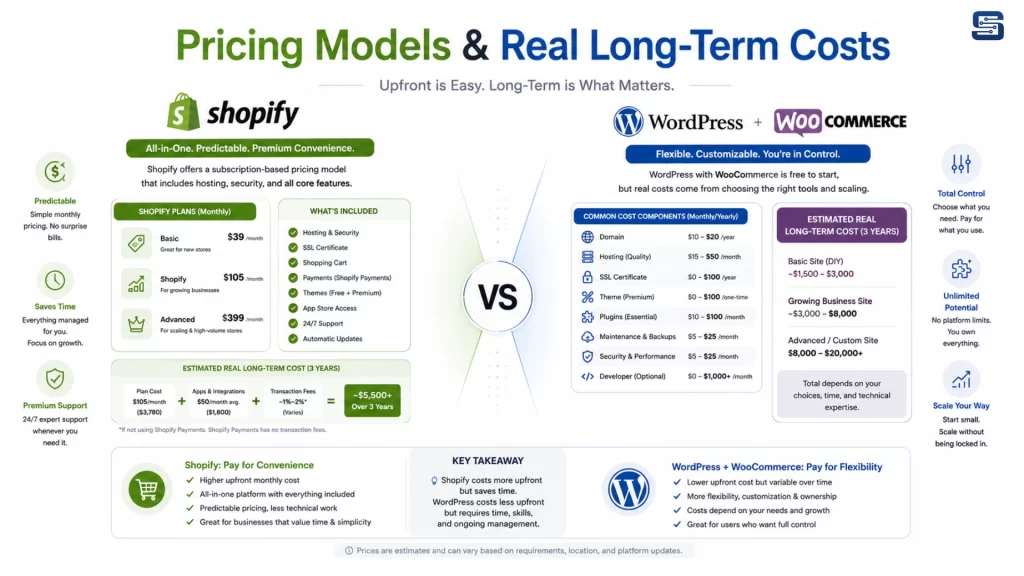
Money isn’t just about how much you pay today – it’s about how predictable, scalable, and transparent your costs are over time. This is one of the biggest deciding factors between Shopify and WordPress with WooCommerce, and it’s also where many business owners get surprised later if they don’t look deep enough.
Shopify Pricing Breakdown
Shopify uses a subscription-based pricing model. You pay a fixed monthly fee, and in return, you get hosting, security, updates, and core e-commerce functionality bundled together. This structure makes Shopify feel straightforward and business-friendly, especially for founders who want predictable expenses.
Typical Shopify costs include:
- Monthly plan fee (Basic, Shopify, Advanced)
- Optional premium themes
- Paid apps for extended features
- Transaction fees if not using Shopify Payments
The upside here is clarity. You know exactly what your baseline monthly cost is going to be. There are no surprise hosting outages, no emergency developer fees for broken updates, and no scrambling to fix security vulnerabilities.
WordPress + WooCommerce Cost Structure
WordPress and WooCommerce themselves are free, which is incredibly appealing. But “free” is misleading if you don’t consider the surrounding ecosystem.
Common WooCommerce-related costs include:
- Web hosting (monthly or annual)
- Premium themes
- Paid plugins (SEO, security, backups, performance, marketing)
- Developer or maintenance support (optional but common)
Unlike Shopify, WordPress costs are modular. You only pay for what you need. This can make WooCommerce cheaper for small stores or content-driven businesses – but also unpredictable. One plugin conflict or performance issue can lead to unexpected expenses.
Hidden Costs, Add-ons, and Scalability Expenses
Here’s the real-world comparison:
- Shopify = higher baseline, predictable scaling
- WordPress = lower entry cost, variable long-term spending
Shopify is like leasing a fully serviced car. WordPress is like owning one – you can save money, but repairs are on you. Your budget preference and risk tolerance matter more than raw pricing numbers.
Ecommerce Core Features Comparison
At their core, both platforms are capable ecommerce engines. But how those features are delivered, and how much effort it takes to use them differs significantly.
Product Management
Shopify makes product management simple and efficient. Adding products, variants, SKUs, pricing rules, and inventory tracking is seamless. The interface is designed to handle large catalogs without feeling overwhelming.
WooCommerce supports the same capabilities, but complexity grows faster. Managing variable products, attributes, and inventory often feels less intuitive, especially as catalogs scale.
Inventory, Orders, and Customer Management
Shopify’s backend shines here. Orders, customers, refunds, and fulfillment workflows are streamlined and logical. Everything feels integrated.
WooCommerce can match this power, but usually through plugins. The result is flexibility—but also fragmentation. Each added plugin is another moving part.
Built-In Tools vs Plugin-Based Expansion
This is the recurring theme:
- Shopify: Strong out-of-the-box ecommerce tools
- WooCommerce: Expandable via plugins
If you want ecommerce functionality ready from day one, Shopify has the edge.
Abandoned Cart Recovery Capabilities
Abandoned carts are one of the biggest revenue leaks in e-commerce. Recovering even a small percentage can dramatically increase profits.
Shopify includes built-in abandoned cart recovery on most plans. You can automatically email customers who leave without checking out, using pre-built templates or custom messaging.
WooCommerce doesn’t include this feature natively. You’ll need a plugin—often paid—to achieve similar functionality. While these plugins can be powerful, they require setup and monitoring.
For store owners who want results without configuration, Shopify wins here.
Payment Gateways & Transaction Fees
How you get paid – and how much you lose to fees -matters more than most people realize.
Shopify Payments and Third-Party Gateways
Shopify offers its own gateway, Shopify Payments, which simplifies setup and eliminates extra transaction fees. However, if you use external gateways like PayPal or Stripe, Shopify may charge additional fees on top of gateway processing costs.
This encourages merchants to stay within Shopify’s ecosystem.
WooCommerce Payment Flexibility
WooCommerce supports a massive range of payment gateways with no platform-level transaction fees. You only pay the gateway’s processing fees.
This makes WooCommerce attractive for international sellers or businesses using niche payment providers.
Cost and Control Trade-Offs
- Shopify: Simplicity, but potential extra fees
- WooCommerce: Freedom, fewer restrictions
Flexibility favors WooCommerce. Ease favors Shopify.
Multi-Channel Selling & Marketplace Integrations
Modern ecommerce doesn’t live on a single website. Social platforms and marketplaces are essential sales channels.
Shopify integrates directly with:
- Facebook & Instagram Shops
- TikTok
- Amazon and other marketplaces
These integrations are polished and beginner-friendly. WooCommerce supports multi-channel selling too, but usually via plugins. Setup is more manual, and reliability depends on plugin quality. If multi-channel selling is central to your strategy, Shopify offers a smoother experience.
Shipping, Taxes, and Fulfillment Management
Shipping logistics can make or break customer satisfaction.
Shopify includes:
- Shipping profiles
- Real-time carrier rates
- Label printing
- Automated tax calculations (in many regions)
WooCommerce supports shipping and taxes, but advanced automation often requires extensions. While powerful, this setup demands more configuration and testing.
For sellers who want shipping “handled,” Shopify again feels easier.
Themes, Design Freedom & Customization
Design is where brand identity comes to life.
Shopify Theme Ecosystem
Shopify themes are:
- Ecommerce-optimized
- Mobile-responsive
- Quality-controlled
Customization is easy but bounded. You work within Shopify’s theme framework unless you dive into custom development.
WordPress Themes and Custom Design Control
WordPress offers thousands of themes and near-total design freedom. Developers can build completely custom storefronts with no platform limitations.
This makes WordPress ideal for brands that want a unique look and feel -but it often requires design or development expertise.
Content Management & Blogging Capabilities
This is where WordPress truly shines.
WordPress was built for content. Long-form articles, blogs, landing pages, and complex content structures are native features. If content marketing and SEO are core to your growth strategy, WordPress feels natural.
Shopify supports blogging, but it’s basic. It works – but it’s not its strength.
Apps vs Plugins Ecosystem
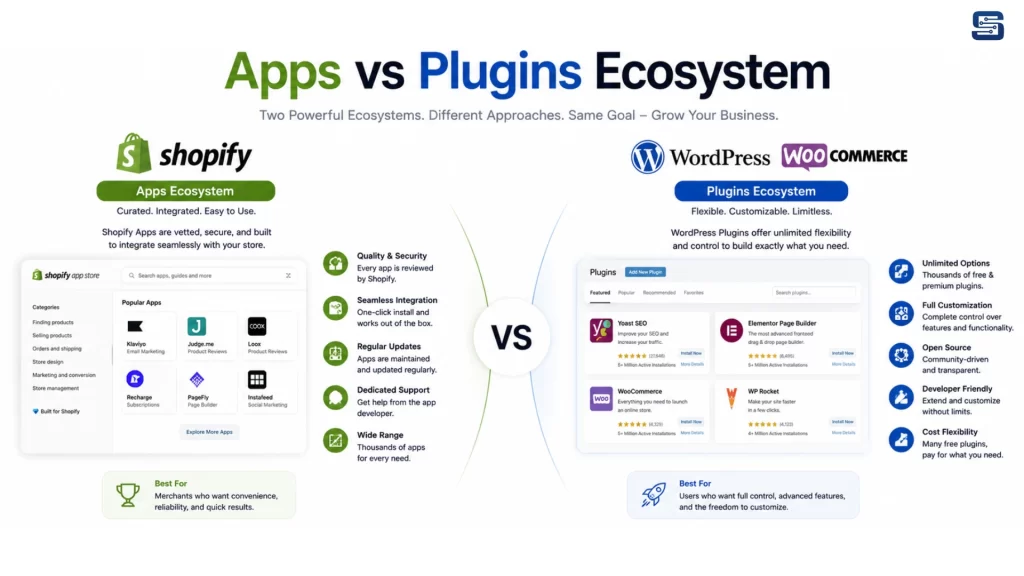
Shopify’s app store is curated. Apps are reviewed, tested, and optimized for the platform.
WordPress plugins are vast and open. You’ll find solutions for almost anything, but quality varies widely.
Shopify favors reliability. WordPress favors choice.
SEO Capabilities: Shopify vs WordPress
SEO is not just about plugins—it’s about control.
Shopify covers SEO fundamentals well:
- Clean URLs
- Meta tags
- Sitemaps
- Mobile optimization
WordPress goes further. With plugins like Yoast or Rank Math, you gain granular control over every SEO element. For advanced SEO strategies, WordPress has the edge.
Built-In Marketing Tools & Automation
Shopify includes email marketing, automation, and customer segmentation tools. You can launch campaigns without external software.
WordPress relies on integrations. This offers flexibility but requires setup and strategy alignment.
Security & Compliance Responsibility
Security is non-negotiable.
Shopify handles:
- SSL
- PCI compliance
- Security updates
With WordPress, security depends on hosting quality, plugins, and maintenance discipline. If you don’t want to think about security, Shopify is the safer choice.
Maintenance, Updates & Technical Overhead
Shopify is maintenance-free. Updates happen automatically.
WordPress requires regular updates and monitoring. Ignoring them can break your site or expose vulnerabilities.
Scalability & Long-Term Growth Potential
Shopify scales effortlessly. Traffic spikes and sales growth are handled automatically.
WordPress scalability depends on hosting and optimization. It can scale—but it requires planning and expertise.
Customer Support & Community Resources
Shopify offers 24/7 official support.
WordPress relies on community forums, hosting providers, and plugin developers.
Who Should Choose Shopify
Shopify is ideal for:
- Beginners
- Fast-growing ecommerce brands
- Businesses that want low maintenance
- Sellers focused purely on products
Who Should Choose WordPress + WooCommerce
WooCommerce is ideal for:
- Content-driven businesses
- SEO-heavy strategies
- Brands needing full customization
- Teams with technical resources
Final Verdict: Which Ecommerce Platform Is Right for You
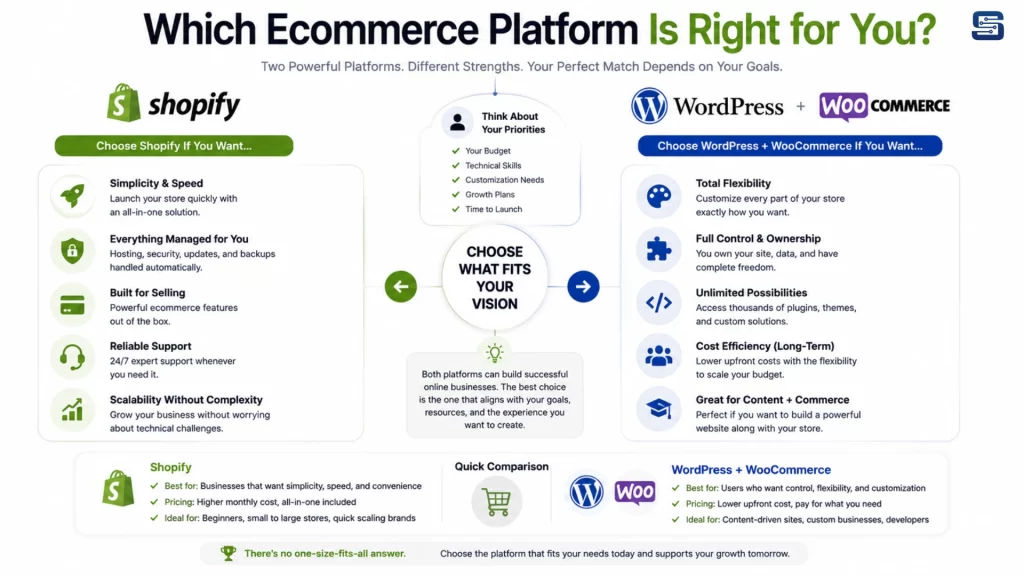
There is no universal winner—only the right fit.
Shopify excels in ease, speed, security, and scalability.
WordPress + WooCommerce excels in flexibility, ownership, and content control.
Your choice should align with your skills, goals, and growth strategy—not just feature lists.
Conclusion
Both Shopify and WordPress offer powerful e-commerce capabilities, but the ideal platform depends on your business objectives, technical requirements, and growth strategy. Shopify is best suited for businesses looking for a streamlined, secure, and easy-to-manage ecommerce solution, while WooCommerce provides greater flexibility, customization, and advanced content management for businesses seeking full control over their online store.
At Startbit IT Solutions, we help businesses identify the right ecommerce platform and deliver scalable, high-performance online stores tailored to their unique needs. From Shopify and WooCommerce development to SEO optimization, custom integrations, migration, and ongoing support, our team ensures your e-commerce business is built for long-term success and growth.